Are E-Signatures Safe? An Honest Guide for Signers and Senders
Are e-signatures safe? For the integrity of the document itself, yes, and often more so than a wet signature on paper. But if you're a signer or a sender wondering whether the whole process is a magic shield, the honest answer is no. E-signatures verify identity, not intent. They cannot stop someone from being tricked into signing, they cannot see pressure or coercion happening on the other side of the screen, and they don't apply to every document type. LoreSign builds its signing flow around the safeguards that do work: a tamper-evident audit trail, signer identity checks, and automatic delivery of the completed PDF. This guide covers how e-signatures actually work, where they're stronger than ink, where they fail, and the exact checks to run whether you're signing or sending.
| At a glance | Details |
|---|---|
| Legal validity | Yes, in most countries |
| Main risk | Social engineering, not tech |
| Identity check | Verifies identity, not intent |
| Document types | Wills, trusts often excluded |
| Best practice | Use audit trail + 2FA |
| If challenged | Chain of evidence matters |
In This Guide
- What Is an E-Signature and How Does It Work?
- E-Signatures vs. Wet Signatures: Which Is Safer?
- Why E-Signatures Are More Secure Than Wet Signatures
- Are E Signatures Safe: A Step-by-Step Guide
- Are E-Signatures Legally Valid and Enforceable?
- What E-Signatures Cannot Protect You From
- What Documents Cannot Be Electronically Signed?
- How to Protect Your Own Electronic Signature
- If You're Signing vs. If You're Sending: Two Checklists
- What Happens When Things Go Wrong: Dispute Resolution
- Best Practices for Secure E-Signature Use
What Is an E-Signature and How Does It Work?
An e-signature is not a picture of your handwritten name. It's a digital record that binds your identity to a document at a specific moment. When you click "sign" on a platform, the system logs who you are, when you signed, and what exactly you agreed to. That record, not the squiggle on screen, is the signature.
Here's what happens behind the scenes. The platform creates a hash of the document, a unique string of characters that changes if anyone alters a single word. Your identity gets attached through an email link, an SMS code, or a stronger method like a digital certificate. The timestamp records the moment of signing. Together, these three pieces form the evidence chain.
Electronic signature vs. digital signature: what's the difference?
An electronic signature is the broad legal term: any electronic mark showing intent to sign. A digital signature is a specific technology underneath it, using encryption to tie your identity to the document hash. Most platforms use both. You click to sign (electronic), and the system applies cryptographic protection (digital).
The chain of evidence: identity, timestamp, document hash
Three links matter. Identity proves who signed. Timestamp proves when. Document hash proves what was signed and that nothing changed afterward. Break any link and the signature gets harder to defend.
What a judge or auditor actually looks at
If a signature is challenged, the court doesn't examine the squiggle. It checks the audit trail: did the signer authenticate, was the document unchanged, does the timestamp hold up. The visual signature is irrelevant. The evidence chain is everything.
E-signatures verify identity, not intent. They cannot prevent someone from being tricked into signing or guarantee the other party will honor the agreement.
E-Signatures vs. Wet Signatures: Which Is Safer?
| Factor | E-Signature | Wet Signature |
|---|---|---|
| Authentication | Digital methods (email, SMS, knowledge checks) | Physical presence, handwriting analysis |
| Tamper evidence | Audit trail, tamper seal | Ink, paper, potential alteration |
| Convenience | Sign from anywhere, instant delivery | Requires in-person or mail |
| Legal acceptance | Widely accepted (e.g., ESIGN, eIDAS) | Universally accepted |
| Fraud risk | Phishing, coercion possible | Forgery, coercion possible |
Why E-Signatures Are More Secure Than Wet Signatures
Ink gives you nothing. A wet signature proves only that someone held a pen. You can't tell who signed, when they signed, or whether the page you're looking at is the page they actually saw. E-signatures fix all three.
Tamper-evident seals and document integrity
Every e-signature platform hashes the document at the moment of signing. Change one word after the fact and the hash no longer matches. The seal breaks. A wet signature sits on paper that can be altered, swapped, or forged without leaving a trace you'd notice.
Audit trails: who signed, when, from where
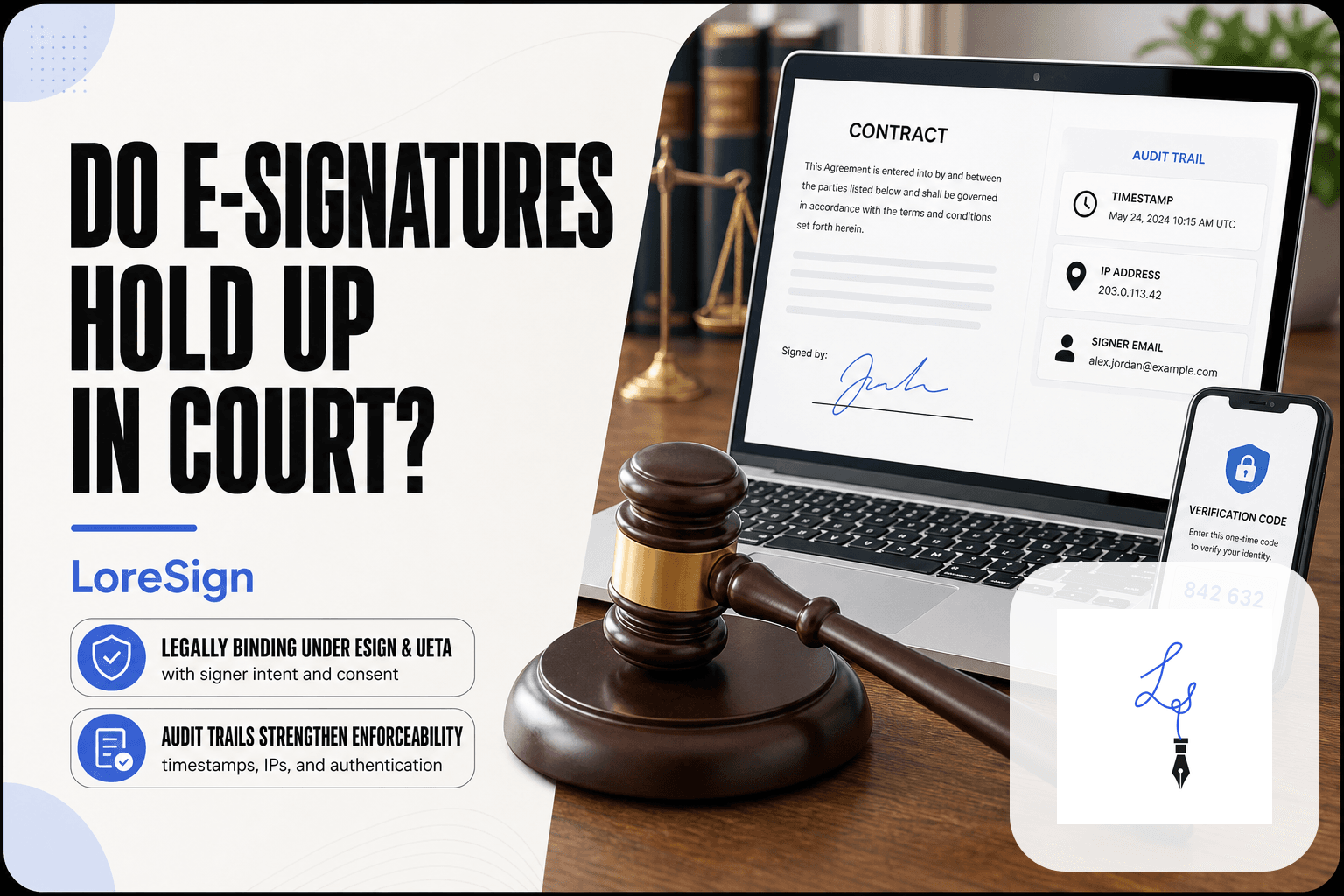
The audit trail logs the signer's email, IP address, timestamp, and the exact document version they saw. If a signature gets challenged, you pull the record and show the chain. Ink leaves no chain. You're left arguing about handwriting.
Identity verification methods: email, SMS, KBA, digital certificates
Platforms verify identity in layers. Email confirms the signer controls the inbox. SMS adds a second factor. Knowledge-based authentication asks questions only the signer should answer. Digital certificates bind identity cryptographically. Wet signatures offer none of this. The honest answer is that e-signatures don't stop a determined fraudster, but they leave evidence ink never will.
For high-value contracts, add a second authentication factor (like SMS code) and use a provider with a detailed audit trail. This strengthens your chain of evidence if the signature is ever challenged.
Are E Signatures Safe: A Step-by-Step Guide
- Identify the exact document and signature timestamp.
- Retrieve the audit trail from the e-signature provider.
- Check each signer's authentication method (email, SMS, etc.).
- Review the IP address, device, and location logs.
- Confirm the document's integrity via hash or tamper seal.
- Present the certificate of completion and audit trail to the court.
Are E-Signatures Legally Valid and Enforceable?
Yes. In the US, the ESIGN Act and UETA give e-signatures the same legal force as wet signatures. A contract can't be thrown out just because it was signed electronically. The catch: some document types are excluded, and enforceability depends on the evidence you can produce.
ESIGN and UETA: the US legal foundation
The ESIGN Act (2000) and UETA, adopted by 49 states, establish that a signature can't be denied legal effect solely because it's electronic. New York has its own statute that mirrors UETA. The core test is intent: did the signer mean to sign? If yes, the method doesn't matter.
What happens when a signature is challenged in court
A judge asks three questions. Did the signer consent to doing business electronically? Can you prove the signer is who they claim to be? Does the audit trail show the document wasn't altered after signing? Platforms that log IP addresses, timestamps, and document hashes make this straightforward. A wet signature gives the court none of that.
International laws: eIDAS and country-specific rules
The EU's eIDAS regulation recognizes three levels: standard, advanced, and qualified electronic signatures (QES). Only QES carries the same weight as a handwritten signature across all member states. Canada uses PIPEDA and provincial laws. China, Japan, and Brazil each have their own rules. It depends on where the signer sits and what you're signing. Check local law before relying on a cross-border e-signature.
What E-Signatures Cannot Protect You From
E-signatures verify identity. They do not verify judgment. The technology can prove who clicked and when, but it cannot tell you whether that person understood what they were signing, wanted to sign it, or will follow through afterward. Those failures happen outside the system.
Social engineering and phishing: the most common real-world attack
The most common way e-signatures get misused has nothing to do with breaking encryption. Someone sends a legitimate-looking signature request from a spoofed or compromised email address. The link goes to a fake signing page that captures the signer's credentials, or the document itself is a fraud: a loan agreement disguised as an NDA, a lease with different terms than what was discussed.
The e-signature platform did its job. The signature is valid. The signer was tricked, and the audit trail will show a willing click on a legitimate-looking link. That's the uncomfortable part: the technology records the deception without detecting it.
Signer coercion and pressure: what the technology cannot see
An e-signature cannot tell you if someone was standing over the signer's shoulder. It cannot detect that a spouse, employer, or caregiver pressured someone into clicking "I agree." Elder financial abuse often produces perfectly valid e-signatures. The audit trail shows the signer's email, IP address, and timestamp. It does not show the room they were in.
This is not a flaw in the software. It's a limit of what any remote signing method can observe. A wet signature has the same blind spot, but a notary at least sees the person. Most e-signature flows have no equivalent.
E-signatures don't guarantee the other party will perform
Signing is not the same as honoring. An e-signature makes the agreement enforceable in court, but enforcement requires time, money, and a counterparty with assets to collect from. If the other side signs and then disappears, the e-signature doesn't help you find them. If they signed under a fake identity, the signature is evidence of a crime, not a guarantee of payment.
The honest answer is that e-signatures solve a narrow problem: proving that a specific person agreed to specific terms at a specific time. Everything before the click and everything after the contract is on you.
What Documents Cannot Be Electronically Signed?
Most documents can be e-signed. A meaningful minority cannot, and the exclusions vary by jurisdiction. The US ESIGN Act and UETA exclude a handful of categories outright. The EU's eIDAS framework is more permissive but demands higher assurance levels for some instruments. Check your local rules before assuming.
Wills, trusts, and estate documents
Wills are the classic exclusion. Most US states require a wet signature and witnesses in the same room. A few states allow electronic wills with strict safeguards, but they are the exception. Trusts and powers of attorney sit in a gray zone: some jurisdictions accept e-signatures, others demand notarization. Don't guess on estate planning.
Some family law documents (adoption, divorce)
Adoption papers, divorce decrees, and certain custody agreements often require court filing or notarization, which pushes them outside standard e-signature flows. The document itself isn't the problem. The filing requirement is.
Certain real estate and court filings
Deeds, mortgages, and other instruments that must be recorded with a county or land registry frequently need wet signatures or notarized e-signatures. Court filings vary by court. Some federal courts accept e-signatures on filings. Many state and local courts still want ink.
Documents requiring notarization or qualified electronic signatures (QES)
Any document that needs a notary can sometimes be handled through remote online notarization, but that's a different process than a standard e-signature. In the EU, certain documents require a QES, which uses a government-issued digital certificate and a secure signature creation device. A basic e-signature won't satisfy that bar.
The practical rule: if the document must be filed with a court, recorded with a government office, or notarized, verify the specific rules before sending it through an e-signature platform.
How to Protect Your Own Electronic Signature
The technology is sound. The weak point is you, the signer, and the inbox you click from. Most e-signature fraud doesn't break the encryption or forge the hash. It tricks a person into signing something they didn't read, or into handing over credentials through a fake request. Protecting your signature means protecting the moment before you click.
Before you sign: verify the sender, the document, and the URL
Three checks, in order. First, confirm the sender is who they claim to be. If the request comes by email, check the full address, not just the display name. A request from "Acme Legal" sent from a Gmail address is a red flag. Second, read the document. Not skim it. Read the payment terms, the liability clause, the dates. If anything differs from what you agreed to verbally, stop. Third, check the URL of the signing page. It should sit on the e-signature platform's domain, not a lookalike. A legitimate request from a known platform will open on that platform's site.
Use two-factor authentication on your email and e-signature accounts
Your email account is the master key. If someone gets in, they can reset passwords for everything else, including your e-signature account. Two-factor authentication on email is non-negotiable. The same goes for any e-signature platform you use. An SMS code is better than nothing. An authenticator app is better than SMS. The point is that a stolen password alone shouldn't be enough to sign as you.
Never reuse passwords; watch for phishing links disguised as signature requests
Reused passwords turn one breached site into every site. Use a password manager and let it generate unique passwords for each account. Phishing links are the other vector. A fake signature request can look identical to a real one, down to the logo and the language. The link is the tell. Hover before you click. If the destination doesn't match the platform's real domain, delete the email and contact the sender through a channel you already trust. Don't reply to the email itself.
If You're Signing vs. If You're Sending: Two Checklists
The risks split cleanly by role. A signer's job is to avoid being tricked. A sender's job is to prove the signature holds up later. Different threats, different checks.
If you're signing: 5 checks before you click
- Confirm the sender's full email address, not the display name.
- Read the entire document. Payment terms, liability, dates. All of it.
- Check the signing page URL sits on the platform's real domain.
- Verify the document matches what you agreed to verbally.
- Ask yourself: did anyone pressure you to sign quickly?
If any check fails, stop. Contact the sender through a channel you already trust.
If you're sending: 5 safeguards before you request a signature
- Use a platform that records identity, timestamp, and document hash.
- Enable ordered multi-signer routing so signatures happen in sequence.
- Set automated reminders for unsigned documents.
- Keep the certificate of completion and audit trail on file.
- Confirm the signer's email address by phone or in person first.
The audit trail is your evidence. Weak identity checks weaken it.
What small businesses should do differently from individuals
Individuals sign occasionally. Small businesses sign constantly, which means the exposure compounds. One weak link in a monthly contract flow becomes a pattern. Businesses need ordered routing, automated reminders, and stored certificates as defaults, not extras. A platform that delivers the completed PDF automatically once everyone signs removes the manual step where documents get lost. Individuals can afford to check each request by hand. A business sending twenty documents a week cannot.
What Happens When Things Go Wrong: Dispute Resolution
A signature gets challenged when one party claims they didn't sign, or that the document changed after signing. The dispute usually lands in front of a judge, an auditor, or a platform's compliance team. What they examine is the chain of evidence, not anyone's memory.
A disputed signature scenario, step by step
Say a contractor signs a $12,000 scope-of-work agreement, then later claims the signature wasn't theirs. The sender pulls the certificate of completion. It shows the signer's email address, the IP address used, the exact timestamp, and a document hash. The hash proves the file hasn't changed since signing. The signer's email account received the link and clicked through. That's the evidence stack.
The signer's options narrow. They'd need to show their email was compromised, or that someone else had access to their device. Both are possible. Neither is easy to prove.
What the audit trail proves, and what it doesn't
The audit trail proves a specific action happened at a specific time from a specific device or account. It does not prove who was sitting at the keyboard. A shared computer, an unlocked phone, a stolen password: the trail can't see any of that. It also can't prove the signer read the document, only that they clicked through the screens.
How to respond if someone claims you signed something you didn't
Start by pulling the certificate of completion and the full audit trail from the platform. Check the email address, timestamp, and IP against what you know. If the email is yours but you didn't sign, your account was likely compromised. Change the password, enable two-factor authentication, and report the incident to the platform. If the email isn't yours, the sender may have mistyped the address or sent the request to the wrong person. Either way, the audit trail is the starting point, not the verdict.
Best Practices for Secure E-Signature Use
Most e-signature failures aren't technical. They're human. The platform does its job; someone clicks a phishing link, reuses a password, or skips the audit trail. The practices below close those gaps.
Choose a platform with encryption, audit trails, and strong identity verification
You want three things minimum: encryption in transit and at rest, a tamper-evident audit trail, and identity verification beyond a bare email link. Two-factor authentication on the signer's side matters more than any branding feature. If a platform can't show you a certificate of completion before you send, walk away.
Train your team to spot phishing and social engineering
The most common attack isn't a cracked hash. It's a fake signature request that looks real. Teach people to check the sender's domain, hover over links before clicking, and never enter credentials on a page they reached through an unexpected email. One drill beats ten memos.
Keep records: store the certificate of completion and audit trail
Download the certificate and the full audit trail after every completed document. Store them somewhere separate from the e-signature platform itself. If the vendor folds, gets acquired, or deletes old records, you still hold the evidence. That file is what a judge or auditor will ask for first.
Are e-signatures safe? For the document itself, yes. For the person signing it, only as safe as the inbox and the judgment behind the click. Run the checks, keep the records, and the answer stays yes.
Frequently Asked Questions
Can a digital signature be hacked?
The cryptographic signature itself is extremely difficult to hack. However, the account or email used to sign can be compromised, and social engineering can trick a person into signing. Using strong passwords and two-factor authentication reduces this risk.
What documents cannot be electronically signed?
Certain documents are often excluded by law, such as wills, trusts, and some family law documents. Real estate deeds and court filings may also require wet signatures in some jurisdictions. Always check local regulations.
How can you protect your own electronic signature?
Use a reputable e-signature provider with strong encryption and audit trails. Enable two-factor authentication on your account, and never share your credentials. Review the document carefully before signing, and be wary of unsolicited signing requests.
What are the downsides of digital signatures?
They rely on technology and internet access, and there is a learning curve for some users. Legal acceptance can vary by document type and jurisdiction, and there is a risk of phishing or coercion if the signer is not careful.
Are e-signatures safe for business?
Yes, for most business documents, e-signatures are safe and legally binding. They offer better tracking and audit trails than paper. However, businesses should implement clear policies and use secure providers to minimize risks.
Can someone force me to sign electronically?
E-signatures cannot prevent coercion or duress. If you are forced to sign, the signature may be challenged in court, but you would need evidence of the coercion. Always sign voluntarily and only after understanding the document.
Are e-signatures legally binding in court?
Yes, in most jurisdictions, e-signatures are legally binding and admissible in court. The key is the audit trail and authentication evidence. A well-documented e-signature can be as strong as a wet signature in litigation.
About LoreSign
LoreSign helps For people looking to get documents and contracts signed. get this right. Track every signer and receive the completed document automatically. Whether you are working through are e signatures safe or something adjacent, we publish what we have actually tested, including where it falls short.