Electronic Signature Consent Explained
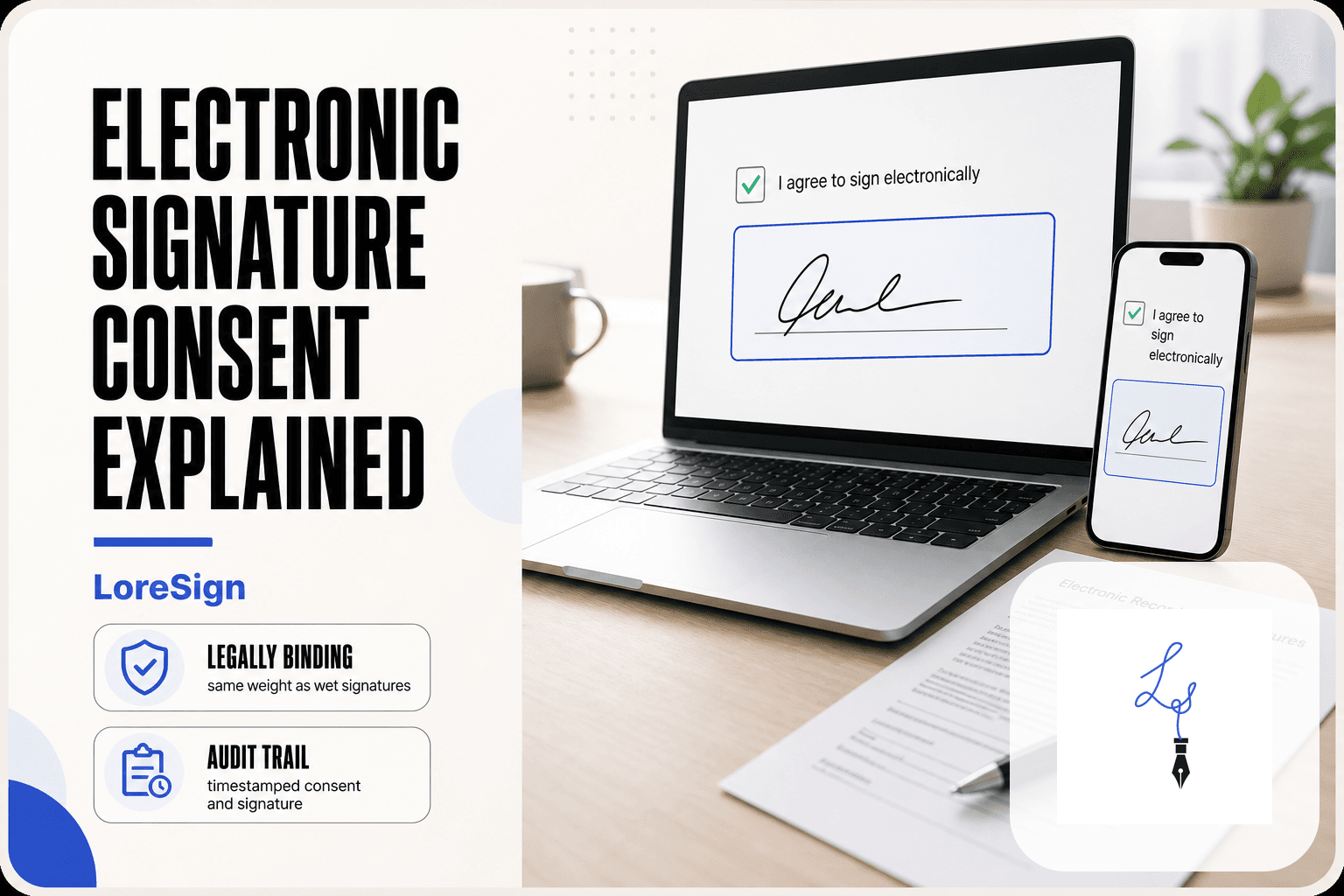
Electronic signature consent is the moment a small business owner or freelancer stares at an "I agree to sign electronically" checkbox and wonders what that click actually means. It means you are agreeing to use an electronic record instead of paper, and that your electronic mark will carry the same legal weight as a pen-and-ink signature. That's the whole concept in one sentence. The good news is the law is clearer than the fine print suggests. The honest answer is that consent has real requirements, and skipping any of them can leave a signature open to challenge. LoreSign builds the consent step directly into the signing flow, so you don't have to guess whether it was captured. This guide covers what consent actually requires, the four conditions for a valid electronic signature, what you cannot do with one, and how to withdraw consent if you change your mind.
| At a glance | Details |
|---|---|
| What it is | Agreement to sign a document electronically |
| Core law | ESIGN Act and UETA (most US states) |
| Key requirement | Intent to sign plus consent |
| Consent format | Usually a checkbox or click-through |
| Can you withdraw? | Yes, before signing, per the agreement |
| Record kept | Audit trail and certificate of completion |
What Is Electronic Signature Consent?
Electronic signature consent means you have clearly agreed to sign a document electronically instead of with pen and paper, and you understand that your electronic signature carries the same legal weight as a wet signature.
That's the whole concept. It's not a signature itself. It's the agreement that comes before the signature.
Consent vs. signature: what's the difference?
Consent and signature are two separate steps. Consent is you saying "yes, I'll do this electronically." The signature is the actual act of signing: typing your name, drawing it with a mouse, or clicking a button that applies your signature.
Here's why the distinction matters. A court won't ask "did this person sign?" It will ask "did this person agree to sign electronically, and can you prove it?" Consent is the proof. Without it, the signature can be challenged.
What valid consent looks like in practice
Valid consent is affirmative. You take a clear action that shows you agreed. Common examples:
- Checking a box that says "I agree to sign electronically"
- Clicking a button labeled "I consent" or "Continue with eSignature"
- Typing your name in a field that says "Type your name to agree to electronic signature"
The key is that you did something deliberate. You didn't just scroll past. You didn't have the agreement buried in fine print.
What does NOT count as consent
Silence is not consent. Neither is:
- Simply opening the document
- Scrolling to the bottom of a page
- Having a checkbox pre-ticked for you
- Being told "by using this service you agree" without any action on your part
If a sender can't show you took an affirmative step, they can't prove you consented. That's the test.
Consent to electronic signature is not the same as consent to the contract's terms — you are agreeing to receive and sign the document electronically, not necessarily agreeing with what it says.
Electronic signature vs digital signature: what's the difference?
| Factor | Electronic signature | Digital signature |
|---|---|---|
| What it is | Any electronic mark showing intent to sign | A cryptographic signature using certificates |
| Typical use | Contracts, leases, consent forms | High-assurance or regulated workflows |
| Legal basis | ESIGN Act, UETA, eIDAS | Often a subset of eSignature rules |
| Verification | Audit trail, email, IP, timestamps | Certificate-based identity checks |
| Tools needed | Any eSignature platform | Certificate authority and PKI setup |
The Legal Framework Behind Electronic Signature Consent
Two laws govern electronic signatures in the United States: the ESIGN Act at the federal level and UETA at the state level. They share one core principle: an electronic signature is valid if the signer intended to sign and consented to do so electronically.
ESIGN Act: the federal baseline
The Electronic Signatures in Global and National Commerce Act, passed in 2000, says electronic signatures and records carry the same legal weight as paper ones. It applies to interstate commerce. The catch: it doesn't force anyone to use electronic signatures. Consent is the gate. A person must agree to do business electronically before an eSignature holds up.
UETA: the state-level standard
The Uniform Electronic Transactions Act is the state version of the same idea. Forty-nine states have adopted it. New York has its own equivalent. UETA covers intrastate transactions, which ESIGN doesn't reach. The two laws work together: if your transaction crosses state lines, ESIGN applies. If it stays within one state, UETA governs.
What the laws actually require for consent
Neither law prescribes exact wording. They require that consent be clear and demonstrable. In practice, that means an affirmative action: a checked box, a clicked button, a typed name. The sender must be able to show the signer took that step. If consent is buried in terms nobody reads, it won't survive a challenge.
If you are a small business owner sending contracts, keep the consent disclosure short and visible right before the signature field — signers are more likely to complete documents when they understand what they are agreeing to.
Electronic Signature Consent: A Step-by-Step Guide
- Open the secure signing link sent to your email.
- Review the consent disclosure explaining electronic records and signatures.
- Confirm you can access and retain the electronic documents.
- Check the box or click 'I agree' to give consent.
- Review the document and place your signature in the assigned fields.
- Submit the signed document and receive a completed copy automatically.
The Four Requirements for a Valid Electronic Signature
The laws don't spell out a checklist. But courts and regulators have settled on four things an electronic signature needs to hold up. Miss one and the signature can be challenged.
1. Intent to sign
The signer must actually mean to sign. That sounds obvious, but it's the thing most often contested. Typing your name into a web form to register for a newsletter is not intent to sign. Typing your name into a field labelled "Sign here" after reviewing a contract is. The action has to be tied to the document. A court will look at what the signer saw on screen before they clicked.
2. Consent to do business electronically
This is the gate the previous section covered. The signer has to agree that an electronic signature is acceptable for this transaction. A checkbox saying "I agree to sign electronically" satisfies it. So does clicking a button labelled "Sign document" when the screen already explained what that means. Silence doesn't count. Neither does a pre-checked box.
3. Attribution to the signer
You have to be able to show who signed. An email address alone is weak. A unique signer link sent to that address is stronger. A login with a password is stronger still. The standard is "reasonable demonstration": would a reasonable person accept that this signature came from this person? The more sensitive the document, the more attribution you need.
4. Record retention and integrity
The signed document has to be stored in a form the signer can access and that can't be quietly altered. A PDF attached to an email technically works, but there's no way to prove it wasn't edited after signing. A tamper-evident seal or an audit trail showing every action, timestamped, is what actually holds up. If the signer can't get a copy, the signature is worthless.
Step-by-Step: What Happens When You Consent to an Electronic Signature
The consent flow is not one click. It's a short sequence, and each step does a different legal job. Here's what you'll see as a signer.
Receiving the document and consent prompt
You get an email or text with a link. The link is unique to you. That's attribution starting to build before you've done anything. When you open it, the screen shows the document and, usually above or beside it, a consent statement. It says something like: "By clicking Sign, you agree to sign this document electronically and that your electronic signature is legally binding." That sentence is the consent prompt. It has to appear before you sign, not after.
Reviewing the consent language
Read it. It's short, but it's the part that makes the signature enforceable. The prompt should tell you three things: that you're signing electronically, that this counts as your signature, and that you can decline and ask for a paper copy instead. If the prompt doesn't mention a paper option, that's a red flag for consumer transactions. You're not agreeing to anything else. You're agreeing to the method of signing, not the terms of the document itself. Those are separate.
Taking the affirmative action (click, type, or draw)
Now you act. You click a button labelled "Sign" or "I agree." Or you type your name into a signature field. Or you draw a signature with a mouse or finger. The action has to be deliberate. A pre-checked box doesn't count. Scrolling past the prompt doesn't count. The system records the action, the timestamp, and usually your IP address and email. That record is what a court will look at later.
What happens after you sign
The document locks. You can't edit it. You get a copy, usually by email, and the sender gets a notification. The audit trail now shows the full sequence: when you opened it, when you consented, when you signed, and from what device. If anyone challenges the signature later, that trail is the evidence. You don't need to do anything else. The consent is baked into the record.
Is Typing Your Name an Electronic Signature?
Yes. Typing your name can be a valid electronic signature. The honest answer is that it depends on context, intent, and the record around it.
When a typed name counts
A typed name counts when it's attached to a clear intent to sign. You type your name into a signature field, click a button labelled "Sign," and the system records the action with a timestamp. That's enough under the ESIGN Act and UETA. The law doesn't require a drawn signature or a fancy image. It requires intent, consent, attribution, and a record. A typed name can satisfy all four.
When a typed name may not be enough
A typed name at the bottom of an email doesn't automatically bind you. If there's no consent prompt, no signature field, and no audit trail, the other side has to prove you meant to sign. Courts look at the whole context. A typed name in a casual message is weaker than one in a structured signing flow.
How consent strengthens a typed signature
The consent prompt does the heavy lifting. When you click "I agree to sign electronically" before typing your name, you've confirmed intent in a way a bare typed name can't. The prompt plus the typed name plus the timestamp is a defensible signature. The typed name alone is just text.
What You Cannot Do with an Electronic Signature
An electronic signature is not a magic stamp. It doesn't make a document more enforceable than a wet signature would, and it doesn't work everywhere.
Documents that may still require wet signatures
Some documents still demand ink. Court filings in certain jurisdictions, wills and trusts, some family law documents, and certain real estate deeds may require a wet signature or a notary. The rules vary by state and by court. Check before you assume.
Situations where consent alone is not enough
Consent to sign electronically doesn't override other legal requirements. If a document needs a witness, a notary, or a specific form, your electronic consent doesn't replace those. Consent is one requirement. It's not a shortcut around the others.
What an eSignature does not guarantee
An eSignature doesn't prove the signer read the document. It doesn't prove the signer understood it. It proves intent to sign, attribution, and consent. It doesn't prevent disputes about fraud, duress, or mistake. Those get resolved in court, same as with ink.
Downsides and Risks of Electronic Signatures
Electronic signatures solve real problems, but they aren't frictionless. The honest answer is that some signers will struggle, some documents need more than a click, and some situations still call for ink.
Technical and accessibility barriers
Not everyone can sign electronically without help. Signers need a device, an internet connection, and enough comfort with screens to follow the flow. Older adults, people with certain disabilities, and anyone without reliable access to email or a smartphone can hit walls. A paper document and a pen don't have those requirements.
Fraud and identity verification risks
An eSignature proves someone clicked or typed, not that the right person did. If a signer's email gets compromised, someone else can sign in their name. Basic eSignature tools rely on email access as the main identity check. Stronger authentication, like SMS codes or ID verification, costs more and adds friction. The audit trail records what happened, but it can't always tell you who was holding the device.
When a wet signature is still the better choice
It depends on the document and the signer. For a signer who isn't comfortable with technology, printing and signing may be faster than troubleshooting. For high-stakes documents where identity matters most, a notarized wet signature still carries weight that a basic eSignature doesn't. Use electronic signatures where they help. Don't force them where they don't.
Can You Withdraw Consent to Electronic Signature?
Yes, but the timing matters. Withdrawal before signing is straightforward. After signing, you can't undo the signature itself, though you may be able to withdraw consent for future electronic dealings.
Withdrawing consent before signing
If you haven't signed yet, you can simply decline. Close the document, tell the sender you won't sign electronically, and ask for a paper copy. No signature exists, so nothing needs to be undone. The sender may push back, but legally you haven't consented to anything binding.
Revoking consent after signing
Once you've signed, the signature stands. You can't revoke consent retroactively to invalidate a document you already agreed to. What you can do is notify the sender that you no longer consent to electronic signatures going forward. That affects future documents, not the one you signed.
What happens to already-signed documents
Nothing. They remain valid and enforceable. Withdrawing consent doesn't erase the audit trail, the signature, or the agreement. The document stays as it was.
Best Practices for Getting Valid Electronic Signature Consent
Consent is only as strong as the process around it. A checkbox alone won't hold up if the signer didn't understand what they were agreeing to, or if you can't prove they clicked it.
Use clear, plain-language consent prompts
Don't bury consent in a 40-page terms document. The prompt should say, in one or two sentences, that the signer agrees to sign electronically and that the electronic signature carries the same legal weight as a wet signature. Keep it visible, not hidden behind a link. If the signer has to hunt for the consent language, a court may find the consent wasn't reasonably demonstrated.
Maintain a complete audit trail
The audit trail is your proof. It should record when the document was sent, when it was opened, when the consent prompt was displayed, when the signer clicked, and the IP address and email used. A timestamped log of each step makes the consent defensible. Without it, you're relying on the signer's memory.
Retain records properly
Keep the signed document and the audit trail together. Store them in a format that can't be altered, or that shows if it has been. Retention periods vary by document type and jurisdiction, so check what applies to your contract. The goal is that years later, you can produce both the signature and the evidence of consent. That's what makes electronic signature consent hold up.
Frequently Asked Questions
What does "consent to electronic signature" mean?
It means you agree to sign a document electronically instead of on paper. Under laws like the ESIGN Act and UETA, your consent must be clear and you must be able to access the electronic record. It does not mean you agree to the contract's contents — only to the electronic format.
What are the four requirements for an electronic signature to be valid?
Generally: (1) intent to sign, (2) consent to do business electronically, (3) association of the signature with the record, and (4) retention of the record so it can be reproduced later. These come from the ESIGN Act and similar state laws.
What are the downsides of digital signatures?
Digital signatures can require more setup, such as certificates and identity verification, which may slow down simple transactions. They can also cost more and be harder for non-technical signers to use. For most everyday contracts, a standard electronic signature is sufficient.
Is an electronic signature just typing your name?
Typing your name can be one form of electronic signature, but it is not the only one. What matters legally is that you intended to sign and that the process captured your consent and the record. Many platforms also add an audit trail to strengthen the evidence.
Can I withdraw consent to sign electronically?
Yes, in many cases you can withdraw consent before signing, but you may need to follow the process described in the consent disclosure. Once you have signed, withdrawing consent does not automatically undo the signed document — you would need to follow the contract's terms or applicable law.
Do I need a special tool to give electronic signature consent?
No special tool is required beyond the eSignature platform you are using. The platform will present the consent disclosure and capture your agreement, often with a checkbox or click. You just need a device with internet access.
Is electronic signature consent required for every document?
Consent is generally required when you are signing electronically, but some documents — like wills, certain court filings, or specific family law matters — may not be signable electronically under the ESIGN Act. Always check the rules for your document type.
About LoreSign
LoreSign helps individuals and businesses create, send, sign, and track documents in one place. You can upload a PDF or create an agreement, add the required signing fields, send it to recipients, and automatically receive the completed document once everyone has signed.