E-Signatures for Accountants: What Actually Works
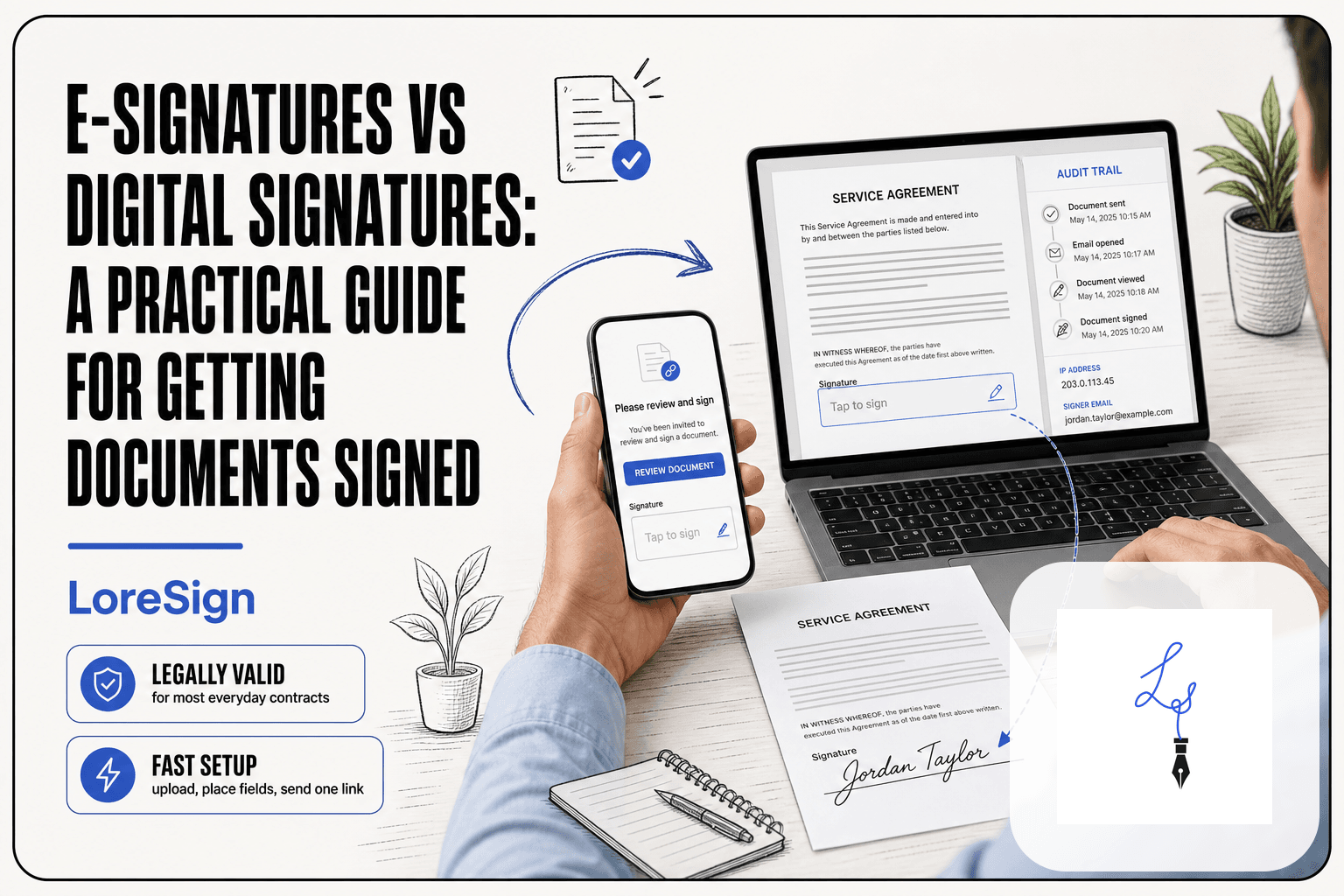
It's late March and you're still chasing a client for a wet signature on Form 8879. The return is done. The refund is waiting. But the client hasn't checked their mailbox in four days, and you've already spent 20 minutes on hold with their landline. E-signatures for accountants fix this for most documents, not all of them. The honest answer is that the IRS accepts electronic signatures on Form 8879 and most engagement letters and W-9s, but a handful of forms still demand ink. I tested the workflows, not just the marketing pages. LoreSign is one option that handles the basics: upload a PDF, place the signing fields, send one link, and the completed document lands back in your inbox automatically. This guide covers the step-by-step workflows for Form 8879, engagement letters, and W-9s, plus the IRS exceptions and client pushback you'll actually run into.
| At a glance | Details |
|---|---|
| IRS acceptance | E-signatures accepted on most tax forms since 2011 |
| Form 8879 | Can be e-signed; requires specific e-signature method |
| Common documents | Engagement letters, W-9s, 8879s, financial statements |
| Key distinction | SES vs AES determines IRS compliance |
| Main limitation | Some forms still require wet signatures |
| Client adoption | Most clients adapt quickly with clear instructions |
In This Guide
- What Are E-Signatures for Accountants?
- SES vs AES: Which E-Signature Type Do Accountants Need?
- Does the IRS Accept E-Signatures?
- E-signatures For Accountants: A Step-by-Step Guide with LoreSign
- Step-by-Step: E-Signature Workflow for Form 8879
- Step-by-Step: E-Signature Workflow for Engagement Letters
- Step-by-Step: E-Signature Workflow for W-9 Forms
- SES vs. AES: Which E-Signature Standard Do Accountants Need?
- What E-Signatures Cannot Do: Honest Limitations
- How to Choose an E-Signature Tool for Your Accounting Firm
- Common Mistakes When Using E-Signatures for Accountants
- Final Thoughts on E-Signatures for Accountants
What Are E-Signatures for Accountants?
An e-signature is a legally binding way to sign a document electronically, without printing, signing by hand, or scanning. For accountants, it means a client can approve a Form 8879 or engagement letter from their phone in under a minute.
E-signature vs. digital signature: what accountants need to know
An e-signature is the act of signing. A digital signature is the encryption underneath that proves the document wasn't changed after signing. For most accounting work, a standard e-signature with an audit trail is enough.
How e-signatures fit into accounting document workflows
You upload the document, place signature fields, and send one link. The client signs. You get the completed PDF back automatically, with a timestamp and IP address attached. No mail, no chasing, no filing cabinets.
The IRS has accepted electronic signatures on many tax forms since 2011, but the specific requirements depend on the form and the e-signature method used. Always verify current IRS guidance for the forms you handle, as rules can change.
SES vs AES: Which E-Signature Type Do Accountants Need?
| Factor | SES (Simple Electronic Signature) | AES (Advanced Electronic Signature) |
|---|---|---|
| Definition | Any electronic method indicating acceptance (typed name, checkbox, click-to-sign) | Uniquely linked to signer, capable of identifying tampering, verified identity |
| IRS acceptance | Accepted for most forms including Form 8879 when specific requirements met | Accepted; provides stronger audit trail and non-repudiation |
| Identity verification | Basic; often just email or knowledge-based questions | Strong; requires certificate or biometric verification |
| Best for | Engagement letters, W-9s, internal documents, routine client forms | High-value contracts, documents likely to face legal challenge, Form 8879 in some firm policies |
| Cost and complexity | Lower cost, simpler setup, faster client adoption | Higher cost, more complex, may require client education |
Does the IRS Accept E-Signatures?
Yes, for most tax forms. The IRS has accepted e-signatures on a wide range of forms since 2020, including Form 8879, the e-file authorization form accountants use most. The catch: some forms still require a wet signature, and the rules changed several times during the pandemic, so check the current list before you rely on it.
IRS forms that accept e-signatures
Form 8879, engagement letters, W-9s, and most routine authorization forms are fine to e-sign. The IRS updated its guidance in 2021 to make many of these permanent, not just pandemic-era exceptions.
IRS forms that still require wet signatures
Form 2848 (Power of Attorney) and Form 8821 (Tax Information Authorization) historically required wet signatures, though the IRS has piloted e-signature acceptance for these. Check the current IRS e-signature page before sending one electronically. When in doubt, get the wet signature.
E-Sign Act and UETA: the legal foundation
The E-Sign Act (2000) and UETA (adopted by 47 states) make e-signatures legally equivalent to wet signatures, as long as both parties consent and the signature is attributable to the signer. The IRS operates under these federal rules, which is why e-signed tax forms hold up in an audit.
For faster client adoption, send a brief explanatory email before the first e-signature request that explains what to expect and why it's secure. This reduces back-and-forth and builds trust, especially with older clients who may be unfamiliar with e-signatures.
E-signatures For Accountants: A Step-by-Step Guide with LoreSign
- Upload the document (PDF) to your e-signature platform and place signature, date, and any required fields for each signer.
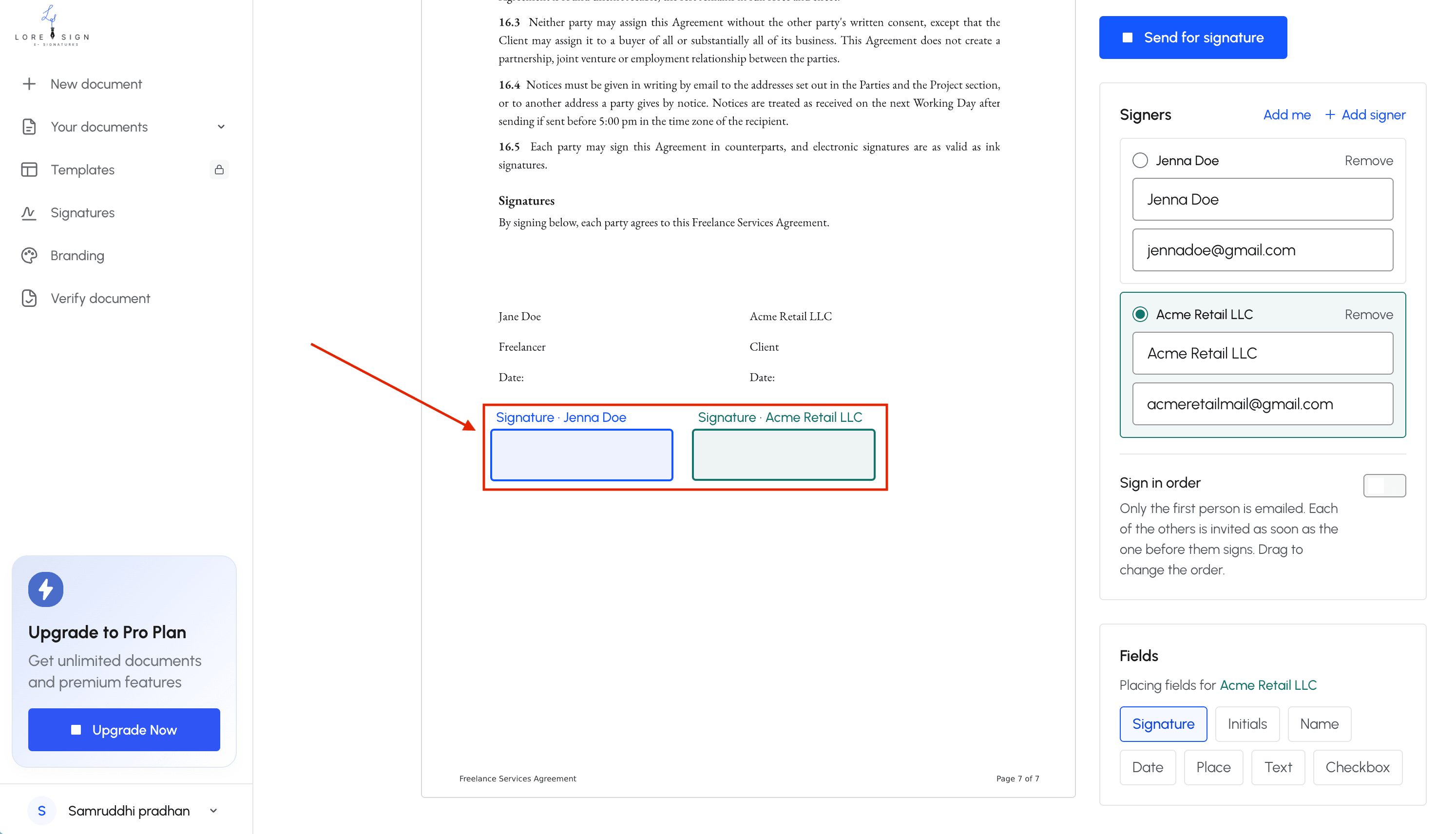
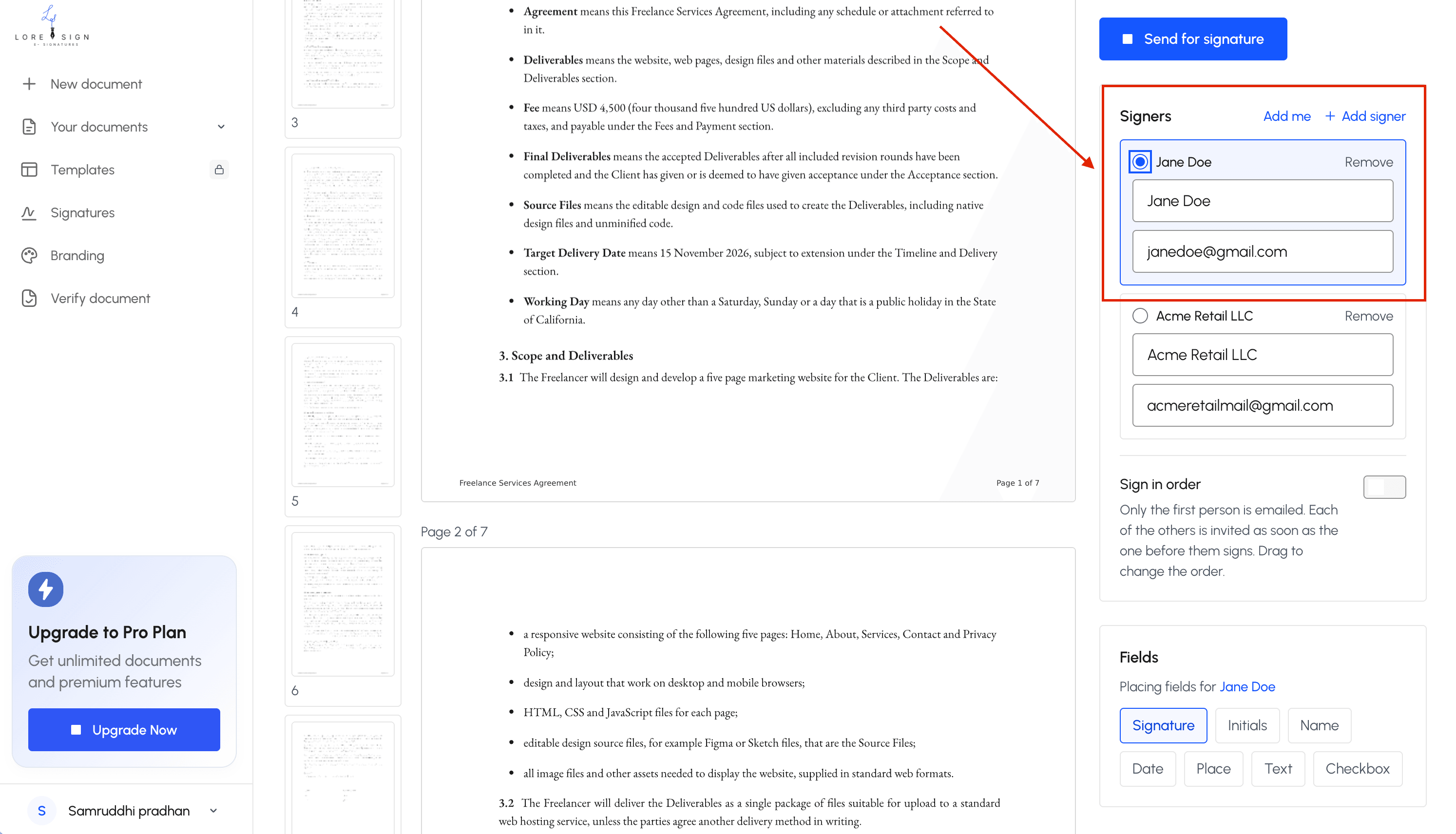
- Add signer email addresses and set the signing order if multiple parties are involved (e.g., spouse on a joint return).
- For Form 8879, ensure the platform captures the required audit trail and that the signer identity verification meets IRS standards for your chosen method (SES or AES).
- Send the document via a secure link; the platform handles reminders for unsigned documents automatically.
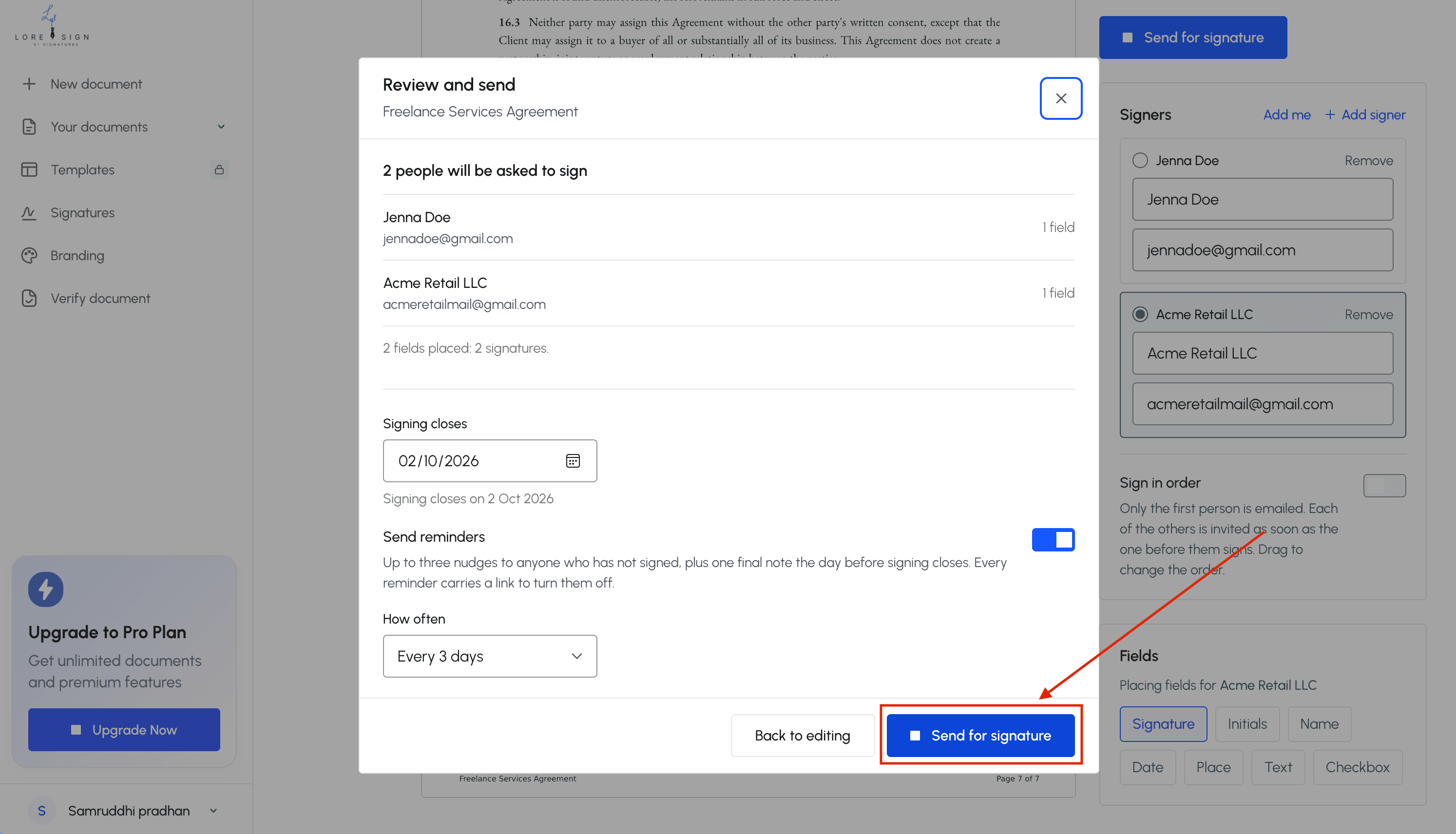
- Track signer progress in real time; once all parties sign, the completed PDF is delivered automatically to all parties.
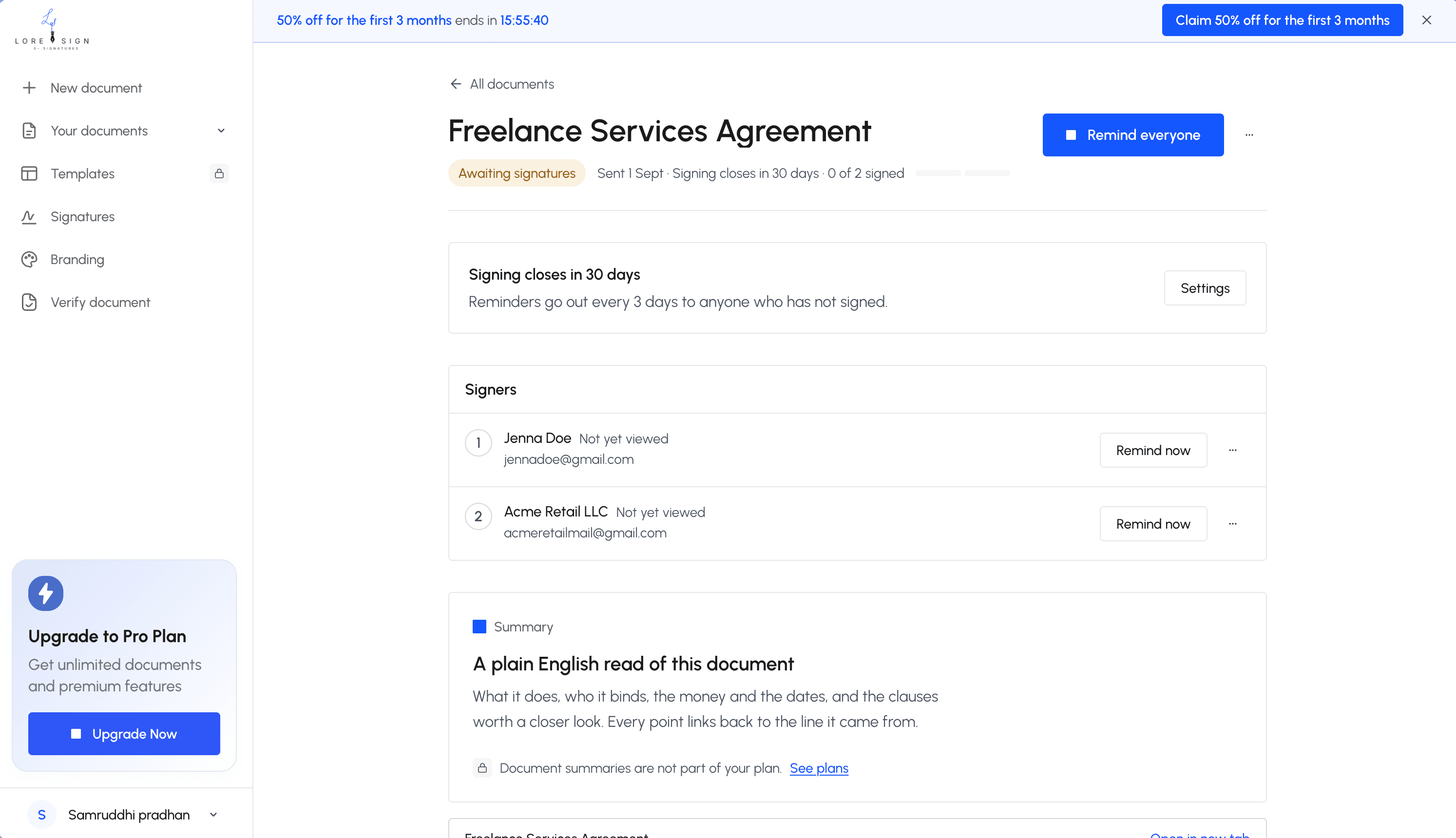
- Store the signed document and certificate of completion in your client portal or document management system for audit readiness.
Step-by-Step: E-Signature Workflow for Form 8879
Preparing Form 8879 for e-signature
Fill out the form completely before sending it. The client's name, address, and Social Security number go in first, then your firm's information. Double-check the tax year and form type. A wrong year means the signature is useless and you're redoing the whole thing.
Sending the form to the client
Upload the completed PDF to your e-signature tool. Place the signature field where the client signs, then send the link. Most tools let you add a message. Keep it short: "Please review and sign your 2024 Form 8879." The client clicks, reviews, signs. You get notified automatically.
Storing the signed form for IRS compliance
Save the signed PDF with the audit trail attached. The IRS requires you keep Form 8879 for at least three years from the filing date. Store it in your document management system, not your email inbox. The audit trail proves who signed, when, and from what IP address.
Step-by-Step: E-Signature Workflow for Engagement Letters
What to include in an e-signed engagement letter
Scope of services, fees, and payment terms go in first. Then the client's responsibilities: providing records, responding to questions, meeting deadlines. Add a termination clause and a signature block for both parties. The e-signature tool timestamps each signature automatically.
Client communication best practices
Send the engagement letter before starting any work. Don't bury it in an onboarding packet. One email, one link, one clear ask: "Sign here to confirm our engagement." If the client hasn't signed in three days, send a reminder. Most tools automate this.
Keep the signed copy with the audit trail attached. That trail shows who signed, when, and from what device. It's your proof the client agreed to the terms.
Step-by-Step: E-Signature Workflow for W-9 Forms
IRS requirements for e-signed W-9s
The IRS accepts electronic W-9 signatures. You need the signer's name, TIN, and a signature that can be verified. Keep the completed form on file for at least four years.
Collecting W-9s from vendors and contractors
Send the W-9 link before you pay the first invoice. No signed W-9, no payment. That rule alone gets most vendors to sign within a day.
Use a tool that tracks who's signed and who hasn't. Automated reminders chase the stragglers. The completed PDF lands back in your inbox automatically.
SES vs. AES: Which E-Signature Standard Do Accountants Need?
Most accounting documents only need a Simple Electronic Signature. You type your name, click a button, done. It's legally binding under the E-Sign Act and UETA.
What is a Simple Electronic Signature (SES)?
An SES is any electronic mark you intend as a signature. Typed name, pasted image, checked box. No identity verification required. It works for Form 8879, engagement letters, and W-9s.
What is an Advanced Electronic Signature (AES)?
An AES ties the signature to the signer's identity. It uses a digital certificate, two-factor authentication, or knowledge-based questions. The signature is uniquely linked to the person and the document.
When AES is required for accounting documents
Rarely. The IRS doesn't require AES for standard tax forms. You'd need it for cross-border transactions under eIDAS, or when a client contract specifically demands higher assurance. For most US accounting work, SES is enough.
What E-Signatures Cannot Do: Honest Limitations
E-signatures cover most accounting documents. They don't cover all of them. The IRS still requires wet signatures on a handful of forms, and some clients simply won't sign electronically no matter how easy you make it.
IRS forms that still require wet signatures
Form 2848 (Power of Attorney) and Form 8821 (Tax Information Authorization) historically required ink. The IRS has moved toward electronic options in recent years, but check current guidance before relying on e-signature for either. Some state tax agencies lag further behind.
Client resistance and how to handle it
Older clients and those without reliable internet access will push back. Don't argue. Offer the paper option, walk them through it, and move on. The time you save with willing clients covers the stragglers.
When a wet signature is the safer choice
Notarized documents, certain estate planning forms, and anything a court might scrutinize without an audit trail. If the document's validity depends on proving who signed it, ink plus a notary beats a typed name.
How to Choose an E-Signature Tool for Your Accounting Firm
Don't start with features. Start with the documents you sign most: Form 8879, engagement letters, W-9s. A tool that handles those three well beats one with fifty extras you'll never touch.
Key features to look for
Audit trail is non-negotiable. You need a timestamped record of who signed, when, and from what IP address. Multi-signer routing matters if you send engagement letters to both spouses or business partners. Templates save real time on repeat documents.
Pricing considerations for solo practitioners vs. firms
Solo practitioners can get by on free tiers. Firms with multiple preparers need per-seat pricing and shared templates. Watch for per-document fees: they look small and add up fast during tax season.
Compliance checklist
Confirm the tool meets E-Sign Act and UETA requirements. Check that it stores completed documents in a format you can export. Ask whether the vendor holds SOC 2 certification. If they can't answer, move on.
Common Mistakes When Using E-Signatures for Accountants
Most errors come from treating e-signatures as a shortcut rather than a compliance tool. The fix is usually simple: slow down and check the standard.
Using the wrong signature standard
SES works for engagement letters. AES is required when identity verification matters, like certain IRS forms. Using SES where AES is expected can void the document.
Failing to store audit trails
The signed PDF isn't enough. You need the timestamped record of who signed, when, and from what IP. Store both together or you'll have nothing to show in an audit.
Ignoring IRS exceptions
Some forms still require wet signatures. Check the current IRS list before you send anything electronic.
Final Thoughts on E-Signatures for Accountants
E-signatures for accountants aren't a novelty anymore. They're the default for engagement letters, W-9s, and most Form 8879 filings. The workflow is settled: prepare the document, send one link, track who signed, store the audit trail with the PDF.
The honest catch is that not everything qualifies. A handful of IRS forms still demand wet ink, and some clients will push back on the technology. Plan for both.
If you're starting out, pick a tool that handles ordered multi-signer routing and automatic reminders. LoreSign does both, and it delivers the completed PDF once every signer finishes. Try it on one client file before you commit. That's the practical test.
Frequently Asked Questions
Does the IRS accept e-signatures?
Yes, the IRS has accepted electronic signatures on many tax forms since 2011, including Form 8879. However, the IRS specifies which forms and what type of e-signature (SES or AES) is acceptable. Always check the latest IRS guidance for the specific forms you file.
What is a good signature for an accountant?
A good signature for an accountant is one that is legally binding, secure, and efficient. For most client documents, a simple electronic signature (SES) with a clear audit trail is sufficient. For high-risk documents, an advanced electronic signature (AES) provides stronger verification.
Is there a symbol for accountants?
There is no universal symbol for accountants, but common symbols include the caduceus (often associated with commerce and accounting) and the abacus. In e-signatures, accountants typically use a typed or drawn signature, not a symbol.
What is an example of an e-signature?
An example of an e-signature is typing your name into a signature field on a PDF, drawing your signature with a mouse or finger, or clicking an 'I agree' checkbox. All of these can be legally binding if they meet the requirements of the ESIGN Act and IRS rules.
Can Form 8879 be signed electronically?
Yes, Form 8879 can be signed electronically if the e-signature method meets IRS requirements. The IRS allows both SES and AES for Form 8879, but the method must capture a complete audit trail and verify signer identity appropriately.
What accounting documents cannot be e-signed?
Some documents may still require wet signatures, such as certain court filings, some state-specific forms, or documents where a notary is required. Additionally, some clients may insist on paper signatures due to personal preference or legal advice.
How do I choose an e-signature platform for my accounting firm?
Look for a platform that supports IRS-compliant e-signatures, offers an audit trail and certificate of completion, and integrates with your existing workflow. Consider features like automated reminders, multi-signer routing, and secure storage. LoreSign is one option that provides these features.
About LoreSign
LoreSign helps For people looking to get documents and contracts signed. get this right. Track every signer and receive the completed document automatically. Whether you are working through e-signatures for accountants or something adjacent, we publish what we have actually tested, including where it falls short.