E-Records and Digital Signatures Are Used To: What Every Business Owner Should Know
E-records and digital signatures are used to sign contracts, verify identity, and lock down document integrity, and if you're a small business owner or freelancer holding an unsigned agreement, you need to know which one does what before you hit send. An e-record is any document stored in digital form: a contract, an invoice, an NDA, an onboarding form. A digital signature is a cryptographic stamp that proves who signed and that nothing changed afterward. The good news is you don't need a cryptography degree to use either. The honest answer is that most everyday signing needs are simpler than the jargon suggests. This guide covers what these technologies are actually used for, the five types of electronic records and three types of digital signatures that most top results skip, what e-signatures cannot do, and how to choose the right approach for your next document, with LoreSign as a practical option when it fits.
| At a glance | Details |
|---|---|
| Main use | Sign contracts and agreements electronically |
| Legal status | Valid in most countries with e-signature laws |
| E-record types | Five categories, from text to multimedia |
| Digital signature types | Three: simple, advanced, qualified |
| Key difference | Digital signatures use certificates; e-signatures don't |
| Common limitation | E-signatures alone don't verify identity |
In This Guide
- What Are E-Records?
- E-Signature vs Digital Signature: What's the Difference?
- What Are Digital Signatures Used For?
- E-records And Digital Signatures Are Used To: A Step-by-Step Guide
- E-Signature vs Digital Signature: What's the Difference?
- What Are the Five Types of Electronic Records?
- What Are the Three Types of Digital Signatures?
- What E-Signatures Cannot Do (Honest Limitations)
- Are E-Signatures Legally Binding?
- Common Mistakes When Using E-Records and Digital Signatures
- How to Choose an E-Signature Tool
- Final Thoughts on E-Records and Digital Signatures
What Are E-Records?
An e-record is any document stored in digital form instead of on paper. A PDF contract, a spreadsheet of invoices, an email thread, a scanned NDA, a voice memo. If it exists as a file on a computer or in the cloud, it's an electronic record.
Definition of an electronic record
An electronic record is information created, received, or maintained in digital form. That's the whole definition. The format doesn't matter: a Word document, a PDF, a database entry, or a photo of a signed page all count. What matters is that the record can be stored, retrieved, and reproduced without paper.
The National Archives and Records Administration (NARA) uses a broader definition that includes any information recorded in a form that requires a computer to process it. For everyday business, the practical definition is simpler: if you can open it on a screen, it's an e-record.
Common examples: contracts, invoices, NDAs, HR forms
You already handle e-records daily. A client contract you email as a PDF. An invoice generated by your accounting software. An NDA you send through a signing platform. An onboarding form a new hire fills out online. A scanned receipt from your phone.
None of these need to be printed to be valid. They're records the moment they're created or received in digital form.
Why e-records matter for everyday business
E-records are what you actually sign, send, and store. When you use an e-signature tool, you're not signing a piece of paper. You're signing an e-record. The signature gets attached to that digital file, and the file becomes the legal record of the agreement.
That's the part most business owners miss. The signature is only as good as the record it's attached to. If you can't find the signed PDF later, or if someone edits it after signing, the signature doesn't help you. E-records matter because they're the thing that holds the signature.
E-signatures and digital signatures are not the same: all digital signatures are e-signatures, but not all e-signatures are digital signatures. The term 'digital signature' specifically refers to cryptographic signatures that use certificates to verify identity and detect tampering.
E-Signature vs Digital Signature: What's the Difference?
| Factor | E-Signature | Digital Signature |
|---|---|---|
| Definition | Any electronic mark showing intent to sign | Cryptographic signature using certificates |
| Identity verification | Often just email or SMS check | Certificate-based, tied to verified identity |
| Security level | Basic to moderate | High, tamper-evident |
| Typical use | Contracts, agreements, forms | Regulated documents, legal filings |
| Ease of use | Very easy, no setup | Requires certificate setup |
What Are Digital Signatures Used For?
A digital signature does three jobs: it proves who signed, it proves nothing changed after signing, and it stops the signer from denying they signed. That's it. Those three jobs have names: authentication, integrity, and non-repudiation.
In practice, you use a digital signature when you need stronger proof than a typed name or a pasted image of a signature. A standard e-signature records intent. A digital signature adds cryptographic evidence that ties the signature to the document and to the signer.
Authentication: proving who signed
Authentication answers one question: is this person who they claim to be? A digital signature binds the signature to a specific identity through a digital certificate issued by a certificate authority. The certificate acts like a notary stamp in digital form.
For everyday contracts, authentication usually means the signer clicked a link sent to their email and typed their name. That's weak authentication. A digital signature with a verified certificate is stronger, because the certificate was issued after the signer proved their identity to a third party.
Integrity: proving nothing changed after signing
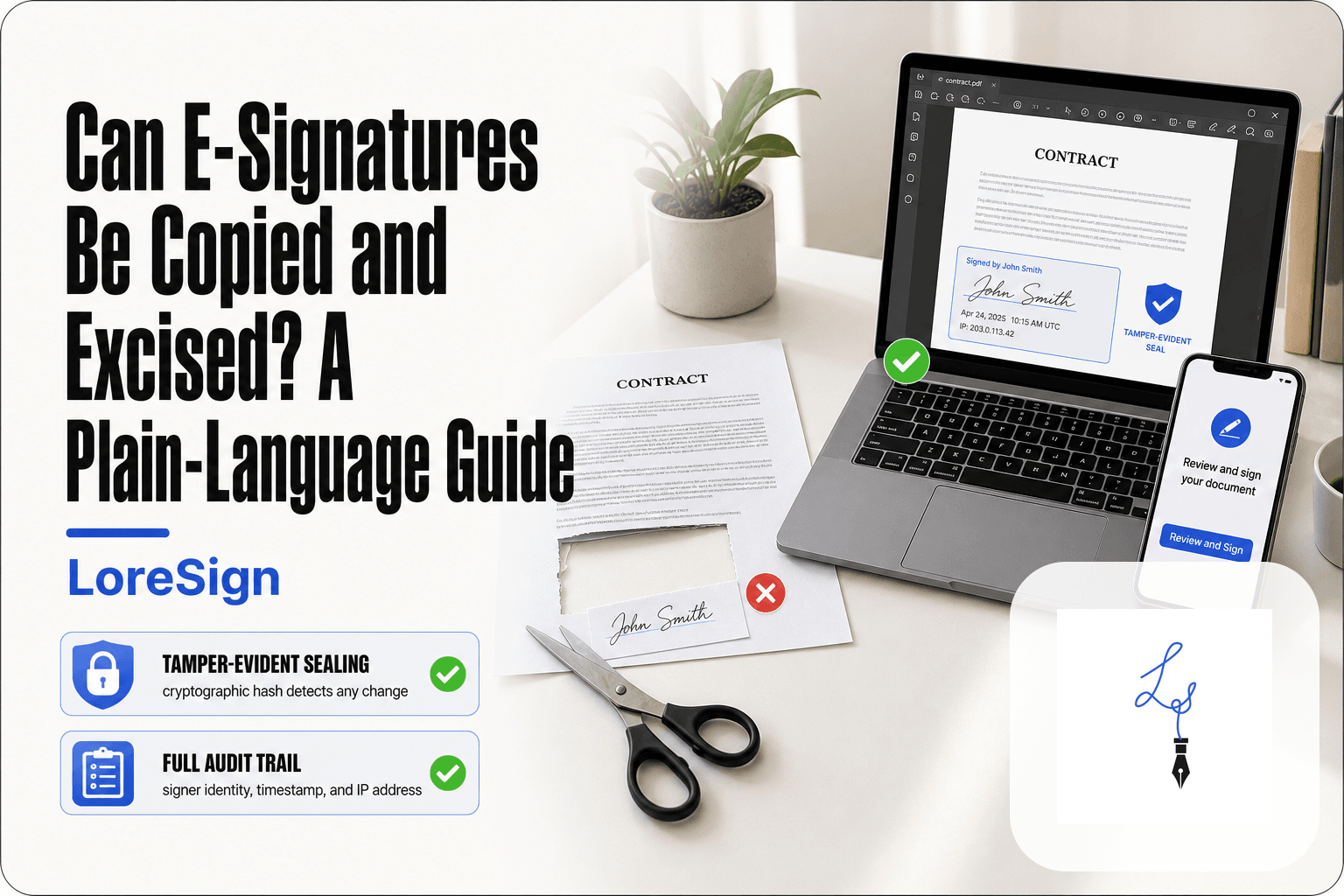
Here's what happens behind the scenes. When a document is digitally signed, the software runs a hash function on the file. A hash is a unique string of characters derived from the document's contents. Change one comma in the document, and the hash changes completely.
The hash gets encrypted and stored with the signature. When someone opens the signed document later, the software recalculates the hash and compares it to the stored one. If they match, the document is unchanged. If they don't, the software flags it. That's integrity.
Non-repudiation: preventing signers from denying their signature
Non-repudiation means the signer can't credibly claim they never signed. A typed name or a pasted signature image is easy to deny: anyone could have typed it. A digital signature is harder to deny because it's tied to a private key that only the signer controls, and to a certificate that verifies their identity.
Keep in mind: non-repudiation is not absolute. A signer can still claim their private key was stolen or their account was hacked. But a digital signature shifts the burden of proof. The evidence points to them, and they have to explain why it shouldn't.
For most small business contracts, a basic e-signature with an audit trail is legally sufficient and much simpler than setting up digital certificates. Focus on choosing a tool that tracks signers and delivers the completed document automatically.
E-records And Digital Signatures Are Used To: A Step-by-Step Guide
- Identify the document type and any legal requirements.
- Check if the recipient or industry mandates a specific signature type.
- Assess the risk: is the document high-value or regulated?
- For everyday contracts, an e-signature is usually sufficient.
- For regulated or high-risk documents, consider a digital signature.
- Test the chosen method with a sample document.
- Ensure your tool provides an audit trail and certificate of completion.
E-Signature vs Digital Signature: What's the Difference?
An e-signature is a legal concept. A digital signature is a technology. People use the terms interchangeably, but they are not the same thing, and the difference matters when you're choosing how to sign a contract.
What is an electronic signature?
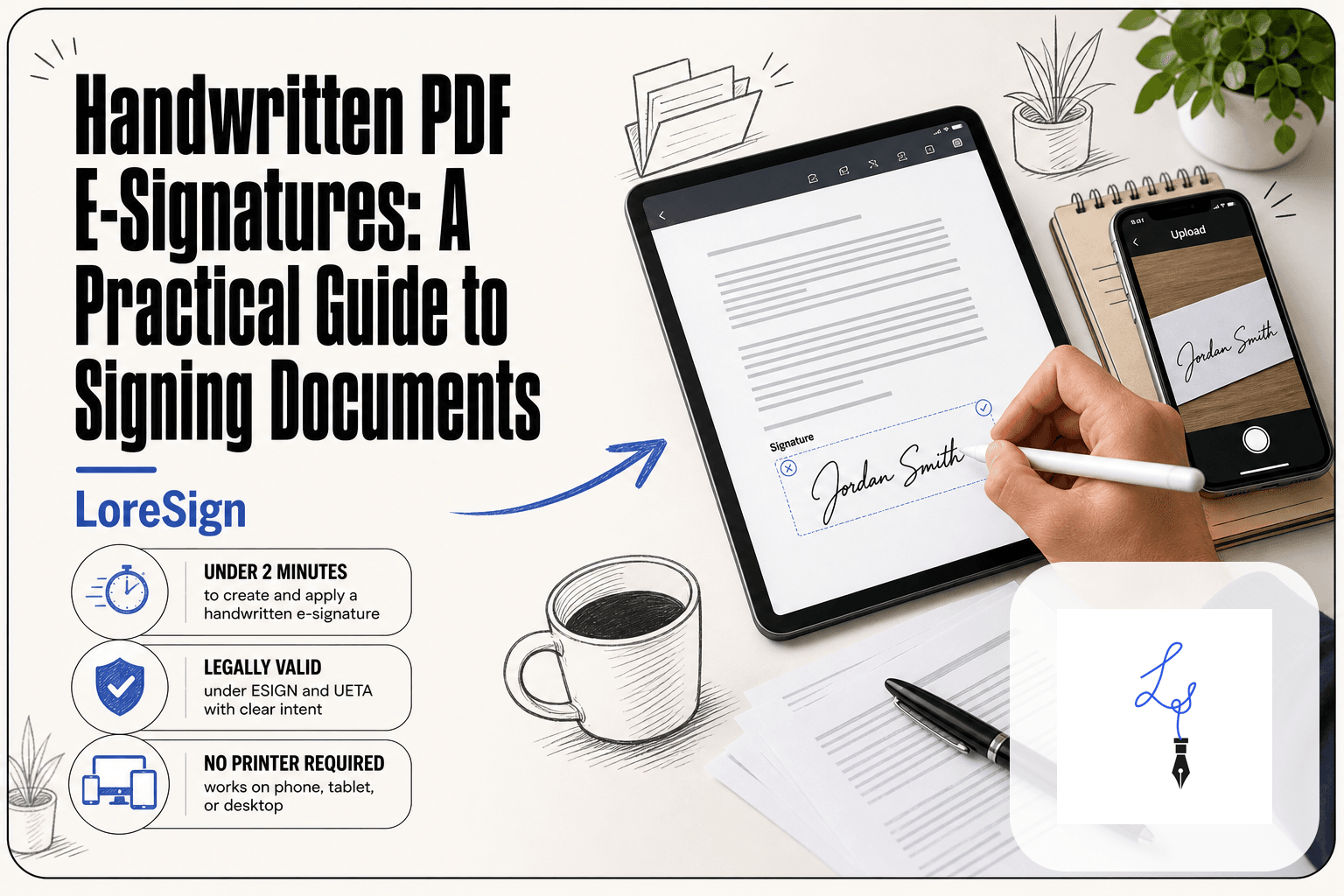
An electronic signature is any electronic indication that a person intends to sign a document. A typed name at the bottom of an email. A pasted image of a handwritten signature. A checkbox that says "I agree." Clicking "Sign" on a platform like LoreSign.
The law treats an e-signature as valid in most business contexts, because what matters is intent, not the form. If you meant to sign, and the other party can show you meant to sign, the signature holds.
What is a digital signature?
A digital signature is a specific cryptographic technique. It uses a private key to encrypt a hash of the document, and a public key to verify it. The result proves two things: the document hasn't changed since signing, and the signature belongs to the holder of that private key.
Think of an e-signature as signing a paper with a pen. Think of a digital signature as signing it, then sealing it in a tamper-evident envelope with a notary watching.
Key differences in plain language
An e-signature records intent. A digital signature proves identity and integrity. Most e-signature platforms, including LoreSign, use digital signature technology under the hood. You click "Sign," and the platform applies a cryptographic signature without you needing to know anything about keys or hashes.
The practical difference: an e-signature alone is easy to dispute. A digital signature is harder to dispute, because the evidence is mathematical, not just a screenshot of a typed name.
Which one do you actually need for a contract?
For a standard business contract, an e-signature is enough. The law accepts it, the other party accepts it, and the platform's audit trail records who signed and when.
You need a standalone digital signature when the document's integrity will be challenged later. Regulatory filings, court documents, high-value agreements where someone might claim the terms were altered after signing. For those, the cryptographic proof matters.
For everything else, the e-signature your platform applies is doing the digital signature work for you.
What Are the Five Types of Electronic Records?
An electronic record is any information stored in digital form that documents a business action or decision. You already create them every day. The five types below cover nearly everything you'll sign, send, or store.
Text documents (contracts, agreements, NDAs)
These are the core of business signing. A contract, an NDA, a service agreement, an offer letter. They start as Word files, Google Docs, or PDFs, and they become e-records the moment you save them.
When you upload a PDF to a signing platform and place signature fields, you're working with a text-document e-record. The signed version, with the audit trail attached, is the record you keep.
Emails and electronic messages
An email confirming a deal is an e-record. So is a Slack message where a client approves a scope change. Courts have treated email threads as binding agreements when the intent to agree is clear.
The catch: emails are easy to alter or delete, and they don't carry the same integrity proof as a digitally signed PDF. For anything you'd regret losing, export the thread and store it with the signed document.
Spreadsheets and databases
Invoices, pricing tables, customer lists, payment logs. A spreadsheet tracks the numbers behind the contract. A database stores the structured records: who signed, when, which version.
These records matter when a dispute turns on what was owed or what was delivered. Keep the spreadsheet version that matches the signed agreement, not just the latest edit.
Images and scanned documents
A scanned copy of a wet-signed contract is an e-record. So is a photo of a receipt, a signed work order, or an ID document used for verification.
Scanned documents are the weakest type for proving integrity, because anyone can edit an image. If a scanned signature will be challenged, pair it with a digital signature or store it in a platform that timestamps the upload.
Audio and video recordings
Recorded calls, video meetings where a client verbally approves a change, dictated notes. These are e-records too, and they can serve as evidence of intent.
They're also the hardest to search and the easiest to lose. If a recording matters, transcribe it and store the transcript alongside the signed document.
What Are the Three Types of Digital Signatures?
Digital signatures come in three tiers, defined by how strongly they bind a signature to a specific person. The tiers are simple, advanced, and qualified. Most business contracts only need the first one.
Simple electronic signatures (SES)
A simple electronic signature is any electronic indication of intent to sign. Typing your name, clicking an "I agree" checkbox, pasting a scanned signature image. That's it.
SES is appropriate for everyday contracts: NDAs, service agreements, offer letters, invoices. The legal bar is low because the risk is low. If a dispute arises, you'll rely on the audit trail, not the signature's cryptographic strength.
It's overkill to demand more for a standard freelance contract. The signer's email address plus a timestamped action log is enough for most courts.
Advanced electronic signatures (AES)
An advanced electronic signature adds two things: it's uniquely linked to the signer, and it can detect any change made after signing. Behind the scenes, a cryptographic key pair and a hash of the document do the work.
AES is appropriate when the document's integrity matters more than usual. Think large transactions, multi-party agreements, or anything where someone might later claim the document was altered.
It's overkill for a one-page NDA. The extra verification steps slow down signing without adding meaningful protection.
Qualified electronic signatures (QES)
A qualified electronic signature is the highest tier. It requires a face-to-face or equivalent identity check by a certified provider, and it carries the same legal weight as a handwritten signature in the EU under eIDAS.
QES is appropriate for documents where the law explicitly demands it: some real estate transactions, notarized documents, certain government filings.
It's overkill for nearly everything a small business signs. The identity verification process adds days and cost. You don't need it for a client contract.
Which type do you need for a standard contract?
A simple electronic signature. That's the honest answer for most business documents.
The main catch: if you're signing across borders or in a regulated industry, check the specific rules first. Some jurisdictions and sectors mandate AES or QES for particular document types. When in doubt, ask the other party's legal counsel, not the signing platform's marketing page.
What E-Signatures Cannot Do (Honest Limitations)
E-signatures solve a real problem: getting a document signed without printing, scanning, or meeting in person. But they are not magic. They don't replace judgment, and they don't eliminate every risk in a contract. Here's what you should not expect from them.
They don't guarantee identity without additional verification
An e-signature proves that someone with access to an email address or a link clicked "sign." It does not prove who that person was.
Most platforms record the signer's email, IP address, and timestamp. That's evidence, not identity verification. If someone shares their email password or signs from a shared computer, the audit trail still shows a valid signature. It just might be the wrong person.
If you need stronger proof, you add a step: SMS one-time codes, government ID checks, or knowledge-based questions. Those cost extra and slow the process down. For a standard contract between known parties, email-based signing is usually enough. For high-value or high-risk agreements, it isn't.
They don't prevent all legal disputes
A signed document is evidence of agreement. It is not a guarantee that the agreement will hold up in court.
A signer can still claim they were misled, pressured, or didn't understand what they signed. They can claim the document was altered before they saw it, though a proper audit trail makes that harder. They can claim their account was compromised.
What an e-signature does is shift the argument. Instead of "I never signed this," the dispute becomes "I didn't mean to sign this" or "I didn't know what I was signing." That's a different fight, and sometimes an easier one to win. But it's still a fight.
They depend on technology and platform availability
Your signed document lives on a platform's servers. If that platform shuts down, changes its pricing, or locks you out, you need your own copy.
Export every signed document and its audit trail. Store them in your own files, not just in the platform's dashboard. If the vendor disappears, your evidence shouldn't disappear with it.
There's also the signer's side. If your signer can't open a link, can't use a browser, or has no reliable internet access, the e-signature doesn't happen. You need a fallback: print, sign, scan, or meet in person.
Some documents still require wet signatures
E-signatures are legally valid for most business documents in most jurisdictions. But not all.
Wills, trusts, and some estate documents often require a physical signature and witnesses. Some family law documents, like adoption papers or divorce decrees, fall into the same category. Certain real estate transactions, depending on the state or county, still demand ink on paper.
Check the rules for your specific document type and jurisdiction before you send it. The platform won't stop you from e-signing a document that a court later rejects. That's on you.
Are E-Signatures Legally Binding?
Yes, in most cases. In the United States, the ESIGN Act (2000) and UETA give electronic signatures the same legal weight as ink signatures for most business and consumer documents. The EU's eIDAS regulation does the same across member states. The catch: some documents are excluded, and the signature must show clear intent to sign.
ESIGN Act and UETA in the United States
Two laws govern this. The federal ESIGN Act says a contract can't be denied legal effect just because it's electronic. UETA is the state-level version, adopted by 49 states (New York has its own equivalent). Together they cover most contracts, NDAs, invoices, and HR forms.
The key requirement is intent. The signer must clearly indicate they meant to sign. Clicking a button labeled "Sign" or typing a name into a signature field counts. So does drawing a signature with a mouse or finger.
eIDAS in the European Union
The EU's eIDAS regulation works the same way. It says electronic signatures can't be rejected just for being electronic. It also defines three tiers: simple, advanced, and qualified. Qualified signatures carry the strongest legal presumption, equivalent to a handwritten signature in court.
For everyday business contracts, a simple electronic signature is enough under eIDAS. You only need advanced or qualified signatures when a specific law demands them.
Documents that still require wet signatures
E-signatures don't work for everything. Wills and trusts often need physical signatures and witnesses. Some family law documents, like adoption papers, fall outside the rules. Certain real estate transactions still demand ink, depending on the state or county.
Check your document type and jurisdiction before sending. The platform won't stop you from e-signing a document a court later rejects.
Common Mistakes When Using E-Records and Digital Signatures
You can have a legally binding signature and still lose the dispute. The signature isn't the weak point. The process around it is.
Not verifying signer identity
Most e-signature platforms confirm an email address, not a person. Anyone with access to that inbox can click "Sign." If the signer later claims they never saw the document, you need more than a typed name to prove otherwise.
The fix is simple. For high-value contracts, turn on identity verification: SMS codes, government ID checks, or knowledge-based questions. For routine documents, an email link is probably enough. It depends on what's at stake if the signature is challenged.
Failing to store the signed e-record properly
The signed PDF sitting in your email inbox is not a record. It's a file. If you can't find it two years later, or if the platform deletes it after your subscription lapses, you have nothing to show a court.
Store the completed document somewhere you control. Download the signed PDF and the audit trail. Keep both. The audit trail shows who signed, when, and from what IP address. Without it, the signature alone proves less than you'd hope.
Using the wrong signature type
A simple e-signature works for most contracts. A qualified digital signature is overkill for an NDA and costs more. But the reverse mistake is worse: using a simple e-signature on a document that a specific regulation requires to carry a qualified signature.
Check the document type before you send. If a law or industry rule demands a specific signature tier, use that tier. Guessing wrong means the signature is valid but the document isn't compliant.
Ignoring platform terms and data ownership
Read the terms before you upload anything. Some platforms claim a license to use your documents for training or marketing. Others delete signed records after a set period on free plans. If the platform folds, your audit trail goes with it.
Know where your data lives and who can access it. Export everything after signing. The platform is a tool, not a filing cabinet.
How to Choose an E-Signature Tool
You don't need the most expensive platform. You need one that won't fail you when a signature is challenged.
Legality and compliance
Start with the legal baseline. In the US, the ESIGN Act and UETA make e-signatures binding in most business contexts. In the EU, eIDAS does the same. Any tool worth using states which standards it follows.
Check the document types you sign most often. If you handle healthcare forms, you may need HIPAA compliance. If you work with government contracts, you may need specific certification. Most small businesses don't. A standard contract, invoice, or NDA needs a platform that produces a valid e-signature and a clear audit trail, nothing more.
Ease of use for signers
The signer is the person who matters most. If they can't figure out how to sign, the deal stalls.
Test the signer experience before you commit. Send yourself a document. Count the clicks. A good platform lets the signer open a link, tap or type a signature, and finish in under a minute. No account creation, no software install, no printing. If your clients are older or less technical, this matters more than any feature list.
Audit trail and record keeping
The audit trail is your evidence. It records who signed, when, and from what IP address. Without it, a signature is just a picture on a PDF.
Make sure the platform generates an audit trail automatically and lets you download it. Check whether the signed document and its certificate stay accessible after your subscription ends. Some platforms delete records on free plans or after a set period. You want a tool that hands you the completed PDF and the proof, not one that holds them hostage.
Pricing and integrations
Pricing is straightforward: pay for what you use. If you send two documents a month, a per-document plan beats a monthly subscription. If you send twenty, the math flips.
Integrations matter only if you already use specific tools. A CRM integration saves time if your contracts live in that CRM. If you work from email and a shared drive, skip the integration and save the money.
LoreSign covers the basics: upload any PDF, place the signing fields, and send one secure link. It tracks every signer and delivers the completed document automatically, with a certificate of completion and audit trail on every plan. That's the bar. If a tool can't clear it, keep looking.
Final Thoughts on E-Records and Digital Signatures
Here's the short version. E-records and digital signatures are used to sign documents, verify who signed, and prove nothing changed afterward. They are not magic. They don't replace good judgment about who you're dealing with, and they don't make a bad contract good.
The honest answer is that most business owners don't need to overthink this. A standard e-signature on a standard contract is legally binding in the US and EU. A digital signature adds cryptographic proof of integrity, which matters for regulated industries and high-value deals. For everyday agreements, the platform matters more than the signature type.
What matters: a clear audit trail, a completed PDF you actually own, and a signer experience that doesn't stall the deal. If a tool gives you those three things, you're covered.
LoreSign does exactly that: upload any PDF, place the signing fields, and send one secure link. It tracks every signer and delivers the completed document automatically. That's a practical next step if you have a contract waiting to go out today.
Frequently Asked Questions
What are digital signatures used for?
Digital signatures are used to verify the authenticity and integrity of electronic documents. They are common in regulated industries, legal filings, and any situation where tamper-evidence and signer identity are critical.
What are e-records?
E-records, or electronic records, are any information created, stored, or transmitted in digital form. This includes emails, contracts, spreadsheets, databases, and multimedia files.
What are the five types of electronic records?
The five common types are: text documents (e.g., Word, PDF), spreadsheets (e.g., Excel), databases, multimedia (images, audio, video), and web content (emails, web pages). These cover most business records.
What are the three types of digital signatures?
The three types are simple electronic signatures (e.g., typed name), advanced electronic signatures (with identity verification and tamper-evidence), and qualified electronic signatures (with a qualified certificate, legally equivalent to a handwritten signature in some regions).
Are e-signatures legally binding?
Yes, in most countries e-signatures are legally binding for most types of documents, thanks to laws like the ESIGN Act in the US and eIDAS in the EU. However, some documents (e.g., wills, certain court filings) may require traditional signatures.
What can't e-signatures do?
E-signatures cannot fully verify a signer's identity on their own, prevent disputes about coercion, or guarantee accessibility for all users. They also may not be accepted for certain legal documents.
How do I choose between e-signature and digital signature?
For everyday business contracts, a simple e-signature is usually enough. If you need strong identity verification, tamper-evidence, or are in a regulated industry, choose a digital signature with a certificate.
About LoreSign
LoreSign helps For people looking to get documents and contracts signed. get this right. Track every signer and receive the completed document automatically. Whether you are working through e-records and digital signatures are used to or something adjacent, we publish what we have actually tested, including where it falls short.