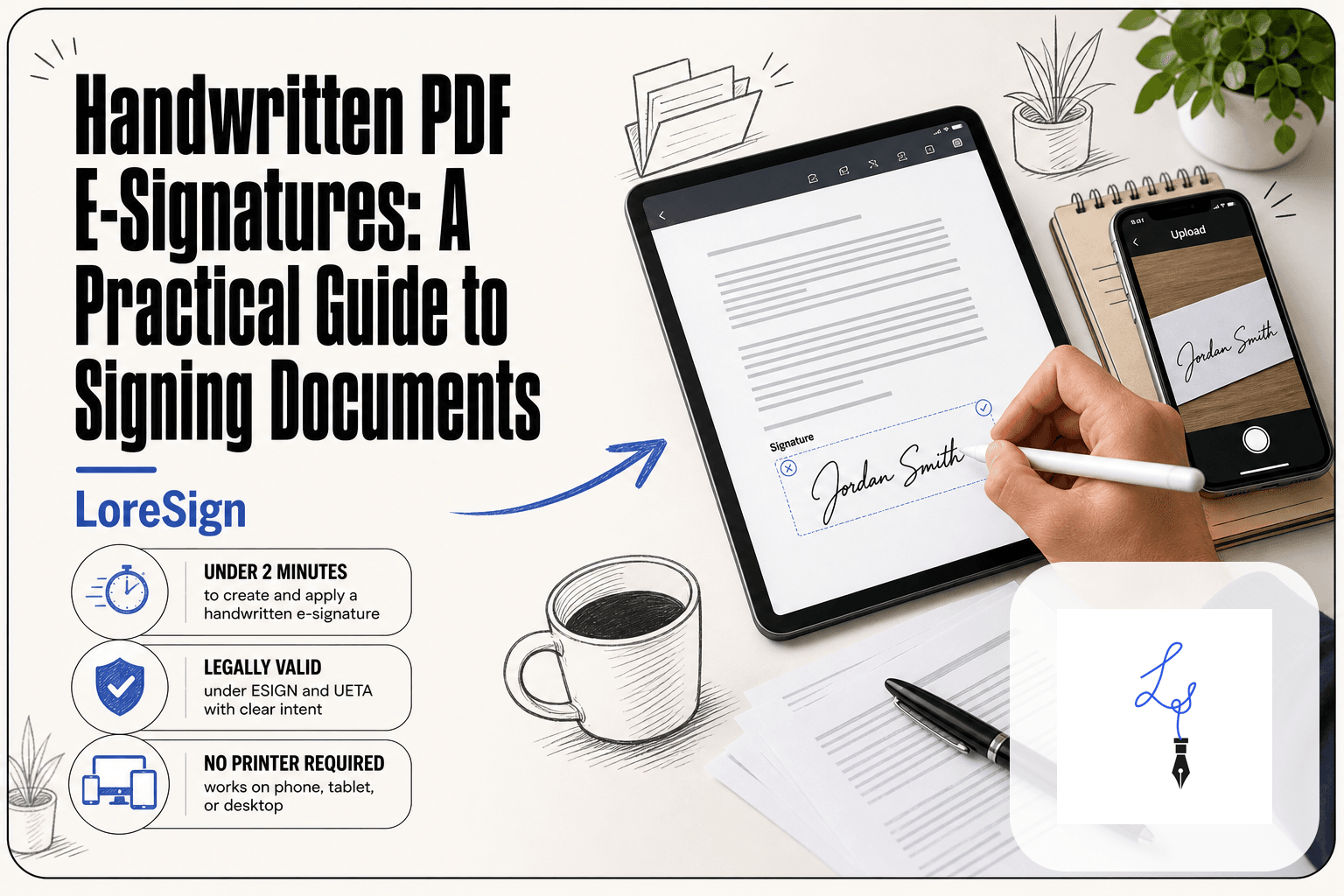
The Best E-Signatures: An Honest, Practical Comparison
You need the best e signatures for your small business, not a masterclass in enterprise contract management. You've probably heard of DocuSign. You may have opened the pricing page, closed it, and wondered if there's a simpler way to get a PDF signed without a sales call. There is. Most "best e-signature" roundups are written by vendors with a product to push, so they bury the limitations and inflate the features. This one doesn't. I compared seven tools on price, legal validity, and how they actually feel to use, including LoreSign, which handles the basics without the enterprise bloat. The honest answer is that no single tool fits everyone, and some documents can't be e-signed at all, no matter which software you pick.
| At a glance | Details |
|---|---|
| Legally valid | Yes, under ESIGN and UETA in the US |
| Best for solo pros | Simple, low-cost tools with core features |
| DocuSign alternative | Yes, several exist for small teams |
| Key limitation | Not for notarization or certain court filings |
| Free options | Limited free tiers available, check limits |
| LoreSign fit | Good for simple contracts, not complex workflows |
In This Guide
- What Is an E-Signature? (And What It Isn't)
- DocuSign vs LoreSign: Which Fits Your Small Business?
- Why Choosing the Right E-Signature Tool Matters
- How We Evaluated These E-Signature Tools
- The 7 Best E-Signature Tools Compared
- 1. LoreSign — Best for Individuals and Small Teams
- 2. DocuSign — Best for Enterprise Workflows
- 3. PandaDoc — Best for Sales Teams
- 4. SignWell — Best Free Tier
- 5. HelloSign (Dropbox Sign) — Best for Dropbox Users
- 6. Adobe Acrobat Sign — Best for PDF-Heavy Workflows
- 7. Smallpdf eSign — Best for Occasional Use
- How to Send an E-Signature: Step-by-Step
- Common Mistakes When Choosing an E-Signature Tool
- How to Choose the Right E-Signature Tool for You
- Final Thoughts on the Best E-Signatures
What Is an E-Signature? (And What It Isn't)
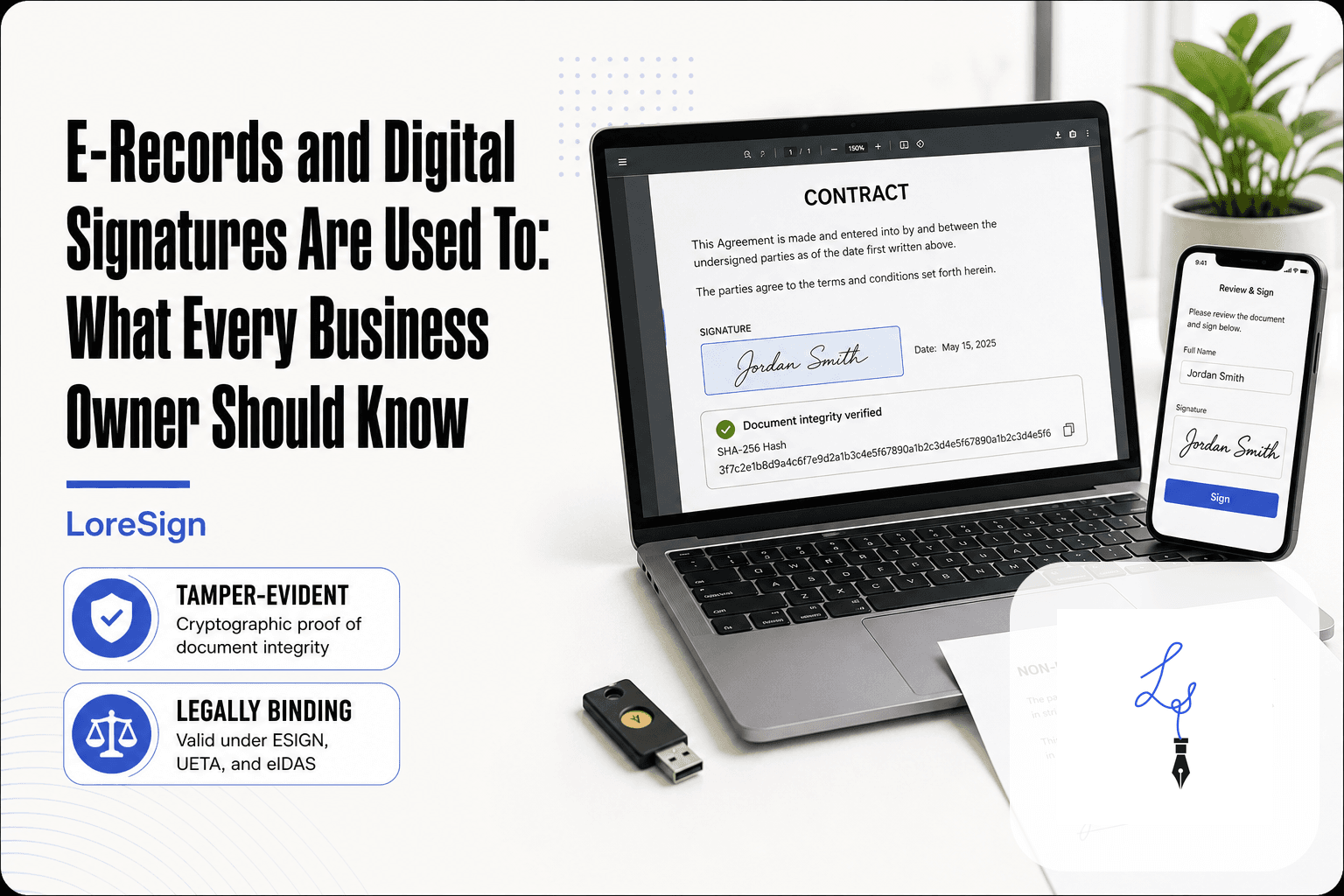
An e-signature is an electronic mark — a typed name, a drawn signature, a click on an "I agree" button — that shows a person's intent to sign a document. It's legally binding in the US under the ESIGN Act and UETA.
That's the whole definition. No special hardware. No cryptographic certificate. Just a record that you meant to sign.
The legal definition (ESIGN Act and UETA)
The ESIGN Act (2000) and the Uniform Electronic Transactions Act (UETA) both say the same thing: a signature can't be denied legal effect just because it's electronic. Most states adopted UETA. New York has its own equivalent. The key requirement is intent. The signer must clearly mean to sign.
What an e-signature is NOT: notarization, wet signatures, court filings
An e-signature doesn't notarize anything. It doesn't replace a wet-ink signature where a specific law requires one. And it doesn't automatically make a document admissible in every court filing. Some courts still want original signatures or specific formats.
Documents that cannot be e-signed in most US jurisdictions
You can't e-sign everything. Wills, trusts, adoption papers, and most family law documents still require wet signatures in most states. Some real estate deeds and mortgage documents need notarization, which e-signatures alone don't provide. Court filings vary by jurisdiction. Check your state's rules before relying on an e-signature for anything with serious legal consequences.
E-signatures are legally valid for most contracts in the US under the ESIGN Act and UETA, but they cannot be used for certain documents like wills, court filings, or some real estate transactions that require notarization.
DocuSign vs LoreSign: Which Fits Your Small Business?
| Factor | DocuSign | LoreSign |
|---|---|---|
| Best for | Enterprise teams with complex workflows | Solo pros and small businesses with simple signing needs |
| Ease of use | Feature-rich but can be overwhelming | Straightforward: upload PDF, place fields, send link |
| Pricing model | Tiered, often higher cost for small teams | Free tier available; paid plans for more features |
| Key features | Advanced workflows, integrations, compliance | AI drafting, templates, reminders, audit trail |
| Contract flexibility | May require annual commitments | Month-to-month options, no long-term lock-in |
Why Choosing the Right E-Signature Tool Matters
A bad tool doesn't just waste your time. It costs you the signing.
The cost of a failed signing
A signer opens your link on a phone and the page won't load. They get confused, close the tab, and your contract sits unsigned for three days. You chase them. They get annoyed. The deal cools off. That's the real cost: not the subscription fee, but the signature that never happens. For a freelancer waiting on a signed proposal, one failed signing can mean a week of unpaid work. The tool either makes signing feel effortless or it becomes the reason your client walks away.
What to look for: legality, ease of use, price, integrations
Four things matter. Legality: the tool must produce a clear audit trail and comply with the ESIGN Act and UETA. Ease of use: your signer shouldn't need an account, a tutorial, or a desktop computer. Price: per-seat pricing adds up fast, so check what the free tier actually includes. Integrations: if you already live in Google Drive, Dropbox, or a CRM, the tool should fit that workflow without extra steps. Skip any tool that fails one of these.
For solo professionals, start with a free tier to test if the tool handles your typical documents. Look for features like automated reminders and audit trails, which save time and provide legal protection without extra cost.
How We Evaluated These E-Signature Tools
Most "best e-signature" lists are vendor marketing with a ranking attached. I tested each tool by sending a real document through it, then signing it on a phone.
Evaluation criteria: price, legality, ease of use, integrations, limitations
Five criteria. Price: what the free tier actually includes, and what the first paid tier costs. Legality: audit trail, ESIGN Act and UETA compliance, signer authentication. Ease of use: could a first-time signer complete it on a phone without help? Integrations: does it fit Google Drive, Dropbox, or a CRM without extra steps? Limitations: what each tool cannot do, stated plainly.
Why we included free tiers and hidden costs in the comparison
Free tiers are where the real differences show. A tool that gives you three free documents a month is not the same as one that gives you unlimited. Hidden costs matter more: per-seat pricing, envelope fees, and features locked behind enterprise plans. We counted all of them.
The 7 Best E-Signature Tools Compared
The table below gives you the at-a-glance view. The ranked entries that follow go deeper, with honest notes on where each tool falls short.
Comparison table: price, free tier, key features, limitations
| Tool | Free tier | Paid from | Key features | Main limitation |
|---|---|---|---|---|
| LoreSign | 3 documents/mo | $12/mo | AI drafting, templates, audit trail, public verification | Not for enterprise workflows |
| DocuSign | 3 documents total | $15/mo | Enterprise integrations, advanced authentication | Expensive per-seat, complex for solo users |
| PandaDoc | Unlimited e-signatures | $19/mo | Document analytics, CRM integrations, payments | Sales-focused, overkill for simple signing |
| SignWell | 3 documents/mo | $8/mo | Simple UI, templates, reminders | Limited integrations on free tier |
| HelloSign (Dropbox Sign) | 3 documents/mo | $20/mo | Dropbox integration, templates, audit trail | Requires Dropbox for full value |
| Adobe Acrobat Sign | 7-day trial | $12.99/mo | PDF editing, Adobe ecosystem, advanced fields | Complex, expensive for non-Adobe users |
| Smallpdf eSign | 2 documents/mo | $9/mo | Simple signing, PDF tools bundled | Very limited free tier, no workflow features |
Pricing reflects single-user plans at time of writing. Team and business tiers cost more, sometimes much more.
How to read this comparison
Start with the free tier. If you sign fewer than three documents a month, several tools cost you nothing. If you sign weekly, free tiers run out fast and the paid price becomes the real number.
Then check the limitation column. Every tool has one. The question isn't which tool is perfect. It's which limitation you can live with.
1. LoreSign — Best for Individuals and Small Teams
LoreSign is built for people who need a document signed, not a contract management platform. Upload a PDF, place the signing fields, send one secure link. The signer gets a clean page, signs, and you get the completed document back automatically. No training required.
What LoreSign does well
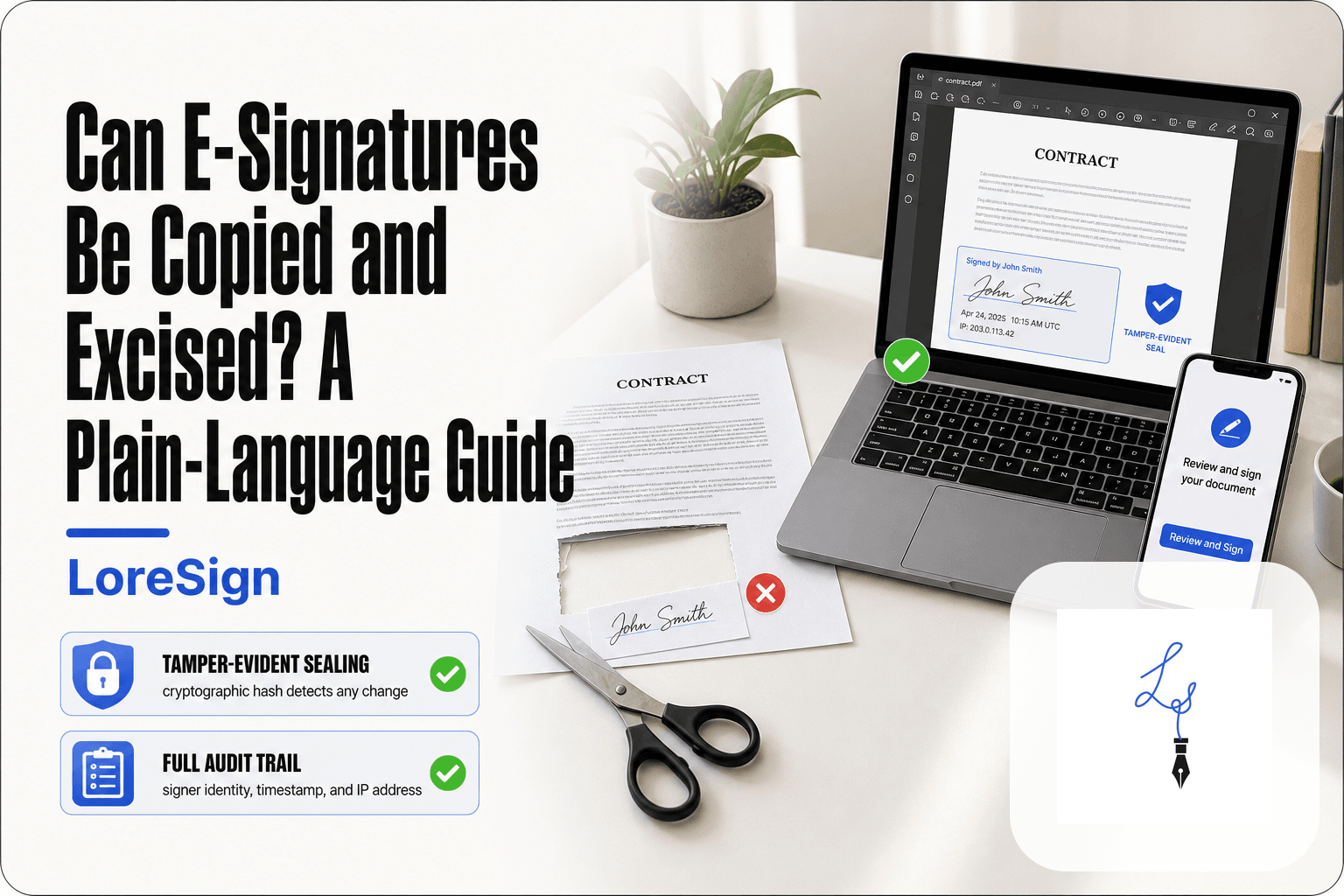
The core loop is simple: upload, place fields, send. Automated reminders chase unsigned documents so you don't have to. Every completed document includes a certificate of completion and audit trail, plus a public verification page so anyone can confirm a signature is real. AI drafting generates a first contract draft from a description, which you then edit. That's useful when you're starting from a blank page.
Pricing and free tier
The free tier covers 3 documents per month, which is enough for occasional freelance work. Paid plans start at $12/month and add unlimited templates, brand kits, and watermark-free PDFs. AI drafting is limited on lower tiers: 1 lifetime draft on Free and Starter, 20 per month on Pro.
When LoreSign is NOT the right choice
LoreSign isn't built for enterprise workflows. If you need bulk send, advanced signer authentication, CRM integrations, or HIPAA compliance, look at DocuSign or PandaDoc instead. It also lacks the deep PDF editing of Adobe Acrobat Sign. For solo professionals and small teams signing a few documents a month, it's the simplest option here. For sales teams running hundreds of envelopes weekly, it's the wrong tool.
2. DocuSign — Best for Enterprise Workflows
DocuSign is the market leader for a reason. It handles complex signing workflows, integrates with hundreds of business tools, and meets compliance standards most small tools don't touch. If you're a solo professional signing a few documents a month, most of that is weight you'll pay for and never use.
What DocuSign does well
DocuSign's strength is scale. Bulk send pushes one document to hundreds of signers at once. Ordered routing controls who signs first. Advanced authentication options include SMS codes, ID verification, and knowledge-based questions. The audit trail is detailed enough for regulated industries. For legal teams and enterprise sales, that's real value.
Pricing and hidden costs
DocuSign's entry plan starts around $10/month for a single user, but that tier is limited to 5 envelopes per month. Real usage pushes you to Standard or Business Pro, which run $25 to $40 per user monthly. Per-seat pricing means a 10-person team costs $250 to $400 every month. Add-on fees apply for bulk send, advanced authentication, and some integrations.
When DocuSign is overkill
If you sign fewer than 10 documents a month, you're paying for infrastructure you won't touch. The interface assumes you know what an envelope is. Setup takes longer than simpler tools. For occasional signatures, LoreSign or SignWell gets the job done without the overhead. For enterprise compliance and volume, DocuSign earns its price.
3. PandaDoc — Best for Sales Teams
PandaDoc is built for one job: moving sales documents from draft to signed. Proposals, quotes, contracts, and order forms all live in one place. If you're a solo freelancer sending an occasional agreement, most of that machinery is noise.
What PandaDoc does well
The document builder is the draw. You can create a branded proposal with pricing tables, images, and embedded video, then send it for signature without leaving the tool. Signers see a polished document, not a bare PDF with a signature box bolted on. PandaDoc also tracks when a recipient opens the document, how long they spend on each section, and whether they've clicked through to the pricing page. For a sales team, that's the difference between a follow-up call and a guess.
Pricing and free tier
PandaDoc's free tier lets you send documents and collect e-signatures, but it caps you at a small number of documents and strips out most of the sales features. Paid plans start around $19 per user monthly and climb fast. The real cost shows up when you add CRM integrations, content libraries, and approval workflows. Those are the features that make PandaDoc worth using, and they sit behind the higher tiers.
When PandaDoc is overkill
If you're not sending proposals or quotes, you're paying for a sales platform to do a signature tool's job. The interface assumes you want to build a document from scratch, not upload a PDF and send it. For a solo consultant sending one contract a month, LoreSign or SignWell handles the signature part without the sales layer. For a team closing deals weekly, PandaDoc earns its price.
4. SignWell — Best Free Tier
SignWell is the price disruptor. It does the core job, getting documents signed, without the enterprise tax. The free tier is genuinely usable: three documents a month, unlimited signers, and audit trails included.
What SignWell does well
The interface is clean. Upload a PDF, drag signature fields into place, send the link. No training required. Signers don't need an account, which removes the biggest friction point for clients. Automated reminders nudge people who haven't signed, and you get a completion certificate when they do.
Pricing and free tier details
The free plan covers three documents monthly. Paid plans start around $8 per month for unlimited documents and templates. That's the honest appeal: you get the core signing workflow without paying DocuSign prices for features you won't touch.
Limitations to know
The free tier's three-document cap runs out fast if you sign weekly. Template management is basic compared to PandaDoc or DocuSign. And SignWell lacks the deeper workflow controls, bulk send, and CRM integrations that growing teams eventually need. For occasional signing, it's enough. For volume, you'll outgrow it.
5. HelloSign (Dropbox Sign) — Best for Dropbox Users
HelloSign, now sold as Dropbox Sign, is the e-signature tool for people who already live in Dropbox. If your contracts, proposals, and client files sit in Dropbox folders, HelloSign removes the step of downloading and re-uploading documents. You sign from inside the folder structure you already use.
The workflow is straightforward. Open a document from Dropbox, place signature fields, and send the link. Signers don't need a Dropbox account. Completed documents save back to the original folder automatically, which keeps your filing system intact without manual downloads.
What HelloSign does well
The Dropbox integration is the real draw. Documents stay where they are, and signed copies return to the same folder. The interface is clean and simple, closer to SignWell than to DocuSign's enterprise dashboard. Audit trails and completion certificates come standard on paid plans.
Pricing and free tier
The free tier allows three signature requests per month, which matches SignWell. Paid plans start around $15 per month for unlimited signatures and templates. That's higher than SignWell's entry price, and you're partly paying for the Dropbox integration whether you use it or not.
Limitations to know
Outside the Dropbox ecosystem, HelloSign offers little that cheaper tools don't. The free tier's three-document cap is tight. Template management is basic. And if you don't use Dropbox, you're paying a premium for an integration that does nothing for you. For Dropbox users, it's convenient. For everyone else, SignWell or LoreSign does the same job for less.
6. Adobe Acrobat Sign — Best for PDF-Heavy Workflows
Adobe Acrobat Sign is the e-signature arm of Adobe's document ecosystem. If you already use Acrobat to create, edit, and manage PDFs, this tool keeps signing inside that same workflow. No file conversions, no format surprises.
The workflow mirrors other tools: upload a PDF, drag signature fields into place, send the link. The difference is fidelity. Documents render exactly as they do in Acrobat, which matters when you're sending contracts with precise formatting, tables, or embedded fonts.
What Adobe Acrobat Sign does well
PDF rendering is the standout. Complex layouts survive intact. The Acrobat integration means you can prepare a document and send it for signature without leaving the app. Audit trails and completion certificates are standard.
Pricing and free tier
The free tier is limited. You get a handful of signature requests, then you're pushed toward an Acrobat Standard or Pro plan. Pricing starts around $13 per month for individuals, but full e-signature features often require the Pro tier at roughly $20 per month. (verify at publish)
Limitations to know
Cost climbs fast. The interface is heavier than SignWell or LoreSign, and occasional users will find the feature set overwhelming. If you don't already pay for Acrobat, you're buying a PDF editor to get a signature tool. For PDF-heavy teams, it's solid. For everyone else, it's overkill.
7. Smallpdf eSign — Best for Occasional Use
Smallpdf eSign is the signing feature bolted onto Smallpdf's PDF toolkit. If you sign a document once a month and already use Smallpdf to compress or convert files, this keeps everything under one login. It's not a platform. It's a utility.
The workflow is stripped down: upload the PDF, place a signature field, send the link. No templates, no bulk send, no team management. That's the point. You're not paying for infrastructure you'll never touch.
What Smallpdf eSign does well
It's fast. Upload, sign, done. The interface is clean and the learning curve is near zero. If you need a signed document back in five minutes and you'll never see the signer again, this works.
Pricing and free tier
The free tier lets you sign documents but limits how many you can send for signature. Paid plans start around $9 per month for the Pro tier, which unlocks unlimited signing and more PDF tools. (verify at publish)
Limitations to know
No audit trail depth, no signer authentication options, no templates. The legal validity is there, but the workflow features aren't. If you sign weekly or need to track multiple documents, this will frustrate you within a month. It's a stopgap, not a system.
How to Send an E-Signature: Step-by-Step
The process is the same across most tools. You upload a document, place fields where signatures go, add signer emails, and send. The tool handles the legal trail, reminders, and delivery of the signed copy.
Step 1: Choose your tool and create an account
Pick based on volume, not features. If you sign one or two documents a month, a free tier or a simple tool like LoreSign or Smallpdf eSign is enough. If you're sending contracts weekly, you need templates and automated reminders.
Create the account before you need it. Most tools require email verification, and you don't want to be setting up a login while a client waits on the other end of a phone call.
Step 2: Upload your document
Upload a PDF. That's the format every e-signature tool handles cleanly. Word documents work in some tools but can shift formatting when converted. If your document is a Word file, export it to PDF first.
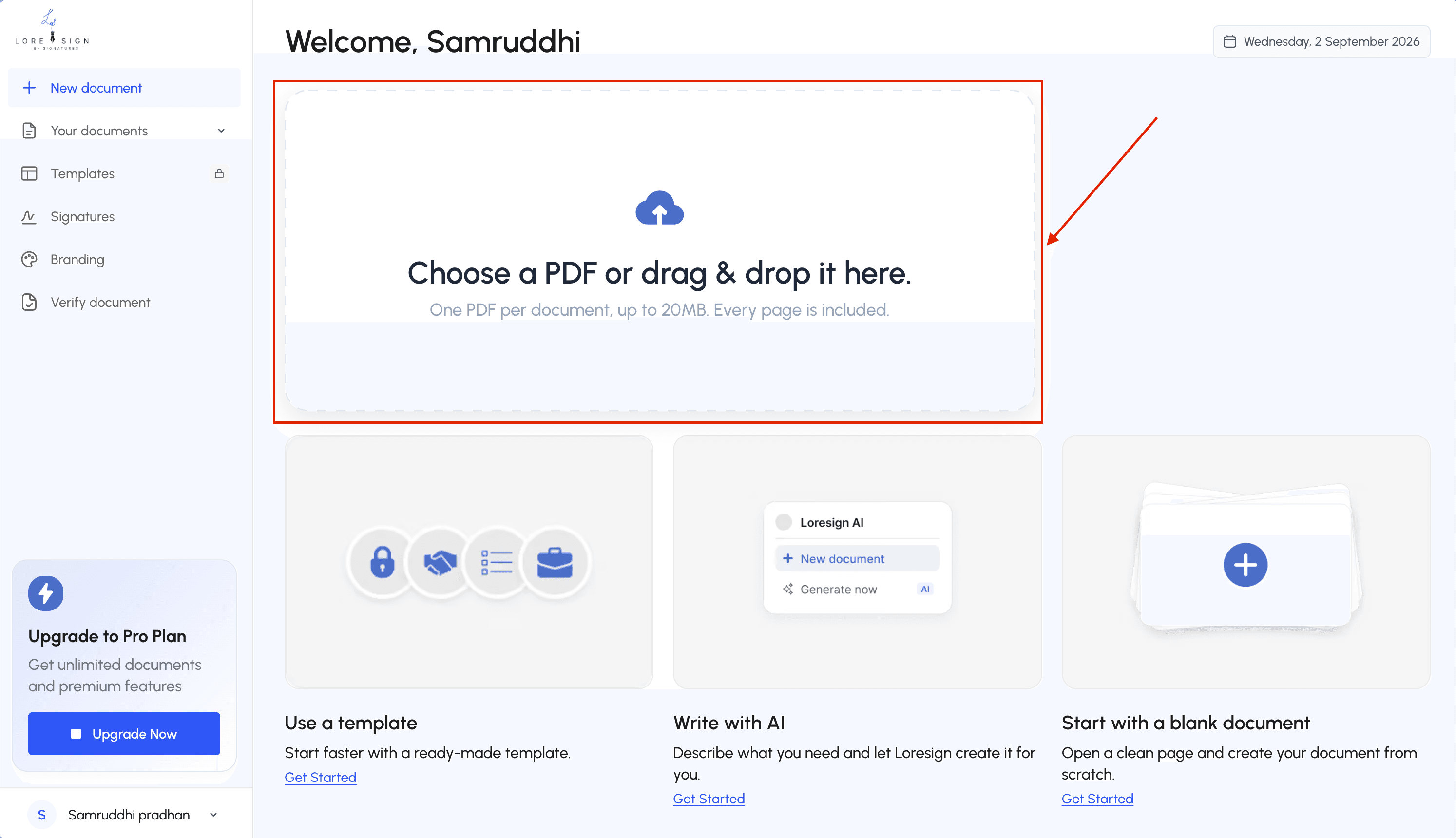
Check the document once after upload. Make sure pages render correctly and nothing got cut off. A misaligned page at this stage becomes a failed signing later.
Step 3: Add signature fields and signer details
Drag signature fields onto the document where each person needs to sign. Add text fields for dates, initials, or printed names if the document calls for them.
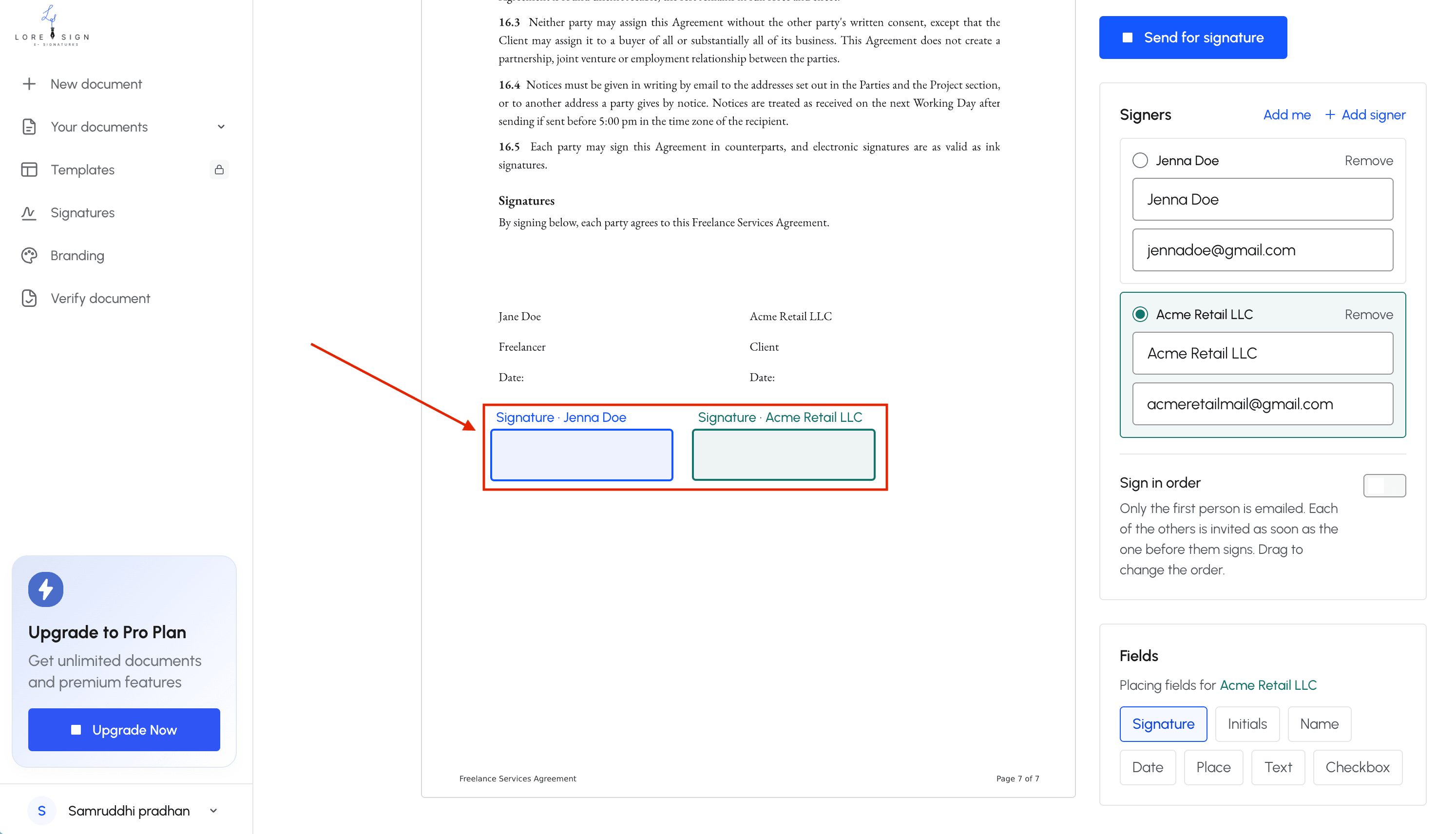
Then enter each signer's name and email address. If the document needs signatures in a specific order, set the routing sequence now. Most tools let you choose between sending to everyone at once or one after another.
Step 4: Send the signing link
The tool sends an email with a secure link. You don't attach the PDF to your own email. The link is what tracks who opened it, who signed, and when.
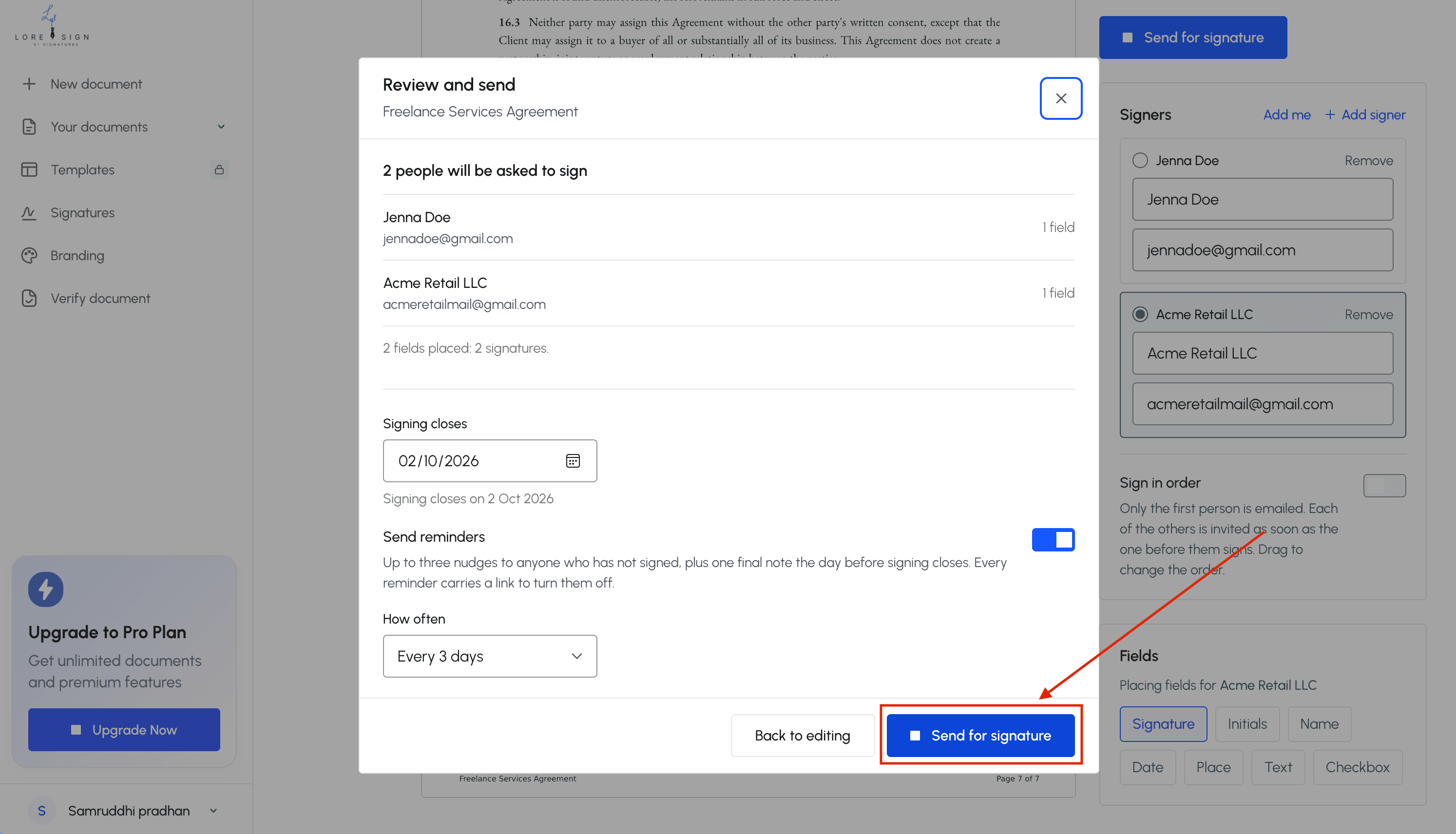
Write a short message in the tool's email template. One or two sentences. Tell the signer what the document is and when you need it back. Don't make them guess.
Step 5: Track and download the signed document
You'll get a notification when each signer completes their part. Most tools show a dashboard with the document's status: sent, viewed, signed.
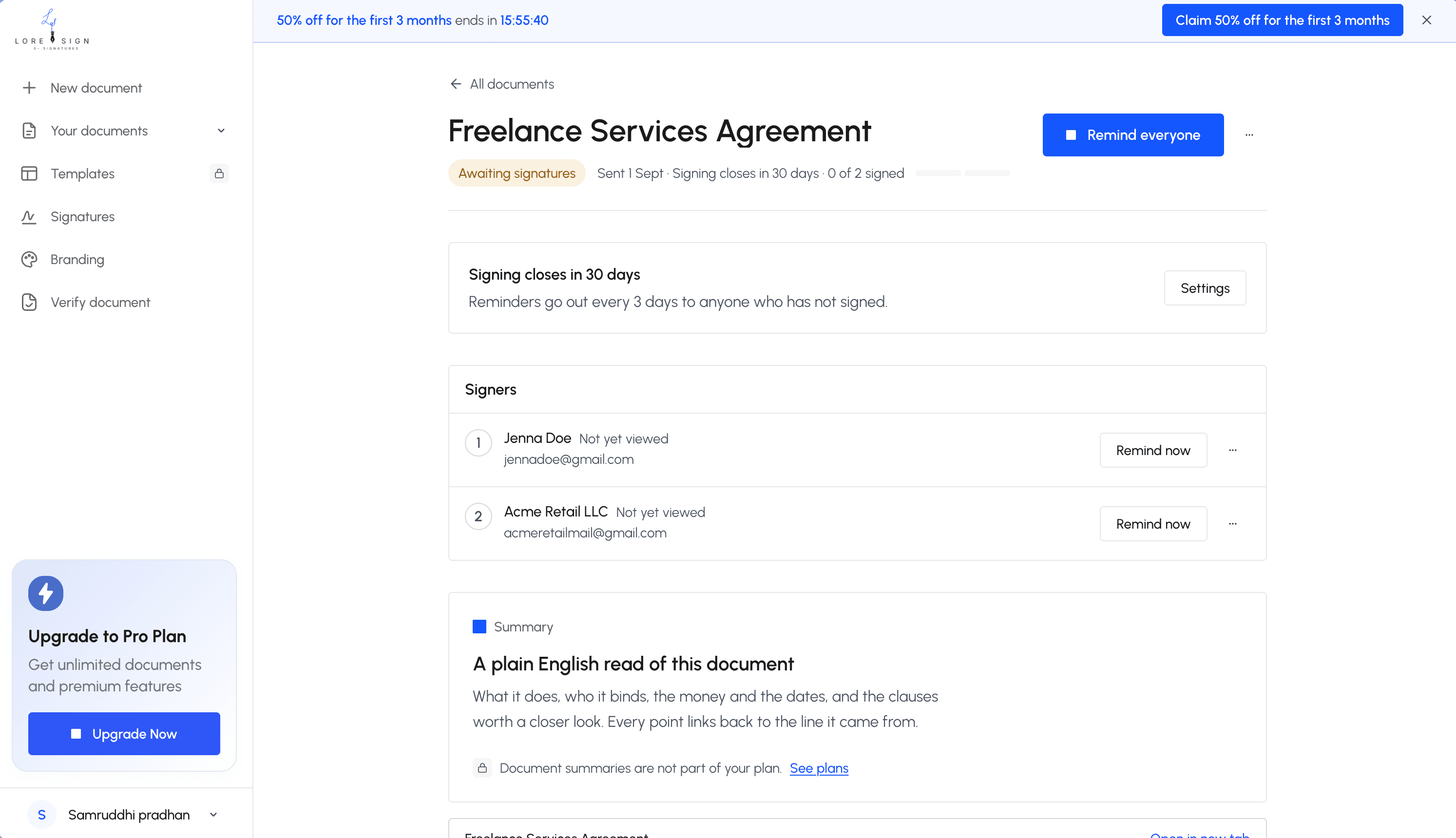
Once everyone signs, the tool emails you the completed PDF. It includes the signatures, a certificate of completion, and an audit trail. Download it and save it somewhere you'll find it again. The signed copy is your record.
Common Mistakes When Choosing an E-Signature Tool
Most buyer's remorse comes from four mistakes. They're easy to avoid once you know what to look for.
Mistake 1: Paying for features you'll never use
Enterprise tools sell bulk send, API access, and workflow automation. If you sign three documents a month, you're paying for infrastructure you don't touch. Match the tool to your volume, not the vendor's feature list.
Mistake 2: Ignoring hidden costs and per-seat pricing
The advertised price is rarely what you pay. Some tools charge per user, so adding a second signer doubles your bill. Others cap the number of documents per month and charge overage fees. Check the fine print before you commit.
Mistake 3: Not checking legal validity for your document type
E-signatures are valid for most contracts under the ESIGN Act and UETA. But some documents still require wet signatures: certain court filings, some real estate transfers, and notarized documents. If your document falls into one of those categories, no e-signature tool will save you.
Mistake 4: Overlooking the signer experience
Your signer is not you. They won't watch a tutorial or read a help article. If the signing process takes more than two minutes or requires creating an account, they'll abandon it. Test the signer flow yourself before you send anything to a client. Send a test document to your own email and sign it on your phone. If it's clunky for you, it's worse for them.
How to Choose the Right E-Signature Tool for You
The best tool depends on three things: how often you sign, how many people sign with you, and what your documents require. Match those first. Price comes second.
If you sign documents occasionally: choose simplicity
You don't need workflow automation. You need a tool that uploads a PDF, places a signature field, and sends a link. That's it. Look for a free tier that doesn't cap you at two documents a month, and skip anything that requires a demo call before you can try it. LoreSign and SignWell both fit here.
If you sign documents weekly: choose workflow features
At this volume, reminders and templates stop being nice-to-haves. You'll want automated follow-ups for unsigned documents, reusable templates for repeat contracts, and an audit trail you can pull without contacting support. PandaDoc and DocuSign earn their price at this level. LoreSign's Pro tier covers the basics too, but if you're sending bulk documents to sales prospects, PandaDoc's CRM integrations matter more.
If you need industry compliance: choose security features
HIPAA, SOC 2, and two-factor authentication aren't marketing terms when your documents carry regulated data. Check the vendor's compliance page before you sign up. DocuSign and Adobe Acrobat Sign publish these clearly. Smaller tools often don't, and that's a real limitation if your industry audits you.
Final Thoughts on the Best E-Signatures
No tool wins for everyone. DocuSign earns its place in enterprise workflows. PandaDoc fits sales teams. SignWell's free tier is genuinely useful. But if you're a solo professional or small team sending a few documents a month, most of these tools charge you for complexity you'll never touch.
The best e-signatures are the ones your clients actually complete. That means a clean signer experience, a link that opens on a phone, and a signed PDF that lands back in your inbox without you chasing it. LoreSign does that without the per-seat pricing or the demo call.
Try the free tier first. Send one real document. If the signer hesitates or the workflow annoys you, move on. The tool that gets the signature back fastest is the right one.
Frequently Asked Questions
Which website is the best for e-signatures?
The best website depends on your needs. For small businesses and solo pros, tools like LoreSign, HelloSign, and SignWell offer simplicity and value. DocuSign is best for enterprises with complex workflows. Compare features like pricing, ease of use, and required integrations.
Which e-signature app is considered the best?
There is no single best app; it varies by use case. DocuSign is popular for its robust features, while LoreSign is praised for its straightforward approach and AI drafting. Consider your volume, budget, and needed features.
Is an e-signature legally valid?
Yes, e-signatures are legally valid in the US under the ESIGN Act and UETA for most contracts. However, they are not valid for certain documents like wills, court filings, or some real estate documents that require notarization.
Is there a better alternative to Docusign?
Yes, alternatives like LoreSign, HelloSign, and SignWell offer similar core features at lower costs, especially for small businesses. They may lack some advanced enterprise features but are often easier to use and more flexible.
How to send electronic signature via email?
Use an e-signature tool: upload your document, place signature fields, enter the signer's email, and send. The signer receives a link to sign electronically. You get the completed document automatically.
Are free e-signature tools reliable?
Free tools can be reliable for basic signing needs, but they often have limits on documents per month or features. They are legally valid if they comply with ESIGN. For business use, consider a paid plan for more features and support.
What can't e-signatures be used for?
E-signatures cannot be used for notarized documents, certain court filings, and some real estate documents like deeds. Always check local laws for specific requirements.
About LoreSign
LoreSign helps individuals and businesses create, send, sign, and track documents in one place. You can upload a PDF or create an agreement, add the required signing fields, send it to recipients, and automatically receive the completed document once everyone has signed.
We also publish practical guides based on real signing workflows, including topics like how to sign a PDF on iPhone, collect e-signatures, send contracts, and troubleshoot common document-signing issues.