REDCap E Consent Two Signatures: How to Set Up a Two-Signer Workflow
If you searched “redcap e consent two signatures”, the key thing to understand is that REDCap can support more than one signature field—but two signature fields are not always the same as two independent signers.
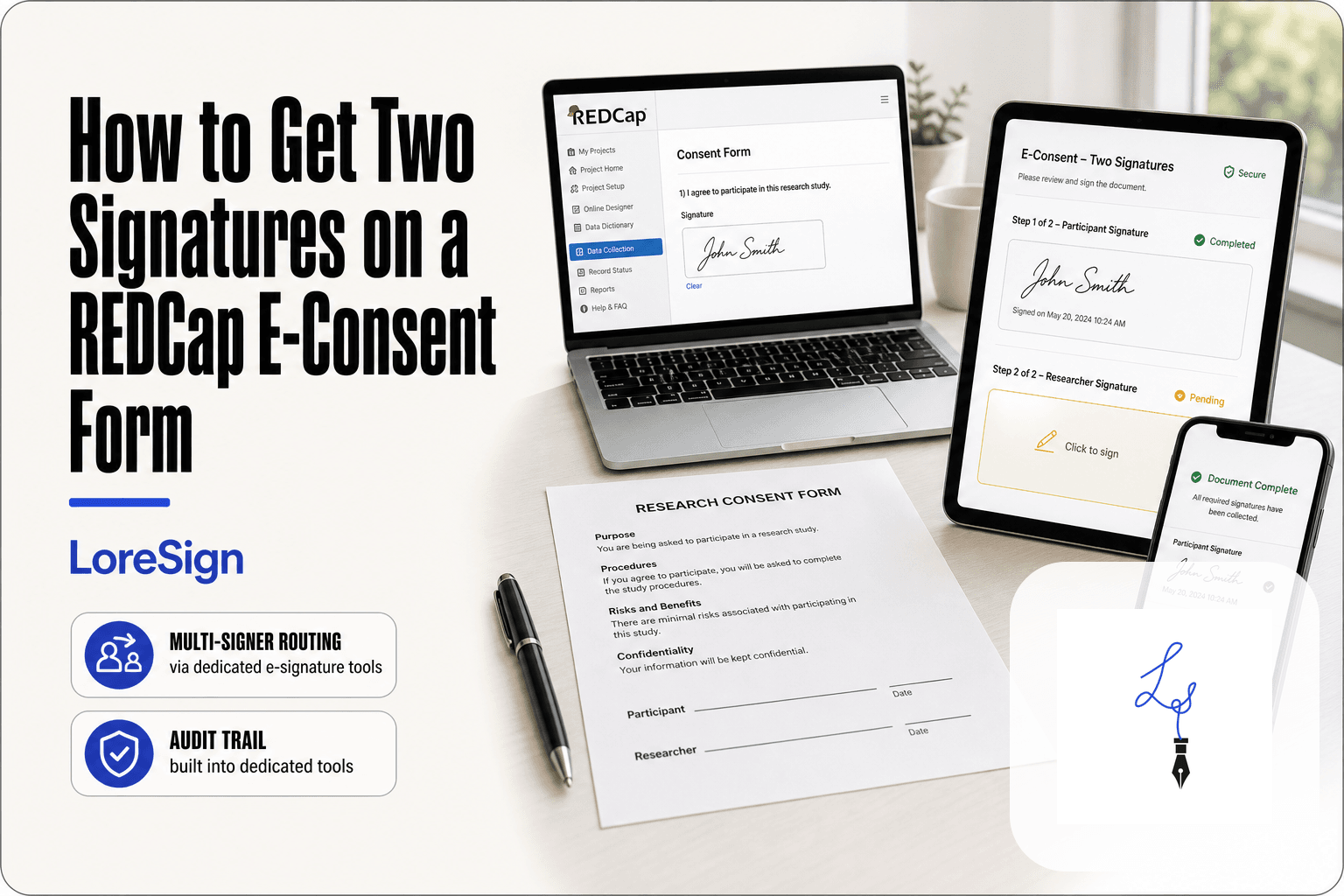
REDCap’s native e-Consent Framework allows multiple signature fields to be included in a consent survey. That can work when the signatures are collected as part of the same survey-completion process. However, if the participant signs first and a researcher, witness, or other person needs to countersign separately later, the workflow usually requires additional REDCap instruments, an approved External Module, or another signing workflow. Institutional REDCap guidance confirms both patterns.
This guide explains what REDCap supports natively, when you need a workaround, how a two-signer setup can be structured, and what to check for 21 CFR Part 11 and HIPAA.
| At a glance | Details |
|---|---|
| Can REDCap contain two signature fields? | Yes. Multiple signature fields can be included in an e-consent survey. |
| Can two people sign during the same consent session? | Potentially, depending on the study workflow and institutional requirements. |
| Can REDCap automatically route one consent document between independent signers? | Not as a general-purpose sequential e-signature workflow. |
| Common countersignature setup | Participant e-consent instrument + separate staff countersign instrument |
| Can the records be combined? | Yes, with an approved workflow or External Module such as UCLA’s Multi Signature Consent setup. |
| Does REDCap automatically make a workflow Part 11 compliant? | No. Compliance depends on the system, configuration, validation, procedures, and intended use. |
| Does HIPAA require two signatures on an authorization? | No. A valid HIPAA authorization generally requires the individual’s or personal representative’s signature and date. |
What Do Two Signatures on an E-Consent Form Mean?
“Two signatures” can describe several different consent workflows.
For example, a study may need a participant signature plus a signature from the person obtaining consent. Another protocol may require a witness. In some situations, a legally authorized representative or parent may sign instead of—or alongside—other parties, depending on the protocol and applicable requirements.
The important question is therefore not simply:
“Can REDCap display two signature boxes?”
It is:
“Who needs to sign, when do they sign, and does each person need an independent signing step?”
That distinction determines whether REDCap’s native e-consent setup is enough.
Federal informed-consent rules do not universally require a researcher or witness to countersign every consent form. The required signers depend on the study, consent method, IRB-approved process, and applicable regulations. HHS guidance generally refers to the subject or the subject’s legally authorized representative signing when written consent is required.
REDCap E Consent Two Signatures: What REDCap Supports Natively
REDCap’s e-Consent Framework is more capable than simply adding a handwritten-signature box to a survey.
When enabled for a survey, the framework can add an end-of-survey certification step and create a frozen PDF snapshot of the completed consent responses. That snapshot can be retained in REDCap’s File Repository.
Most importantly for this topic, REDCap documentation from the University of Wisconsin notes that multiple signature fields may be used in a consent that is completed at the time of survey completion.
So the statement that REDCap only supports one signature field is not accurate.
The limitation appears when those signatures belong to people who must complete the consent at different times or through separate authenticated workflows.
Two signature fields vs. two independent signers
Consider these two situations.
Situation A: A participant signs a consent form and a witness standing beside them signs another field before the survey is submitted.
Situation B: A participant remotely signs the form at 10:00 AM. Later, a study coordinator must review the completed consent, add a separate countersignature, and create a final record containing both signatures.
Both involve two signatures.
Technically, however, they are very different workflows.
| Requirement | Multiple fields in one e-consent survey | Separate countersign workflow |
|---|---|---|
| Two signature fields | Yes | Yes |
| Same survey session | Yes | Not required |
| Signers act at different times | Limited by workflow design | Yes |
| Separate staff access | Not necessarily | Usually |
| Independent countersign instrument | No | Usually |
| Final merged record | Native survey snapshot | May require merging/configuration |
| External Module | Usually unnecessary | May be useful or required |
That is why asking whether REDCap “supports two signatures” can produce conflicting answers. The answer depends on what two signatures means in your study.
How to Set Up Two Signatures in REDCap
Start by identifying the actual signing sequence.
- Confirm who must sign the consent.
- Determine whether both signatures happen during the same consent session.
- Check whether the second signer needs separate REDCap access.
- Confirm what your IRB or institutional policy requires the final consent record to contain.
- Decide whether one survey can capture everything or whether a separate countersign instrument is needed.
- Check with your REDCap administrator before relying on an External Module.
- Test the entire workflow with dummy records before using it with participants.
Your REDCap version, institutional configuration, IRB requirements, and enabled modules can change the exact setup.
Option 1: Two Signatures in the Same E-Consent Survey
If both signatures can legitimately be collected while the same consent survey is being completed, the native e-Consent Framework may be enough.
A typical setup looks like this:
- Create the consent instrument.
- Enable it as a survey.
- Add the participant’s name and signature fields.
- Add the second signature field required by your approved workflow.
- Make the required signature fields mandatory where appropriate.
- Enable the e-Consent Framework.
- Configure the signature fields in the e-consent settings.
- Complete a test consent.
- Review the resulting PDF snapshot to ensure the expected signatures and consent information appear correctly.
REDCap installations may expose slightly different options depending on version and local configuration. Current institutional documentation shows REDCap supporting multiple signature fields within the e-consent process.
Do not assume that adding a second signature box automatically proves the identity of the second signer. Your consent process still needs an appropriate method of identifying or authenticating the person who is signing when your protocol or applicable regulations require it. Institutional REDCap guidance specifically emphasizes the importance of signer identification in e-consent workflows.
When this approach makes sense
It can be appropriate when:
- both people sign during one supervised consent interaction;
- your IRB has approved that process;
- the second signature does not require separate routing;
- the final REDCap snapshot contains everything the study needs.
If the second person signs later, use a countersignature workflow instead.
Option 2: Participant Signature Followed by a Countersignature
Some studies require the participant to complete the e-consent independently and then have study personnel review or countersign the record.
In that case, separating the two signing actions is usually cleaner.
One documented REDCap approach is:
- Create an e-consent survey instrument for the participant.
- Enable the e-Consent Framework for that instrument.
- Collect the participant’s name, signature, and other required consent information.
- Create a separate countersign instrument containing the study staff member’s name, signature, and applicable attestation text.
- Create a location for the completed merged document.
- Use an institutionally approved process to combine the participant consent and countersignature when both are complete.
UCLA documents this exact pattern using its Multi Signature Consent External Module. The module can combine multiple completed instruments into one PDF and store the result in REDCap.
[DIAGRAM NEEDED: Workflow diagram showing Participant → REDCap e-Consent Survey → frozen participant consent PDF, then Study Staff → Countersign Instrument, with both flowing into “Merged Signed Consent PDF” through an approved multi-signature workflow.]
Why use separate instruments?
Because the participant and study staff are performing different actions.
The participant is documenting consent.
The researcher or coordinator may be reviewing, witnessing, or countersigning according to the study protocol.
Keeping those actions separate can make permissions, timing, and record handling clearer than trying to make one survey behave like a general-purpose document-routing platform.
Do you need the Multi Signature Consent module?
Not necessarily.
Your institution may use another approved process. For example, Alberta’s REDCap guidance notes that when a study coordinator or third party must attest to consent, an additional survey or a separate REDCap eSignature form may be appropriate.
The correct method should therefore come from your institution’s REDCap administrator and IRB-approved process—not from a generic tutorial alone.
What the REDCap E-Consent Framework Actually Adds
It helps to separate the signature field from the e-Consent Framework itself.
A REDCap signature field captures signature input.
The e-Consent Framework adds structure around the consent process. Depending on the REDCap version and institutional configuration, that can include:
- participant name fields;
- one or more designated signature fields;
- an end-of-survey certification step;
- consent version information;
- a frozen PDF snapshot of the completed survey;
- storage of that snapshot in the File Repository;
- options for retaining or distributing copies.
The framework is designed to help preserve what the participant reviewed and certified at the time of consent.
That is substantially different from simply placing a signature box on an ordinary REDCap form.
Limitations to Know Before You Start
REDCap can handle sophisticated e-consent workflows, but multi-signer consent still introduces complexity.
1. Multiple fields do not equal automatic signer routing
You can place multiple signature fields in an e-consent survey.
REDCap does not automatically turn those fields into a DocuSign-style workflow where one recipient signs, the system independently routes the same document to another recipient, and a final signing package is generated without additional configuration.
If that is the workflow you need, plan for separate instruments, an approved External Module, or another signing system.
2. Your institution controls External Modules
External Modules are not automatically available on every REDCap installation.
They generally need to be enabled and governed by the institution running the REDCap instance. You should not design a production consent workflow around a module until your REDCap administrator confirms that it is available and approved.
3. The final record matters
Ask what must exist after both people have signed.
Is the required record:
- a REDCap record containing both signatures?
- two linked instruments?
- a single merged PDF?
- a certified copy provided to the participant?
- a document that must be retained for an FDA-regulated investigation?
Those are different requirements.
4. Regulatory compliance is broader than the signature box
A drawn signature alone does not establish regulatory compliance.
Identity verification, access controls, record integrity, auditability, validation, retention, and the meaning attached to the signature may all matter depending on the applicable regulations.
21 CFR Part 11 and REDCap E-Consent
If the electronic records or signatures are being used in an FDA-regulated context where Part 11 applies, you need to evaluate more than whether REDCap can capture a signature.
Among other requirements, Part 11 addresses the uniqueness of an electronic signature and verification of the signer’s identity.
For signed electronic records, the signature manifestation must clearly indicate:
- the printed name of the signer;
- the date and time of signing;
- the meaning associated with the signature, such as review, approval, or responsibility.
Part 11 also requires electronic signatures to be linked to their electronic records so that they cannot ordinarily be removed or transferred to falsify another record.
Is REDCap automatically 21 CFR Part 11 compliant?
No software platform should be treated as automatically compliant simply because it includes electronic signatures.
FDA guidance treats Part 11 compliance as a combination of electronic records, controls, procedures, validation, and the way the system is actually used.
REDCap can be part of a validated regulated-research environment, and institutions do use REDCap for electronic consent. But the institution is responsible for determining whether its specific implementation and workflow satisfy the applicable requirements.
If your study is FDA-regulated, use your institution’s validated REDCap procedures and compliance guidance. Do not replace them with a generic online setup guide.
HIPAA Authorization and Electronic Consent
HIPAA authorization and research informed consent are related, but they are not the same thing.
Research informed consent covers the person’s agreement to participate in the study.
HIPAA authorization gives permission for specified uses or disclosures of protected health information.
HHS expressly recognizes this distinction. The two documents can also be combined when the applicable requirements are satisfied.
Does a HIPAA authorization require two signatures?
Not normally.
The HIPAA Privacy Rule requires a valid authorization to include the signature of the individual and the date. If a personal representative signs, the authorization must also describe that person’s authority to act for the individual.
HIPAA does not create a general requirement for a researcher or witness to add a second signature.
Electronic HIPAA authorizations are permitted when the electronic signature is valid under applicable law. HHS also requires the individual to receive a copy of the signed authorization.
That means you should not add a second signer merely because a study involves HIPAA. The second signature should exist because the protocol, IRB, consent method, local requirements, or another applicable rule calls for it.
REDCap vs. a Dedicated E-Signature Tool
REDCap and e-signature platforms solve different primary problems.
REDCap is a research data-capture platform with an e-consent framework.
A dedicated e-signature platform is designed primarily to route documents between signers.
| Factor | REDCap e-Consent | REDCap + multi-signature workflow | Dedicated e-signature tool |
|---|---|---|---|
| Research data collection | Strong | Strong | Not the primary purpose |
| Multiple fields in one consent survey | Supported | Supported | Supported |
| Separate countersignature | Requires workflow design | Supported with appropriate setup | Usually built in |
| Sequential recipient routing | Limited as a native document workflow | Possible with configuration | Core feature |
| Final PDF | e-Consent snapshot | Can be merged depending on setup | Usually generated automatically |
| REDCap admin dependency | Yes | Higher | No REDCap admin required |
| Regulatory suitability | Depends on implementation and validation | Depends on implementation and validation | Depends on vendor, configuration, and validation |
When REDCap is the logical choice
REDCap usually makes sense when:
- the consent is part of a REDCap-based research study;
- your institution already has an approved e-consent workflow;
- your IRB and REDCap team have established procedures;
- the signed consent needs to stay alongside the research record;
- the required countersignature process has already been validated.
In that situation, keeping the workflow within REDCap can reduce unnecessary system switching.
When a dedicated e-signature workflow is simpler
A dedicated e-signature tool can be easier when your real requirement is simply:
send one document to two independent people and collect both signatures in order.
For ordinary business documents, that avoids building surveys, countersign instruments, merge logic, or REDCap-specific routing.
LoreSign, for example, supports multiple recipients, ordered signing, signing-status tracking, an audit trail, and a certificate of completion.
For research consent, however, convenience is not the only requirement. Your institution still needs to determine whether an external signing tool is appropriate for the study, whether the IRB approves the process, and whether applicable regulatory and data-protection requirements are met.
An audit trail or signing certificate alone should not be treated as proof of 21 CFR Part 11 or HIPAA compliance.
How to Choose the Right Two-Signature Setup
Use the signing sequence—not the number of signature boxes—to make the decision.
Use one REDCap e-consent survey when:
- both required signatures can be collected as part of the same consent completion;
- the IRB-approved workflow allows it;
- separate routing is unnecessary;
- the generated e-consent snapshot contains the record you need.
Use separate REDCap instruments when:
- the participant signs first;
- study personnel need to review or countersign later;
- each signing action needs different access or timing;
- your institution has an approved countersignature workflow.
Consider an approved External Module when:
- separate REDCap instruments need to be merged;
- your institution permits the module;
- administrators can support and test it;
- the module fits your validated consent process.
Consider a dedicated e-signature tool when:
- the document is not part of a REDCap research workflow;
- independent sequential signing is the main requirement;
- you need document routing rather than research data collection.
For regulated research, confirm the workflow with your IRB, compliance team, and REDCap administrator before collecting real signatures.
Frequently Asked Questions
Can REDCap natively support two signatures on an e-consent form?
Yes, REDCap e-consent can include multiple signature fields in a consent survey. However, this does not automatically create an independent sequential workflow for two remote signers. If one person signs and another countersigns later, additional workflow design may be needed.
Can a participant and researcher both sign a REDCap consent?
Yes. Institutions document workflows in which a participant signs the e-consent and study personnel subsequently countersign. The exact implementation varies. One approach uses a separate countersign instrument and an External Module to combine the records.
Can I add two signature fields to one REDCap survey?
Yes. REDCap e-consent supports multiple signature fields that can be completed as part of the survey-completion process. Whether that setup is appropriate for two different people depends on how and when each signer must act.
Do I need an External Module for two signatures?
Not always.
If the required signatures can be captured appropriately within one e-consent survey, you may not need one. An External Module becomes more useful when separate instruments or countersignatures need to be combined into a final document.
Is REDCap e-consent 21 CFR Part 11 compliant?
REDCap should not be described as automatically Part 11 compliant. Part 11 compliance depends on the applicable records, system controls, configuration, validation, procedures, and intended use. Institutions conducting FDA-regulated research should follow their validated REDCap and compliance procedures.
Does HIPAA require two signatures on an e-consent?
No. HIPAA authorization generally requires the individual’s signature and date, or the signature of a personal representative with an explanation of that representative’s authority. A witness or investigator signature may be required for another reason, but it is not a general HIPAA authorization requirement.
Can I use an external e-signature platform with REDCap?
Potentially. External platforms can handle multi-signer document routing and may be integrated with a research workflow, but the use of an external tool should be approved by the relevant institution and IRB where required. Regulatory suitability depends on the complete implementation rather than the presence of electronic signatures alone.
About LoreSign
LoreSign helps people send documents and contracts for signature without building a custom signing workflow.
Upload a PDF, add the required fields, assign them to multiple recipients, choose the signing order, and send the document. LoreSign tracks signer activity and produces the completed document along with its audit trail and certificate of completion.