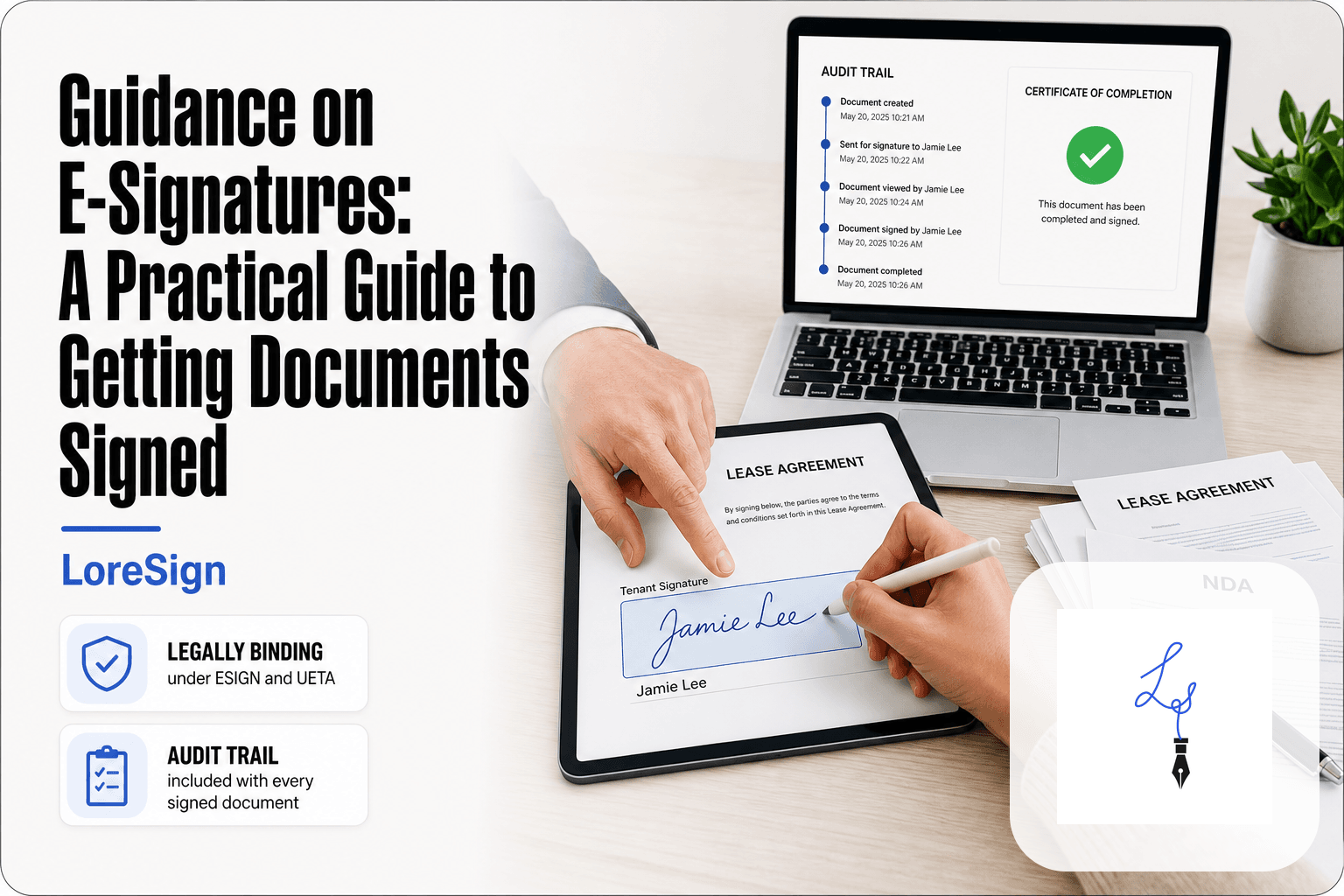
Guidance on E-Signatures: A Practical Guide to Getting Documents Signed
Guidance on e signatures isn't about theory when there's a lease sitting unsigned on your desk and a tenant waiting to move in. If you're a freelancer, landlord, small business owner, or HR manager, you've probably waded through dense legal pages and vendor pitches, and you still don't have a straight answer to one question: can I actually do this, and will it hold up? The honest answer is yes, electronic signatures are legally binding in the U.S. for most documents, but not all. The confusion comes from the fact that most resources explain the law in the abstract and stop there. LoreSign handles the practical side, but even if you use a different tool, you need to know what's valid, what's excluded, and how to run the process without mistakes. This guide covers the legal requirements, the documents you cannot sign electronically, and a step-by-step workflow for getting a document signed correctly the first time.
| At a glance | Details |
|---|---|
| Legal basis (US) | ESIGN Act and state UETA |
| Core validity test | Intent, consent, record, attribution |
| Typical documents | Contracts, leases, NDAs, onboarding |
| Common exceptions | Wills, divorce, some court filings |
| Regulated industries | FDA 21 CFR Part 11 for life sciences |
| Best practice | Audit trail and signed PDF delivery |
In This Guide
- What Is an Electronic Signature?
- Electronic Signature vs Digital Signature: What's the Difference?
- Are Electronic Signatures Legal? The ESIGN Act and UETA Explained
- Guidance On E Signatures: A Step-by-Step Guide
- The Four Requirements for a Valid Electronic Signature
- Documents You Cannot Sign Electronically
- How to Get a Document Signed Electronically: Step-by-Step Guidance
- Choosing an E-Signature Tool: What to Look For
- FDA Guidelines for Electronic Signatures: 21 CFR Part 11
- Common Mistakes to Avoid When Using E-Signatures
- Final Thoughts on Guidance on E-Signatures
What Is an Electronic Signature?
An electronic signature is any electronic process or symbol attached to a document that shows a person's intent to sign it. It's a legal concept, not a file format. A typed name, a clicked "I agree" button, or a finger-drawn signature on a tablet all count, as long as the signer meant to approve the document.
The key word is intent. A scanned image of your handwritten signature pasted into a PDF isn't automatically an e-signature in the legal sense. What matters is the process around it: did the person know they were signing, and can you prove it later?
Electronic signature vs. digital signature: what's the difference?
People use the two terms interchangeably. They aren't the same thing.
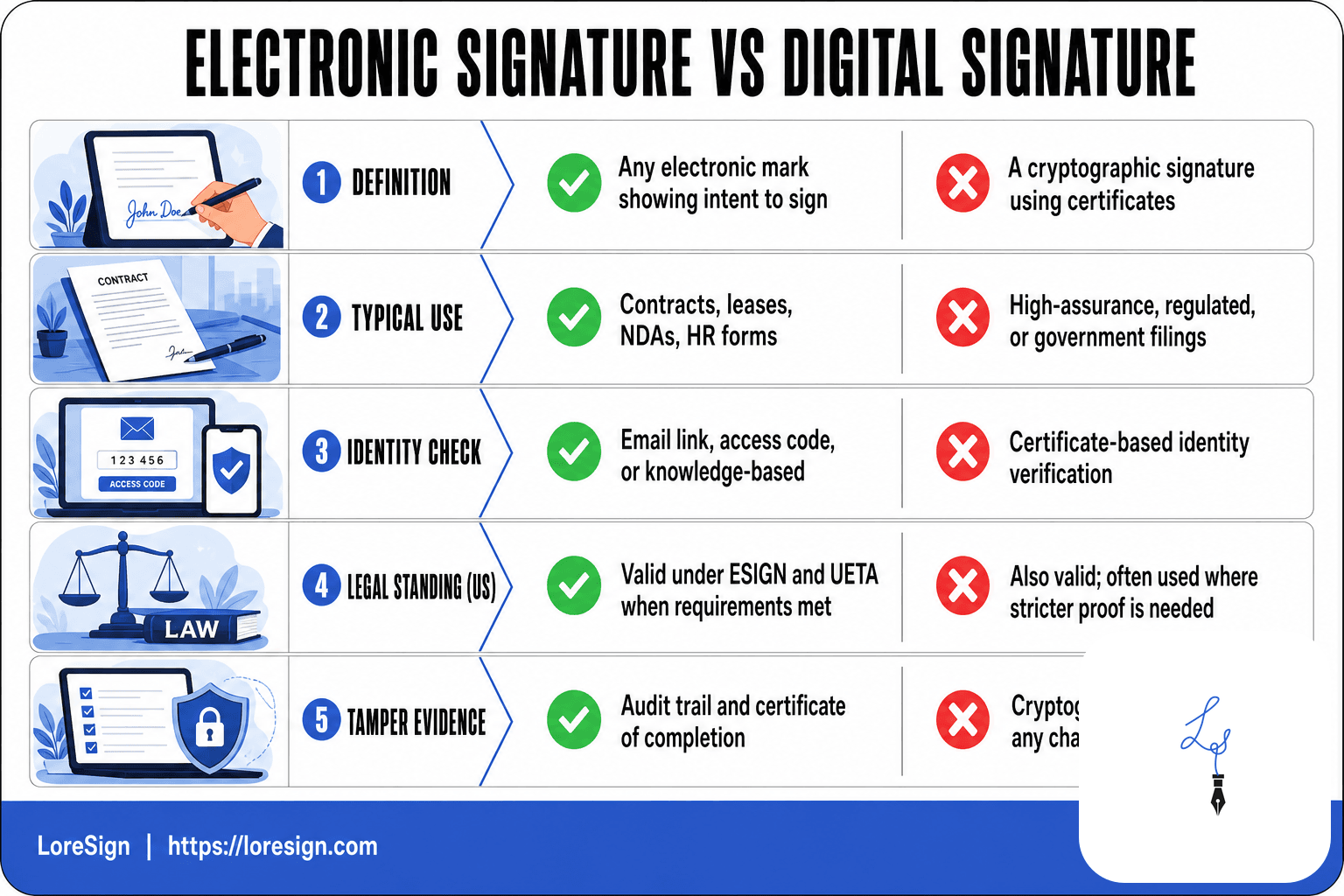
An electronic signature is the legal act of signing. A digital signature is a technical security layer underneath it: encryption that locks the document so any later change breaks the seal. Most e-signature tools use digital signature technology behind the scenes, but the law cares about the electronic signature, not the encryption method.
Common examples of electronic signatures
- Typing your name into a signature field
- Clicking "I accept" on a terms page
- Drawing a signature with a finger or stylus on a tablet
- Checking a box that says "I agree to be bound by this agreement"
- Entering a PIN or code sent to your phone to confirm signing
None of these is more legal than another. What matters is that the signer intended to sign and the system records that intent.
[!note] Under the US ESIGN Act and most state UETA laws, an electronic signature is valid when the signer intends to sign, consents to do business electronically, and the record can be retained and reproduced later. Some documents, such as wills, certain family-law filings, and specific court or agency forms, still require a wet signature or a notarized original.
Electronic Signature vs Digital Signature: What's the Difference?
| Factor | Electronic Signature | Digital Signature |
|---|---|---|
| Definition | Any electronic mark showing intent to sign | A cryptographic signature using certificates |
| Typical use | Contracts, leases, NDAs, HR forms | High-assurance, regulated, or government filings |
| Identity check | Email link, access code, or knowledge-based | Certificate-based identity verification |
| Legal standing (US) | Valid under ESIGN and UETA when requirements met | Also valid; often used where stricter proof is needed |
| Tamper evidence | Audit trail and certificate of completion | Cryptographic seal detects any change |
Are Electronic Signatures Legal? The ESIGN Act and UETA Explained
Yes. In the United States, electronic signatures carry the same legal weight as wet-ink signatures for most documents. Two laws make that true: the federal ESIGN Act and the state-level UETA. Together they say a contract can't be thrown out just because it was signed electronically.
The ESIGN Act: federal recognition of e-signatures
The Electronic Signatures in Global and National Commerce Act passed in 2000. It says electronic signatures and records have the same validity as paper ones in any transaction affecting interstate or foreign commerce. The law also sets the baseline: a signature can't be denied legal effect solely because it's electronic.
The catch is that ESIGN doesn't force anyone to use e-signatures. Both parties still have to agree to do business electronically. And the law explicitly excludes certain documents, which we'll cover later.
UETA: state-level consistency
The Uniform Electronic Transactions Act is the state counterpart. Forty-seven states, plus Washington D.C. and the U.S. Virgin Islands, have adopted it. The three holdouts, New York, Illinois, and Washington, each passed their own similar laws.
UETA applies to transactions within a single state. It mirrors ESIGN's core rule: a record or signature can't be denied legal effect just because it's in electronic form. In practice, you rarely need to know which law governs. The standard is the same.
E-Sign Act consumer consent and disclosure requirements
Here's where it gets specific. Before you can send electronic records to a consumer, ESIGN requires you to:
- Tell them clearly they're consenting to receive records electronically
- Explain what hardware and software they'll need to access those records
- Get their affirmative consent, not implied
- Tell them they can withdraw consent and what happens if they do
This matters most for landlords, lenders, and anyone sending disclosures to individuals rather than businesses. Business-to-business transactions skip most of these consent steps. Consumer transactions don't.
If you skip the consent step, the signature itself may still be valid. But you could face trouble enforcing the underlying record later. Get consent first.
[!tip] If you send contracts often, save your signing fields and signer roles as a template so repeat documents like NDAs or onboarding packets go out in minutes instead of being rebuilt each time. For freelancers and landlords, a reusable template plus automated reminders is usually the difference between a same-day signature and a week of chasing.
Guidance On E Signatures: A Step-by-Step Guide
- Prepare the document as a PDF and confirm every page is final and legible.
- Choose an e-signature tool that supports the signing order and audit trail you need.
- Upload the PDF and place the signing fields where each party must sign, date, or initial.
- Add each signer's name and email, then set the order if more than one person must sign.
- Send one secure link to each signer and enable automated reminders for unsigned documents.
- Track every signer's status in real time and follow up only with those who haven't signed.
- Receive the completed, signed PDF automatically and store it with the certificate of completion and audit trail.
The Four Requirements for a Valid Electronic Signature
A valid e-signature isn't just a typed name on a line. It's a legal event that depends on four conditions being met. If any one of them fails, the signature can be challenged.
1. Intent to sign
The signer must actually intend to sign. This sounds obvious, but it's the requirement most often overlooked. Typing your name, clicking an "I agree" button, or drawing a signature with a mouse all count, as long as the action is deliberate and tied to the document.
The key is that the process makes the intent clear. A checkbox that says "I agree to the terms" followed by a confirm button leaves no room for ambiguity. A name typed into a random field with no surrounding context might not hold up.
2. Consent to do business electronically
Both parties have to agree that electronic signatures are acceptable. For business-to-business deals, this is usually implied when both sides use an e-signature tool. For consumer transactions, the ESIGN Act requires affirmative consent, as covered above.
You can't slip an e-signature past someone who expected paper. If the other party says they want a wet signature, you need to get their agreement to go electronic before you send anything.
3. Attribution: proving who signed
The signature has to be connected to a specific person. E-signature tools handle this with email verification, unique signing links, IP address logging, and sometimes two-factor authentication. The point is that you can point to a record and say: this person, at this time, took this action.
A scanned image of a signature pasted into a Word document offers almost no attribution. Anyone could have pasted it. A proper e-signature tool ties the signature to an email address and a timestamp.
4. Record retention and audit trails
The signed document has to be stored in a form that can be accurately reproduced later. That means the final PDF, plus a record of what happened: who signed, when they signed, what they saw, and in what order.
This audit trail is what makes an e-signature defensible in court. Without it, you're left with a signed PDF and no way to prove the process was legitimate. Keep both.
Documents You Cannot Sign Electronically
E-signatures cover most business documents. They do not cover everything. Some documents carry legal requirements that electronic tools simply cannot satisfy, and pretending otherwise will cost you time and money when the document gets rejected.
Documents that typically require a wet signature
Wills and testamentary documents almost always require a physical signature. Most states demand witnesses present in the room, and courts remain cautious about electronic wills despite some states experimenting with them.
Family law documents are the next big category. Adoption papers, divorce decrees, and some custody agreements often require notarization or court filing in person. A signed PDF won't get you through probate or family court.
Certain real estate deeds also fall outside e-signature coverage. While leases and purchase agreements can be signed electronically, the actual deed transfer in many counties still requires a wet signature at closing, often with a notary present.
Court filings vary by jurisdiction. Some federal courts accept e-signatures through their electronic filing systems. Many state and local courts still want ink on paper for specific motions and affidavits.
Documents requiring notarization deserve special attention. Remote online notarization exists in many states, but it's not universal. If your document needs a notary stamp, check your state's rules before assuming an e-signature will work.
Situations where e-signatures may be challenged in court
Even when a document type is technically allowed, the signature can still be challenged. The most common challenge is attribution: the other party claims they didn't actually sign. A weak e-signature tool with no audit trail makes this hard to defend.
Consent disputes are another risk. If you send an e-signature request to someone who never agreed to do business electronically, they can argue the signature is invalid. This matters most in consumer transactions, where the ESIGN Act's consent requirements are strictest.
The honest answer is that e-signatures work for the documents most freelancers, landlords, and small business owners handle daily: contracts, leases, NDAs, onboarding forms. For wills, family court matters, and notarized deeds, get the wet signature. Don't try to force it.
How to Get a Document Signed Electronically: Step-by-Step Guidance
The workflow is simpler than most guides make it look. You prepare the document, pick a tool, add signers, send it, track it, and store it. Six steps. Here's the detail behind each one.
Step 1: Prepare your document
Start with a finished document. Not a draft. Every blank field, every clause, every date should be final before you upload it. If you're using a PDF, make sure it's not password-protected or locked for editing. Most e-signature tools reject locked files.
Then decide where the signature fields go. You can place them yourself in the tool, or let the tool auto-detect them. Auto-detection works fine for simple documents. For anything with multiple signers or conditional fields, place them manually so you control exactly where each person signs.
Step 2: Choose an e-signature tool
You don't need enterprise software. For most freelancers, landlords, and small business owners, a tool with ESIGN and UETA compliance, an audit trail, and a free tier is enough. LoreSign covers these: upload any PDF, place the signing fields, and send one secure link. Other tools work too. The key is that the tool generates a certificate of completion and keeps a tamper-evident record.
Check the tool's compliance page before you commit. If it doesn't mention ESIGN or UETA, skip it.
Step 3: Add signers and set signing order
Enter each signer's name and email address. If the document needs signatures in a specific sequence, set the signing order. A landlord sending a lease might want the tenant to sign first, then the landlord countersigns. Ordered multi-signer routing handles this: each person gets the document only after the previous signer finishes.
For documents where order doesn't matter, send to everyone at once. It's faster.
Step 4: Send the document
The tool generates a secure link. Send it through the tool's email system, or copy the link and send it yourself. The signer clicks, reviews the document, and signs by typing their name, drawing a signature, or uploading an image. No account required on their end for most tools.
Make sure the signer's email address is correct. A typo means the document goes to the wrong person, and you'll have to void and resend.
Step 5: Track progress and send reminders
Most tools show you who has signed and who hasn't. Automated reminders handle the follow-up for you. If a signer sits on the document for a week, the tool nudges them. You don't have to send awkward emails yourself.
Step 6: Store the signed document securely
Once everyone signs, the tool delivers the completed PDF automatically. Download it and store it somewhere you can find it later: cloud storage, a local drive, or the tool's own archive. Keep the certificate of completion and audit trail with the document. If the signature is ever challenged, that record is your proof of who signed, when, and from what device.
Choosing an E-Signature Tool: What to Look For
The tool you pick matters less than the record it produces. Any tool that meets the four validity requirements will hold up in court. The differences are in price, ease of use, and what you get on the free tier.
Key features to evaluate
Check for ESIGN and UETA compliance first. If the tool doesn't mention them, skip it. Then look for an audit trail that records who signed, when, and from what device. A certificate of completion should come with every signed document. Mobile signing matters if your signers use phones. And check whether the tool auto-delivers the completed PDF once everyone signs.
Free vs. paid e-signature tools
Free tiers cover basic signing. You'll typically get a limited number of documents per month, a few templates, and standard fields. Paid tiers add branded documents, more templates, and automated reminders. LoreSign's free tier includes one AI-drafted contract and three templates. Paid tiers remove watermarks and add custom branding.
When a paid tool is worth it
It depends on volume and branding. If you send more than a handful of documents each month, the free tier's cap will annoy you. If clients see your documents, watermark-free PDFs and your own logo matter. Automated reminders alone can justify the cost: they save you the follow-up emails. For occasional personal use, a free tier is enough.
FDA Guidelines for Electronic Signatures: 21 CFR Part 11
Most e-signature guidance stops at ESIGN and UETA. That's fine for leases, NDAs, and freelance contracts. But if you work in pharma, biotech, or medical devices, the FDA adds a second layer of rules. Here's what changes.
What is 21 CFR Part 11?
21 CFR Part 11 is the FDA's rule for electronic records and electronic signatures in regulated industries. It says an electronic signature is only valid if it's linked to the person who signed it, can't be copied or reused, and the system keeps a full audit trail of every change to the record.
The practical effect: you can't just email a PDF and call it done. The system you use has to verify the signer's identity, time-stamp the signature, and lock the document so nobody can alter it after signing. A standard e-signature tool that meets ESIGN and UETA may not meet Part 11 unless it also captures those controls.
Who needs to comply with FDA e-signature rules?
Part 11 applies to companies that submit records to the FDA or maintain records the FDA can inspect. That covers pharmaceutical manufacturers, medical device companies, biotech firms, clinical trial sponsors, and contract research organizations. If your records support a drug application, a device clearance, or a clinical study, Part 11 applies.
It doesn't apply to a landlord signing a lease or a freelancer sending an NDA. Those fall under ESIGN and UETA alone. But if you're a small business supplying components to a medical device maker, your customer may require Part 11-compliant signatures as part of their supplier agreement. Check before you sign.
The main catch: Part 11 compliance is a property of the system, not the signature. You can't make a non-compliant tool compliant by adding a checkbox. You need a tool built for validated environments, and you'll likely need to document that validation. That's a project, not a setting.
Common Mistakes to Avoid When Using E-Signatures
Most e-signature failures aren't legal problems. They're process problems. You skip a step, and the signature holds until someone challenges it. Then it doesn't.
Skipping consent and disclosure
The ESIGN Act requires you to tell the other party they're doing business electronically, and they have to agree. You can't just send a contract and assume consent is implied. For consumer transactions, you need a clear disclosure: what they're signing, that they can get a paper copy, and how to withdraw consent. For business-to-business deals, consent is usually implied by the relationship, but a one-line acknowledgment in the document costs nothing and removes the argument later.
Using e-signatures for excluded documents
Wills, most family law documents, some real estate deeds, and anything requiring a notary generally need a wet signature. If you e-sign one of these, the document may be unenforceable no matter how clean the audit trail looks. Check your state's rules before you send. When in doubt, get the wet signature.
Failing to retain audit trails
The signature is only as good as the record behind it. If you can't show who signed, when, and from what device, you can't prove intent or attribution in court. Keep the audit trail with the signed document, not in a separate email thread. Store both together, and keep them for as long as the underlying contract could be disputed. That's often years, not months.
Final Thoughts on Guidance on E-Signatures
E-signatures are legal and practical for most documents. The four requirements are simple: intent to sign, consent to do business electronically, attribution, and record retention. Meet those, and your signature holds the same weight as ink.
Some documents still need a wet signature. Wills, most family law filings, and certain real estate deeds don't bend to convenience. Check before you send.
The workflow is the easy part. Prepare the document, add signers, set the order, send, track, store. If you want that without building it yourself, LoreSign handles the whole chain: upload a PDF, place the signing fields, send one secure link, and get the completed document back automatically. That's the practical end of guidance on e signatures.
Frequently Asked Questions
What are the four requirements for an electronic signature to be valid?
Most US guidance points to four practical requirements: the signer must intend to sign, must consent to electronic records, the signature must be attributable to that person, and the record must be retainable and reproducible for later reference. Meeting these four points is what makes an e-signature enforceable under ESIGN and UETA.
What are the legal requirements for electronic signatures?
At the federal level, the ESIGN Act requires intent to sign, consent to electronic transactions, and a record that can be stored and reproduced. State UETA laws mirror these rules with minor variations. Some industries add their own rules, such as the FDA's 21 CFR Part 11 for life sciences.
What documents cannot be signed electronically?
Common exceptions include wills and testamentary documents, certain divorce and family-law filings, some court orders, and specific government forms that require a wet signature or notarization. Rules vary by state, so check your local requirements before assuming an e-signature will be accepted.
What are the FDA's guidelines for electronic signatures?
The FDA's 21 CFR Part 11 sets rules for electronic records and signatures in regulated life-sciences settings. It requires things like verified signer identity, secure access controls, and audit trails that document who signed and when. These requirements are stricter than the general ESIGN and UETA rules most businesses follow.
Is an electronic signature legally binding in the United States?
Yes, when the four core requirements are met, electronic signatures are legally binding under the ESIGN Act and state UETA laws. The key is being able to show intent, consent, attribution, and a retained record if the signature is ever challenged.
Do I need a special tool to collect e-signatures?
You can technically collect an e-signature by email, but a dedicated tool gives you a clearer audit trail, automated reminders, and automatic delivery of the completed PDF. For contracts, leases, and HR documents, that record is often what protects you if a signature is questioned later.
What is the difference between an electronic signature and a digital signature?
An electronic signature is any electronic mark showing intent to sign, such as typing a name or drawing on a screen. A digital signature uses cryptography and certificates to verify identity and detect tampering, and is often used where stricter proof is required.
About LoreSign
LoreSign helps For people looking to get documents and contracts signed. get this right. Track every signer and receive the completed document automatically. Whether you are working through guidance on e signatures or something adjacent, we publish what we have actually tested, including where it falls short.