E Signatures COVID 19: What Changed, What Didn’t, and How to Sign Documents Today
If you searched “e signatures covid 19,” the most important thing to know is that COVID-19 did not create electronic signatures or suddenly make them legal.
Electronic signatures already had a legal framework in the US. What changed in 2020 was adoption. Businesses, government agencies, courts, lenders, and consumers suddenly needed ways to complete transactions without meeting face to face.
Today, most ordinary contracts and business documents can be signed electronically. But some records are excluded from the federal E-SIGN framework or are subject to additional state, court, notarization, witnessing, or recording requirements. The federal E-SIGN Act itself says a signature or contract generally cannot be denied legal effect solely because it is electronic, while also listing specific exceptions.
This guide covers general US e-signature rules. Requirements can vary by state, document type, court, government agency, lender, title company, or other institution. For high-stakes documents, check the rule that applies to the specific transaction.
At a Glance
| At a glance | Details |
|---|---|
| Legal basis | Federal E-SIGN Act plus state electronic-transaction laws |
| COVID-19 impact | Accelerated remote signing, e-notarization, and electronic workflows rather than creating a new general e-signature law |
| Binding in the US? | Generally yes for covered transactions when the applicable requirements are met |
| Documents needing extra checks | Wills and testamentary trusts, family-law records, court documents, certain statutory notices, and documents with special witness or notarization rules |
| Real estate | Not automatically excluded; electronic signing and recording depend on the document and local requirements |
| Typical workflow | Prepare document → add signers → place fields → send → sign → retain evidence |
| Useful proof | Signed record, timestamps, audit trail, authentication data, and a completion certificate if the platform provides one |
What Is an E-Signature?
An electronic signature, or e-signature, is an electronic sound, symbol, or process connected with a record and used by someone with the intent to sign it.
That can include:
- typing your name into a signature field
- drawing your signature with a mouse, trackpad, or finger
- clicking a button that clearly indicates agreement
- using another electronic process designed to show approval or intent
The technology itself is not what automatically makes the signature enforceable. The surrounding process matters too: intent, association with the correct record, applicable consent requirements, and the ability to preserve the record can all matter.
E-signature vs. digital signature: what's the difference?
These terms are often used interchangeably, but technically they mean different things.
An e-signature describes the act or process of signing electronically.
A digital signature is a cryptographic technique that can help verify where signed data came from and whether it was altered. NIST describes digital signatures as cryptographic transformations used to support origin authentication and data integrity. Not every electronic signature relies on a digital signature.
Can a typed name or click count as a signature?
It can.
A typed name, drawn signature, checkbox, or click-to-sign process may qualify as an electronic signature when it is used in a way that demonstrates the signer's intent and meets the rules governing the transaction.
So the question is not simply, “Did the person draw their handwritten signature?”
A better question is: Can the signing process show what was signed, who performed the action, and that the person intended to sign?
The E-SIGN Act dates to 2000, and UETA was developed in 1999. COVID-19 dramatically increased the use of electronic signing, but the core US legal framework existed long before the pandemic.
E-Signature vs Wet Signature: What's the Difference?
| Factor | E-Signature | Wet Signature |
|---|---|---|
| Legal treatment | Generally recognized for covered electronic transactions | Generally recognized and may still be required by a specific law or process |
| Signing speed | Often completed remotely in minutes | May require printing, mailing, scanning, or an in-person meeting |
| Evidence | Can include timestamps, audit events, authentication data, and document history | Usually relies on the paper original plus surrounding evidence |
| Identity checks | Can range from email access to stronger authentication methods | May rely on physical presence, identification, witnesses, or notarization |
| Best suited to | Everyday agreements, NDAs, proposals, HR paperwork, service contracts, and many consent forms | Transactions where applicable law or a receiving institution specifically requires paper or ink |
| Storage | Electronic record can be retained and reproduced | Physical original normally needs secure storage |
The main advantage of an electronic workflow is not that an e-signature is somehow “more legal.” It is that the workflow can create additional evidence around the signing event while removing printing, postage, scanning, and scheduling.
Are E-Signatures Legally Binding in the US?
For many transactions, yes.
The federal E-SIGN Act says that a signature, contract, or record relating to a transaction in interstate or foreign commerce cannot be denied legal effect solely because it is electronic. State law provides another layer of the framework. UETA has been enacted in every state except New York, as well as the District of Columbia; New York instead uses its own Electronic Signatures and Records Act.
That does not mean every electronic signature is automatically enforceable.
What makes an e-signature process stronger?
A practical signing process should be able to establish several things:
- Intent to sign
The signer took an action that reasonably shows they intended to approve or execute the record. - Agreement to use an electronic process where required
Electronic transactions are generally voluntary. E-SIGN does not force a person to accept an electronic signature or record. - Association with the correct document
The signature should be connected or logically associated with the record being signed. - Record retention
When the law requires a record to be kept, the electronic version may need to remain accurate, accessible, and capable of being reproduced later. - Evidence of the signing event
Authentication records, timestamps, recipient information, document hashes, and audit events can make it easier to establish what happened if the signature is later disputed.
Consent and disclosure requirements
One common oversimplification is that every US e-signature legally requires a consent checkbox.
That is not quite right.
For certain consumer transactions, when another law requires information to be provided to a consumer “in writing,” E-SIGN contains detailed requirements for affirmative electronic consent, disclosures about paper copies and withdrawal, and information about hardware and software access. Those consumer-disclosure rules are more specific than simply placing an “I agree” checkbox on a page.
For ordinary commercial contracts, the exact requirements depend on the transaction and applicable law.
Keep the final signed document together with its audit trail or completion certificate. If the agreement is challenged later, the supporting signing records may help establish what document was signed, when it was signed, and how the signing process occurred.
E Signatures COVID 19: A Step-by-Step Guide
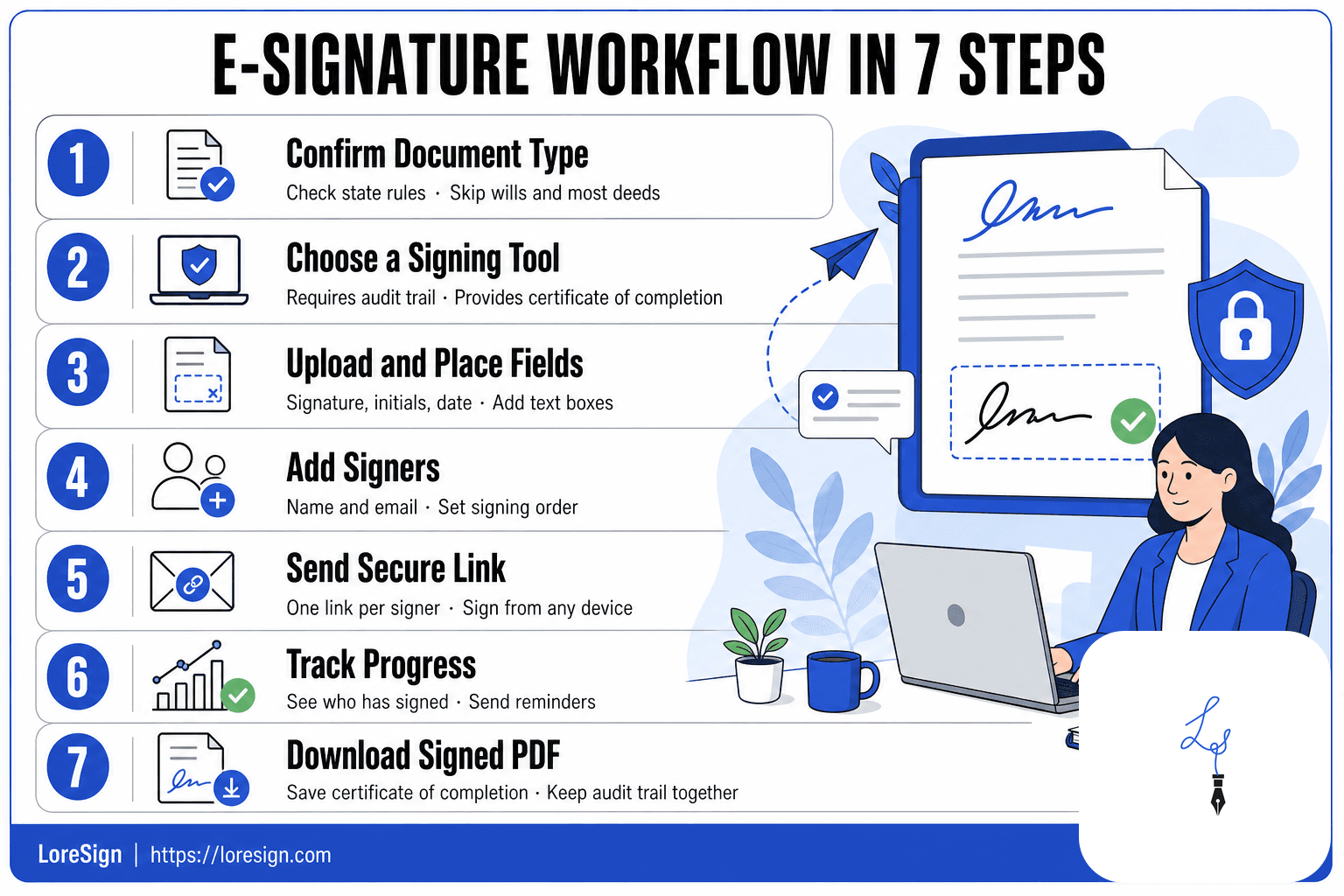
If you are moving a document from a paper process to an electronic one, use this checklist before sending it.
- Identify the document type. Determine whether it is an ordinary contract or a document with special legal formalities.
- Check the governing rules. Look for state-specific witness, notarization, court, agency, lender, or recording requirements.
- Choose an appropriate signing tool. Look for a clear signing flow and useful evidence such as timestamps and audit events.
- Prepare the final document. Verify names, dates, prices, obligations, and attachments before anyone signs.
- Add the correct signers and fields. Assign signature, initial, date, and other required fields to the right people.
- Send and complete the signing process. Let each signer review the final document before taking the signing action.
- Preserve the completed record. Save the final signed document and the accompanying evidence.
What COVID-19 Changed About E-Signatures
COVID-19 changed how often electronic signatures were used, not the basic federal rule that made them legally recognizable.
Before 2020, electronic signing was already common in technology companies, financial services, HR, sales, and other digital workflows.
When offices closed, however, organizations that had relied on in-person signing suddenly needed remote alternatives.
| Period | What changed | What stayed the same |
|---|---|---|
| Before 2020 | E-signatures were already widely used in digital business | E-SIGN and state electronic-transaction laws already existed |
| 2020–2021 | Remote signing, emergency notarization measures, and agency accommodations expanded quickly | Document-specific legal requirements still mattered |
| Today | Remote workflows are routine and many jurisdictions have permanent remote-notarization systems | State, agency, court, witness, and recording rules can still differ |
Remote notarization expanded dramatically
Notarization was one of the areas where the pandemic produced major operational change.
States accelerated remote online notarization, or RON, which allows an authorized notary and signer to interact through approved audio-video technology rather than necessarily being in the same physical room.
As of the current NASS guidance, 47 states and the District of Columbia have laws allowing remote electronic notarization, although procedures and technical requirements vary by jurisdiction.
The IRS also expanded electronic-signature use
The IRS now permits electronic signatures for a range of documents and processes, but that does not mean every IRS form can be signed electronically in every submission channel.
IRS policy states that an electronic signature must use an acceptable method and meet requirements around intent, association with the record, signer identification, and preservation of record integrity. The permitted method can depend on the particular IRS document and guidance.
[DIAGRAM NEEDED: Three-stage timeline showing the pre-2020 legal foundation, the pandemic-era acceleration of remote signing, and today's permanent but document-specific electronic workflows.]
Documents You Cannot Sign Electronically—or Need Special Rules For
There is no single US-wide list that says every document in a category must always be signed with ink.
A better approach is to separate federal E-SIGN exceptions from documents that are electronically signable only when state or institution-specific requirements are satisfied.
Federal E-SIGN exceptions
The E-SIGN Act's general validity rule does not apply to several categories, including:
- wills, codicils, and testamentary trusts governed by applicable law
- state-law matters involving adoption, divorce, and other family-law issues
- certain Uniform Commercial Code transactions
- court orders, court notices, and official documents required in court proceedings
- certain notices involving utility shutoffs
- certain foreclosure, repossession, eviction, or right-to-cure notices involving a person's primary residence
- certain insurance termination notices
- certain product-recall and safety notices
- documents that must accompany hazardous-material handling or transportation
These are statutory exceptions to E-SIGN's general federal rule. State law or another legal framework may still authorize electronic processes in some circumstances.
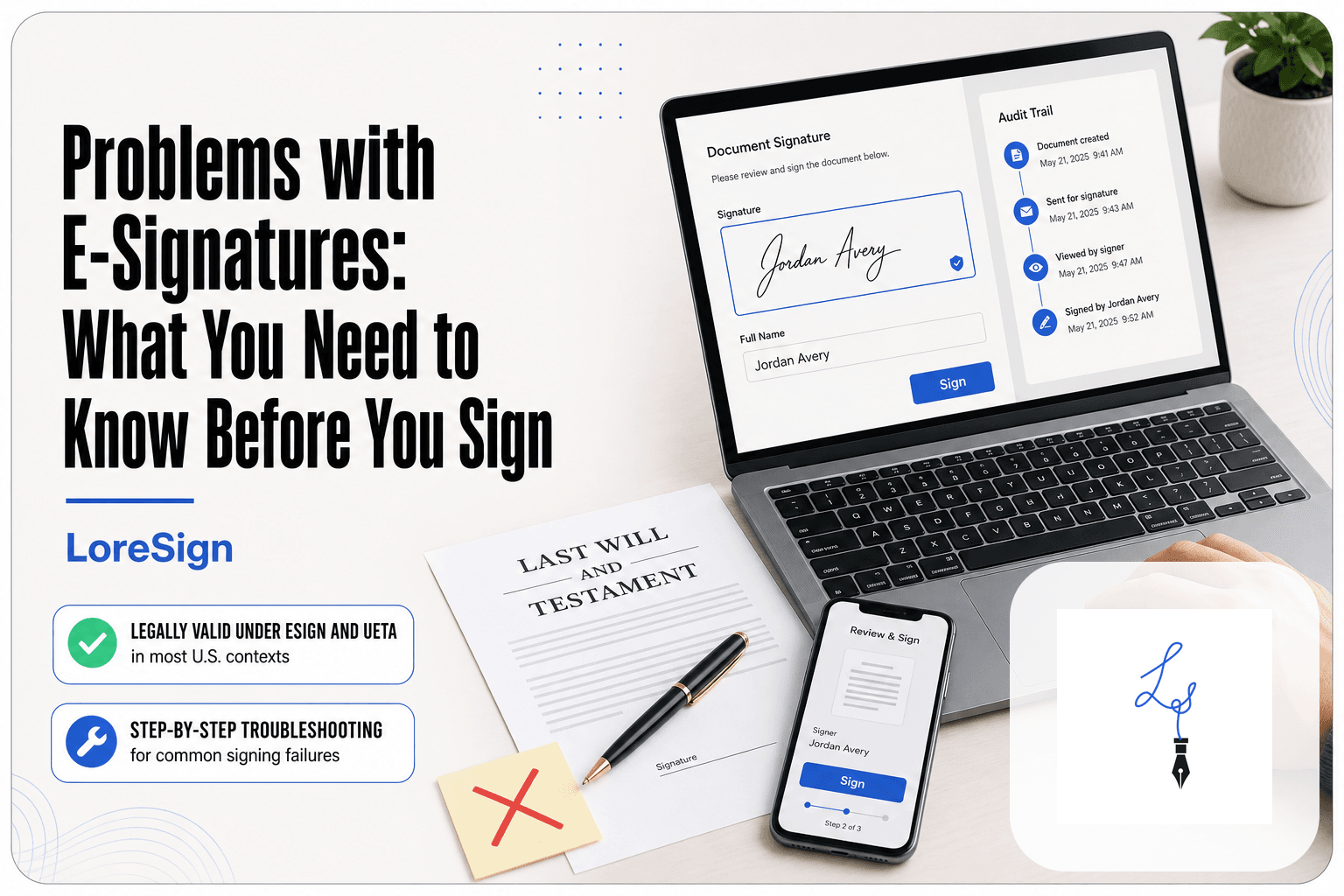
Wills and estate planning documents
Wills deserve particular caution.
E-SIGN and UETA contain exceptions for wills, so their electronic execution depends heavily on state law. The Uniform Law Commission has developed an Electronic Wills Act specifically to allow states to authorize electronic wills while retaining safeguards such as witnessing requirements. The ULC notes that traditional paper execution remains required in most states unless applicable state law says otherwise.
Do not assume that an ordinary commercial e-signature workflow is enough for a will, codicil, testamentary trust, power of attorney, or similar estate document.
Real estate is not a blanket e-signature exception
Real estate is frequently described as “not e-signable,” but that is too broad.
The E-SIGN Act does not contain a general exception for every deed, mortgage, or closing document. Separate state recording, notarization, lender, title, or county requirements can still affect how a particular document must be executed.
The Uniform Real Property Electronic Recording Act was specifically created to let local recording offices accept deeds and other property records electronically where adopted.
So a real estate closing may contain:
- documents that can be signed electronically
- documents requiring notarization
- documents eligible for remote notarization
- documents subject to specific recording-office requirements
- lender or title-company requirements that go beyond the general e-signature statutes
Court documents
E-SIGN's general federal validity rule does not apply to official court documents required in connection with court proceedings. That does not mean courts cannot use electronic signatures.
Instead, the relevant court's procedural and filing rules control.
Before signing a pleading, affidavit, declaration, or other court document electronically, check the court's current filing requirements.
Documents requiring notarization or witnesses
A notarization requirement does not automatically mean the underlying document must be handled entirely on paper.
Federal E-SIGN recognizes electronic notarization when the required electronic signature and other information are attached to or logically associated with the record, but state notary law still controls the procedure.
Witness requirements also vary. Some states allow remote witnessing for certain documents; others impose physical-presence or technology requirements.
[DIAGRAM NEEDED: Decision tree titled “Can I e-sign this?” showing ordinary contract → special federal exception? → notarization/witnessing required? → state or institution-specific rule → electronic or paper workflow.]
How to Sign a Document Electronically: Step-by-Step
Once you know the document can use an electronic workflow, the actual signing process is straightforward.
Step 1: Prepare the final document
Start with the version everyone is actually supposed to sign.
PDF is commonly used because it preserves layout across devices.
Before uploading, check:
- legal names
- dates
- prices and payment terms
- addresses
- attachments
- signature blocks
- initials or acknowledgments
Avoid changing substantive terms after one party has already signed. If the agreement changes, the safest workflow is usually to create a corrected version and obtain the required signatures again.
Step 2: Upload it to an e-signature platform like LoreSign
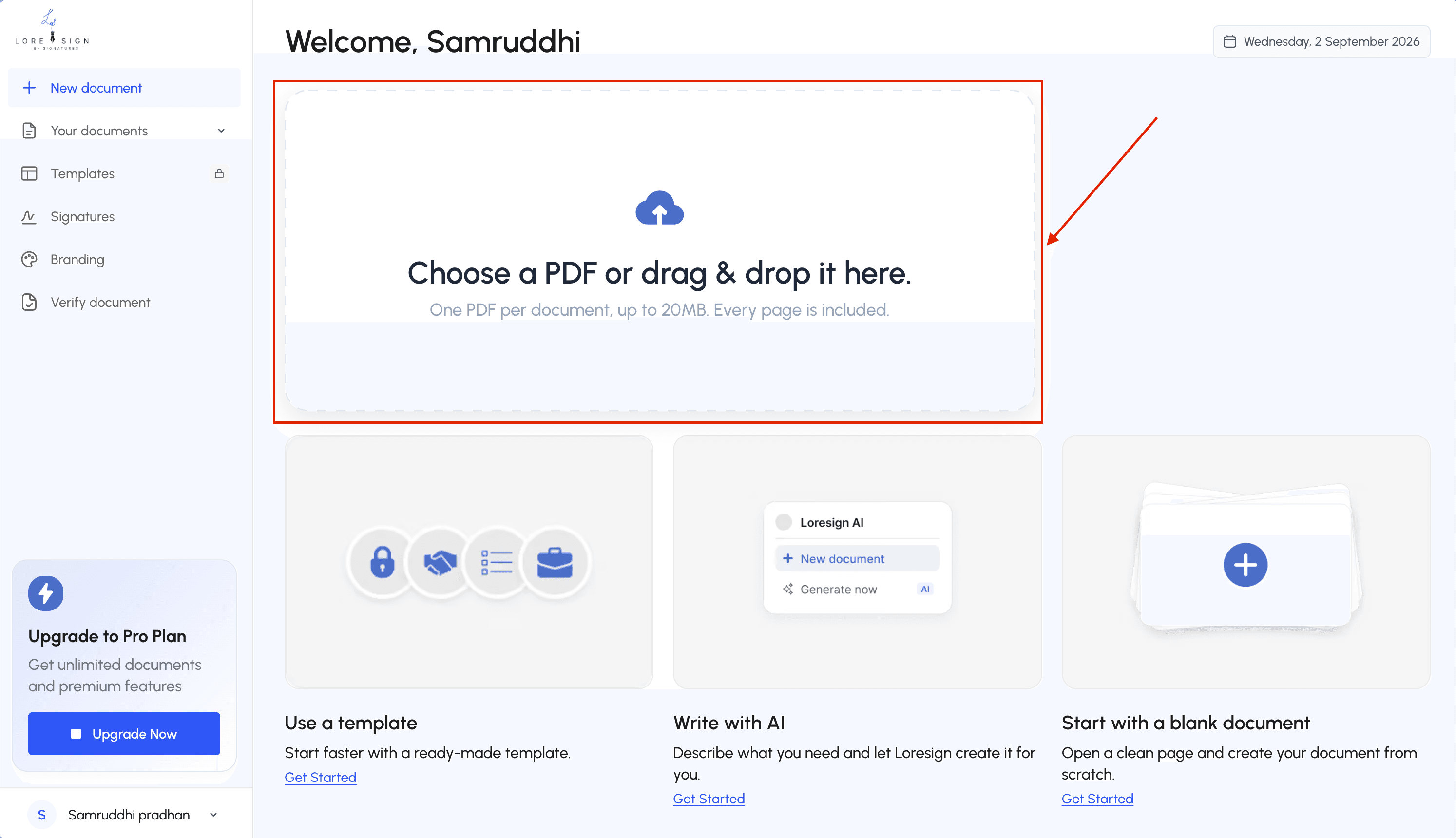
LoreSign, for example, lets users prepare PDF documents for signature and assign fields to recipients.
Step 3: Add recipients and signing fields
Enter each recipient's correct information.
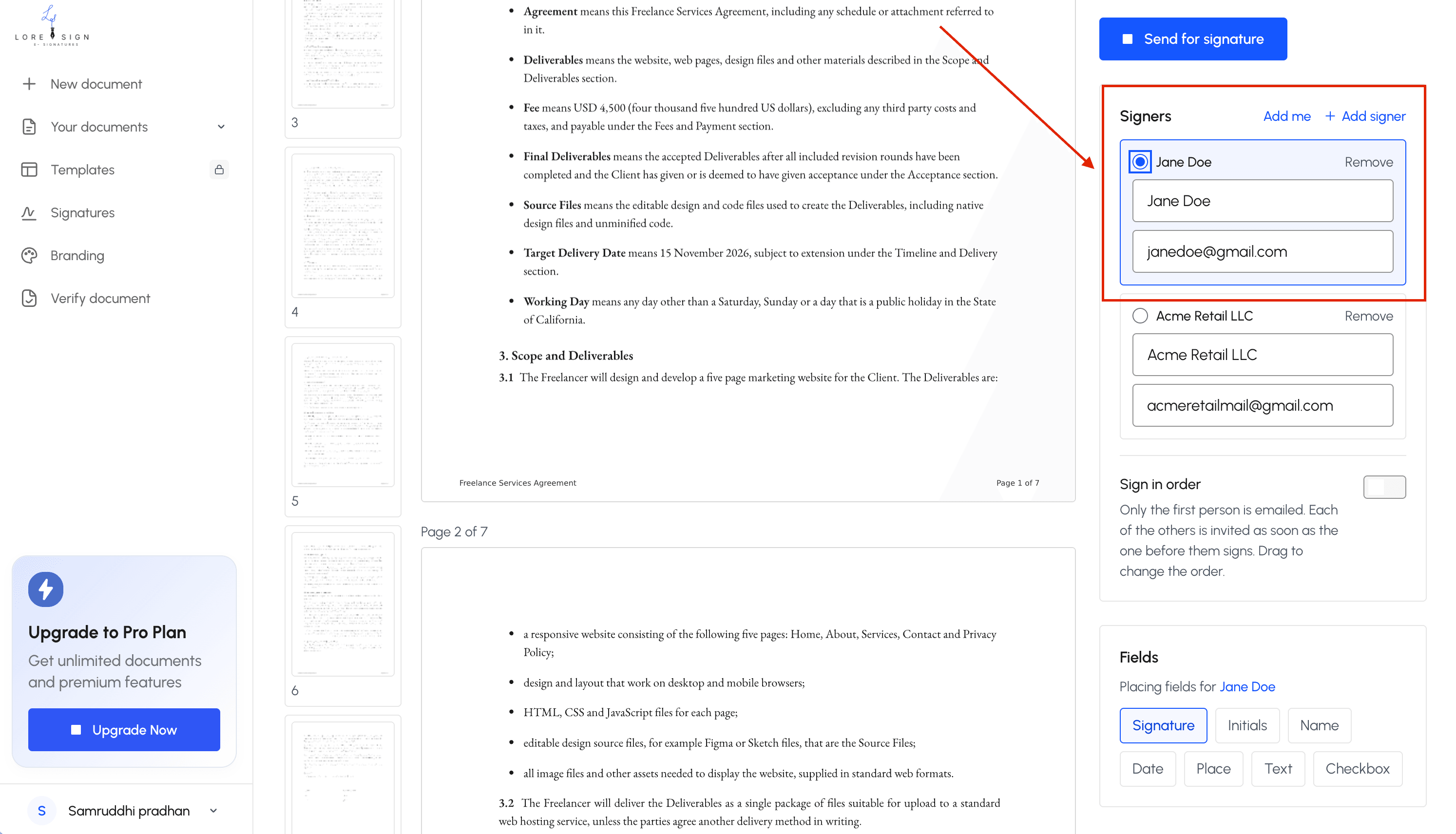
Then assign the relevant fields, such as:
- signature
- initials
- date
- name
- text fields
If several people must sign in a specific sequence, use signing-order controls where available.
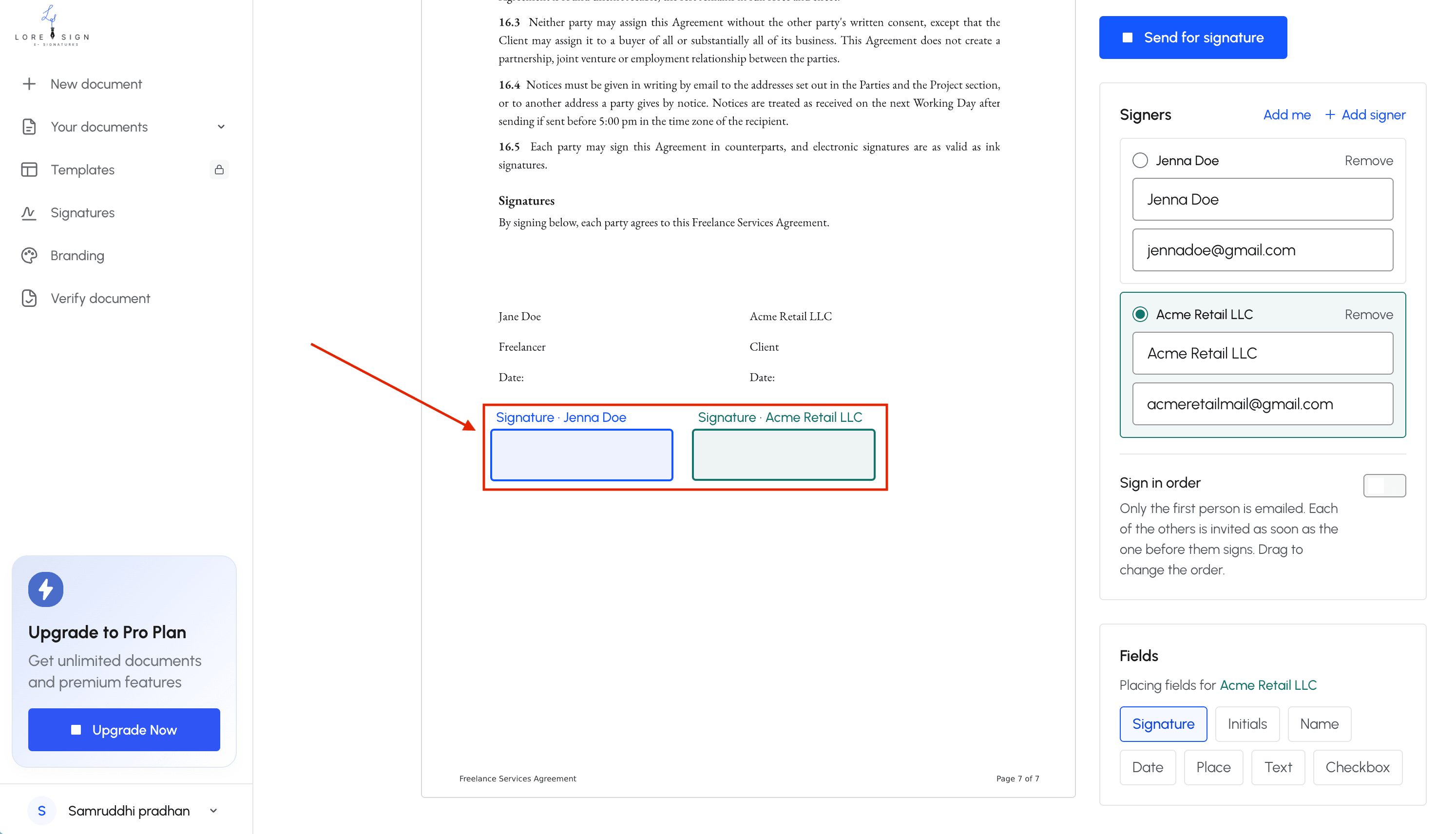
Step 4: Send the document
Each signer receives access to the document and reviews it before signing.
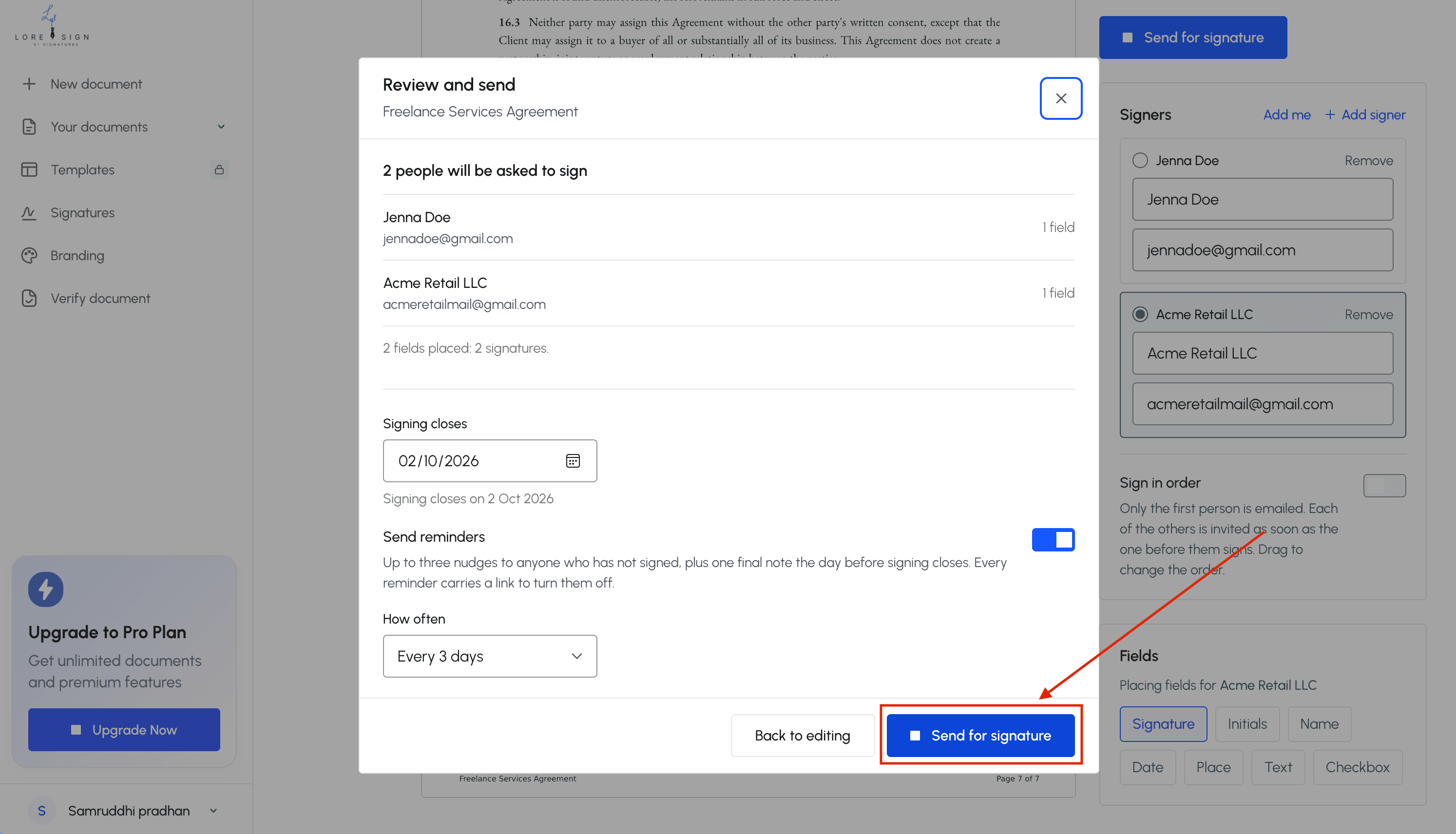
A good signing experience should make it obvious:
- which document they are reviewing
- where action is required
- what action counts as signing
- when the process is complete
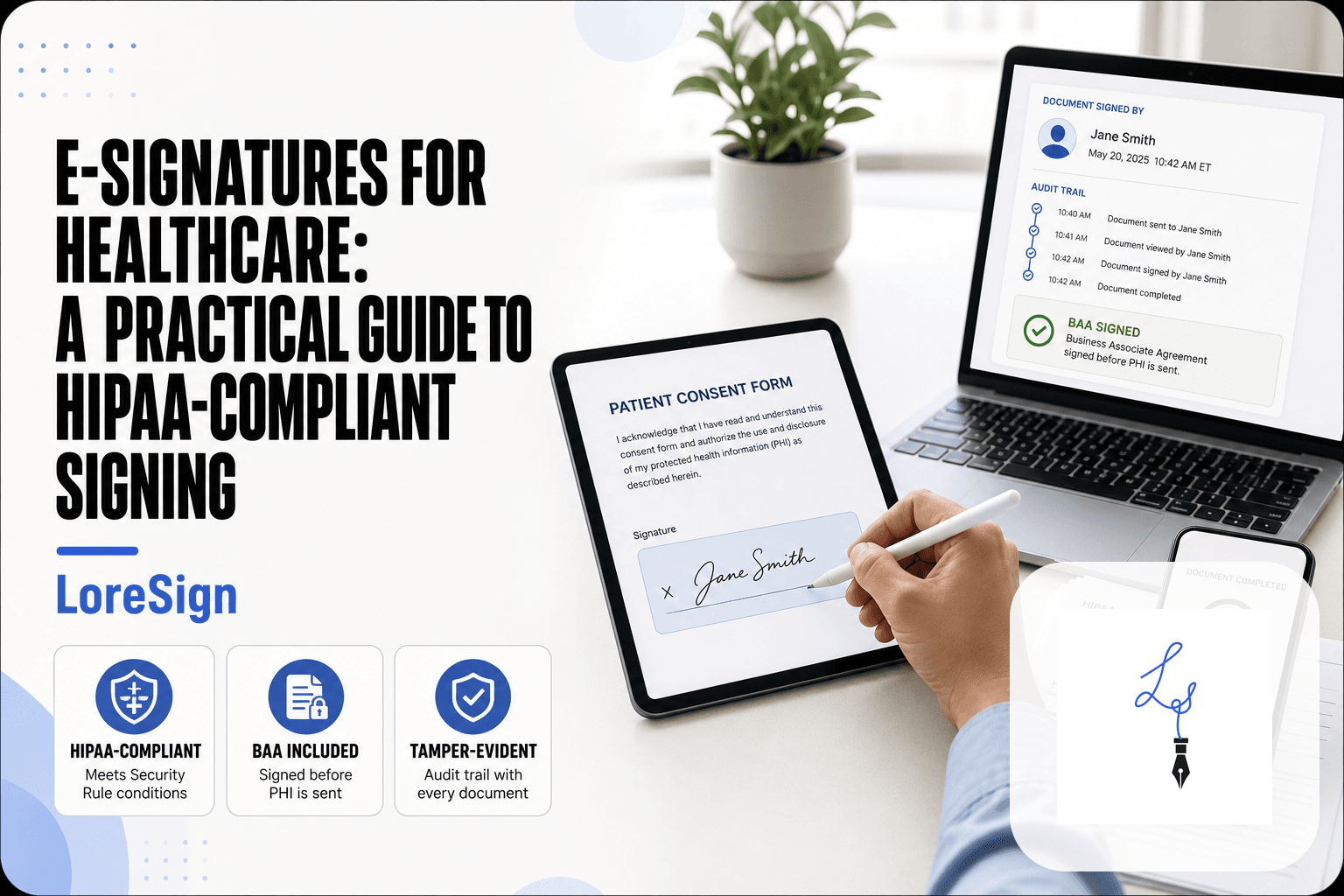
Step 5: Save the signed record and evidence
When signing is finished, keep the completed document together with the evidence generated by the platform.
That may include:
- timestamps
- recipient email information
- signing events
- authentication events
- IP information where collected
- document-integrity information
- a certificate or audit report
An IP address or email address by itself does not prove identity. Think of the audit trail as supporting evidence rather than a magic guarantee that a disputed signature will always be enforceable.
What to Look for in an E-Signature Tool
Most e-signature platforms can place a signature box on a PDF. The bigger differences appear in the signing process and the evidence retained afterward.
| What to check | Why it matters | What to look for |
|---|---|---|
| Audit trail | Helps document the signing event | Timestamps, recipient events, document history |
| Document integrity | Helps show whether the completed record was changed | Tamper-evident records, hashes, or integrity controls |
| Authentication options | Different transactions carry different identity risks | Email access plus stronger verification options where needed |
| Signer experience | Confusing workflows lead to incomplete documents | Browser-based signing, clear fields, mobile usability |
| Record retention | You may need the signed record years later | Easy download and export of final documents and evidence |
| Routing and reminders | Useful for multi-party agreements | Signing order, status tracking, automated reminders |
| Pricing | Free tiers can hide practical limits | Document limits, user limits, templates, audit features, branding |
Do not rely on a generic “legally compliant” badge
No platform can make every document enforceable simply by adding an electronic signature.
The tool can help you create a defensible process, but the legality of the underlying transaction still depends on the document, applicable law, signer's authority, and surrounding facts.
Common Mistakes When Using E-Signatures
Most problems come from treating electronic signing as nothing more than placing a picture of a signature onto a PDF.
1. Assuming every document follows the same rules
A routine NDA and an electronic will are not the same legal problem.
Check special requirements before sending high-stakes documents.
2. Treating a consent checkbox as the entire legal process
Intent and electronic consent matter, but the applicable requirements depend on the transaction.
Consumer disclosures governed by E-SIGN can involve much more than one checkbox.
3. Using weak recipient verification for a high-risk document
Email access may be enough for many low-risk business agreements.
For higher-risk transactions, consider whether stronger identity verification is appropriate.
4. Changing the document after it has been signed
If substantive terms change, the signatures on the earlier version may no longer represent agreement to the final terms.
Use version controls and re-send the corrected record when necessary.
5. Ignoring the audit trail
Do not keep only the visual PDF and discard the supporting evidence.
Download or retain the audit record, certificate, and other relevant signing data according to your document-retention policy.
Final Thoughts: E-Signatures After COVID-19
The real story behind e signatures COVID 19 is not that the pandemic suddenly legalized electronic signatures.
The legal framework was already there.
COVID-19 accelerated adoption, pushed organizations toward remote workflows, expanded remote notarization, and forced agencies and institutions to decide which paper processes could move online.
Today, the practical rule is simple:
Do not ask only, “Can I put an electronic signature on this?”
Ask:
- What kind of document is this?
- Which law, court, agency, or institution controls it?
- Does it require witnesses, notarization, special disclosures, or recording?
- Can I preserve reliable evidence of the completed signing process?
For ordinary contracts, proposals, NDAs, and similar business documents, electronic signing is usually straightforward.
For wills, court documents, certain statutory notices, estate-planning records, notarized instruments, and some real-estate documents, check the specific rules first.
LoreSign helps people and businesses send documents for signature, track signing progress, and receive completed documents without relying on printing, scanning, and email attachments.
Frequently Asked Questions
Are e-signatures legally binding in the US?
Generally, yes for transactions covered by the applicable electronic-signature laws. The federal E-SIGN Act says a signature or contract cannot be denied legal effect solely because an electronic form or signature was used. State electronic-transaction laws provide an additional framework. Specific exceptions and document requirements still apply.
What documents cannot be signed electronically?
There is no universal one-line list. Federal E-SIGN exceptions include wills and testamentary trusts, certain family-law matters, official court documents, and several categories of statutory notices. State laws can create additional requirements or authorize electronic alternatives for some of those documents.
Did COVID-19 change e-signature laws?
COVID-19 did not create a new general federal rule making electronic signatures valid. E-SIGN and UETA already existed. The pandemic accelerated electronic-signature adoption and led many jurisdictions, courts, agencies, and notaries to expand or temporarily modify remote procedures.
How do I sign a document electronically?
Prepare the final document, upload it to an e-signature platform, add the recipients, place the required fields, send it for signature, and retain the completed document together with its supporting audit evidence.
Is an e-signature as valid as a wet signature in court?
Electronic records and signatures covered by E-SIGN cannot be denied legal effect solely because they are electronic. That does not guarantee that every disputed e-signature will be accepted as authentic or enforceable. Courts can consider the signing process and evidence surrounding the transaction.
Do I need a special app to sign electronically?
Usually not. Many e-signature services allow recipients to review and sign documents in a web browser on a computer, tablet, or phone.
What should I check before e-signing a contract?
Check that you are signing the final document, confirm the identity and authority of the parties, determine whether special witness or notarization requirements apply, read the full agreement, and make sure you can retain the signed record and relevant audit evidence.
About LoreSign
LoreSign helps people and businesses get contracts and documents signed without the back-and-forth of printing, scanning, and manually tracking every recipient. Track signing progress and receive the completed document once the signing process is finished.